TakeHome-2

**


Time Traveling Through Trade: Visualizing Temporal Patterns to Expose Illegal Fishing

**

Author

Abhishek Singh

Published

May 28, 2023

Modified

June 18, 2023

Overview

This assignment focuses on the collaboration between FishEye International and the country of Oceanus to combat illegal, unreported, and unregulated (IUU) fishing. FishEye has received import/export data from Oceanus’ marine and fishing industries to identify companies engaged in illegal activities. However, due to incomplete data, FishEye has transformed the trade records into a knowledge graph. The objective is to leverage visual analytics techniques to unveil temporal patterns within the knowledge graph, allowing FishEye to identify entities involved in IUU fishing and understand business relationships. This analysis aims to provide a detailed understanding of patterns for entities and their activities over time.

Objective

The objective of this analysis is to utilize visual analytics techniques to identify temporal patterns for individual entities and between entities in the knowledge graph derived from Oceanus’ trade records. By examining these patterns, FishEye aims to:

  • Uncover Illegal Fishing Entities: Identify companies that engage in IUU fishing practices by tracking their activities over time. This will help FishEye pinpoint entities involved in illegal fishing operations and prioritize enforcement efforts.

  • Detect Business Relationship Patterns: By analyzing temporal patterns, FishEye can identify recurring links, collaborations, or changes in business relationships that might indicate illegal activities or attempts to evade detection.

  • Monitor Company Behavior: Track the behavior of suspicious entities that may shut down and reemerge under different names. By visualizing temporal patterns, FishEye can compare the activities of companies over time, enabling them to identify potential reoccurrences of illegal fishing practices.

  • Protect Marine Species: Use the findings to develop targeted strategies to mitigate the impact of IUU fishing on marine species. Understanding the patterns of illegal activities will help FishEye take proactive measures to protect vulnerable marine species and ecosystems.

My TASK

Use visual analytics to identify temporal patterns for individual entities and between entities in the knowledge graph FishEye created from trade records. Categorize the types of business relationship patterns you find. Limit your response to 600 words and 6 images.

1. Data Preparation

1.1 Install R packages and import dataset

A Glimpse into the Code
pacman::p_load(jsonlite, igraph, tidygraph, ggraph,
               visNetwork, lubridate, clock,
               tidyverse, graphlayouts,knitr,plotly, 
               ggthemes,hrbrthemes,treemap,patchwork, ggiraph,
               ggstatsplot, summarytools)

The code chunk uses pacman::p_load() to check if packages are installed. If they are, they will be launched into R. The packages used are

  • jsonlite: It is used for working with JSON data in R, providing functions to parse JSON and convert it to data frames.

  • igraph : It offers a wide range of graph algorithms and visualization capabilities

  • tidygraph: An interface for manipulating and analyzing graphs using the principles of tidy data

  • ggraph: It allows for creating aesthetically pleasing and customizable graph visualizations.

  • visNetwork: It provides functions to create and customize interactive network plots

  • lubridate: It is a package for working with dates and times in R.

  • clock: It is a package for working with time zones, providing functions to convert between different time zones and perform various time-related calculations.

  • ggiraph: used for interactive features such as tooltips, zooming, and panning. It is particularly useful for creating interactive web-based visualizations.

  • hrbrthemes: It provides additional themes and styling options

  • treemap: This package offers functions to create treemaps

  • plotly: Used for creating interactive web-based graphs.

  • ggstatsplot: Used for creating graphics with details from statistical tests.

  • graphlayouts: provides various graph layout algorithms for arranging the nodes and edges of a graph in a visually appealing manner.

  • knitr: Used for dynamic report generation

  • pacthwork: Used to combine plots

  • ggdist: Used for visualising distribution and uncertainty

  • ggthemes: Provide additional themes for ggplot2

  • tidyverse: A collection of core packages designed for data science, used extensively for data preparation and wrangling.

  • rstatix: used for data manipulation, summarization, and group-wise comparisons

  • Hmisc : used to compute descriptive statistics for a variable in a dataset

  • DT : DataTables that create interactive table on html page.

  • summarytools- used for creating summary statistics and tables for data exploration and reporting

  • kableExtra- is used for creating tables in various output formats, such as HTML, PDF, or Word documents.

  • ggplot2- provides a flexible and layered approach to create a wide variety of high-quality static and interactive plots.

  • summarytools- used for creating summary statistics and tables for data exploration and reporting

    All packages can be found within CRAN.

pacman::p_load() function from the pacman package is used in the following code chunk to install and call the libraries of multiple R packages:

1.2 Importing data sets

A Glimpse into the Code
mc2 <- fromJSON("data/mc2_challenge_graph.json")
A Glimpse into the Code
glimpse(mc2)
List of 5
 $ directed  : logi TRUE
 $ multigraph: logi TRUE
 $ graph     : Named list()
 $ nodes     :'data.frame': 34576 obs. of  4 variables:
  ..$ shpcountry: chr [1:34576] "Polarinda" NA "Oceanus" NA ...
  ..$ rcvcountry: chr [1:34576] "Oceanus" NA "Oceanus" NA ...
  ..$ dataset   : chr [1:34576] "MC2" "MC2" "MC2" "MC2" ...
  ..$ id        : chr [1:34576] "AquaDelight Inc and Son's" "BaringoAmerica Marine Ges.m.b.H." "Yu gan  Sea spray GmbH Industrial" "FlounderLeska Marine BV" ...
 $ links     :'data.frame': 5464378 obs. of  9 variables:
  ..$ arrivaldate     : chr [1:5464378] "2034-02-12" "2034-03-13" "2028-02-07" "2028-02-23" ...
  ..$ hscode          : chr [1:5464378] "630630" "630630" "470710" "470710" ...
  ..$ valueofgoods_omu: num [1:5464378] 141015 141015 NA NA NA ...
  ..$ volumeteu       : num [1:5464378] 0 0 0 0 0 0 0 0 0 0 ...
  ..$ weightkg        : int [1:5464378] 4780 6125 10855 11250 11165 11290 9000 19490 6865 19065 ...
  ..$ dataset         : chr [1:5464378] "MC2" "MC2" "MC2" "MC2" ...
  ..$ source          : chr [1:5464378] "AquaDelight Inc and Son's" "AquaDelight Inc and Son's" "AquaDelight Inc and Son's" "AquaDelight Inc and Son's" ...
  ..$ target          : chr [1:5464378] "BaringoAmerica Marine Ges.m.b.H." "BaringoAmerica Marine Ges.m.b.H." "-15045" "-15045" ...
  ..$ valueofgoodsusd : num [1:5464378] NA NA NA NA NA ...

The dataset consists of a graph in JSON format with 34,552 nodes and 5,464,092 directed edges. The node attributes include the company name, shipping country, receiving country. The edge attributes provide information such as the source and target company names, arrival date, HS code, value of goods in OMU and USD, volume in TEU, weight in kilograms, dataset identifier, and type.

NODE

  • id: Name of the company that originated (or received) the shipment
  • shpcountry: Country the company most often associated with when shipping
  • rcvcountry: Country the company most often associated with when receiving

EDGE

  • source: Name of the company that originated the shipment
  • target: Name of the company that received the shipment
  • arrivaldate: Date the shipment arrived at port in YYYY-MM-DD format
  • hscode: Harmonized System code for the shipment
  • valueofgoods_omu: Customs-declared value of the total shipment in Oceanus Monetary Units (OMU)
  • volumeteu: The volume of the shipment in ‘Twenty-foot equivalent units’
  • weightkg: The weight of the shipment in kilograms (if known)
  • valueofgoodsusd: valueofgoods_omu in USD

1.2.1 Spliting data into NODEs and EDGEs

Extract nodes

A Glimpse into the Code
MC2_Nodes <- as_tibble(mc2$nodes) %>%
  select(id, shpcountry, rcvcountry)
kable(head(MC2_Nodes))
id shpcountry rcvcountry
AquaDelight Inc and Son’s Polarinda Oceanus
BaringoAmerica Marine Ges.m.b.H. NA NA
Yu gan Sea spray GmbH Industrial Oceanus Oceanus
FlounderLeska Marine BV NA NA
Olas del Mar Worldwide Oceanus Oceanus
French Crab S.p.A. Worldwide Kondanovia Utoporiana
A Glimpse into the Code
str(MC2_Nodes)
tibble [34,576 × 3] (S3: tbl_df/tbl/data.frame)
 $ id        : chr [1:34576] "AquaDelight Inc and Son's" "BaringoAmerica Marine Ges.m.b.H." "Yu gan  Sea spray GmbH Industrial" "FlounderLeska Marine BV" ...
 $ shpcountry: chr [1:34576] "Polarinda" NA "Oceanus" NA ...
 $ rcvcountry: chr [1:34576] "Oceanus" NA "Oceanus" NA ...
A Glimpse into the Code
Hmisc::describe(MC2_Nodes)
MC2_Nodes 

 3  Variables      34576  Observations
--------------------------------------------------------------------------------
id 
       n  missing distinct 
   34576        0    34576 

lowest : -1                                      -10                                     -100                                    -1000                                   -10000                                 
highest: zūn yú N.V. Transportation              zūn yú Plc Holdings                     zūn yú Submarine Incorporated Logistics ОАО Ltd. Liability Co                   ОАО S.A. de C.V.                       
--------------------------------------------------------------------------------
shpcountry 
       n  missing distinct 
   12217    22359      154 

lowest : -22004      -22005      -22007       Francora   Afarivaria 
highest: Zaloria     Zambalantis Zambarka    Zawalinda   Zimawand   
--------------------------------------------------------------------------------
rcvcountry 
       n  missing distinct 
   31667     2909      113 

lowest : -22005      -22014      -22015      Afarisburg  Alverossia 
highest: Vientoro    Yggdrasonia Zaloria     Zawalinda   Zimawand   
--------------------------------------------------------------------------------

Checking Missing Values:

A Glimpse into the Code
colSums(is.na(MC2_Nodes))
        id shpcountry rcvcountry 
         0      22359       2909 

shpcountry has 22359 missing values, andrcvcountry has 2909 missing values. To do better analysis, all NA values are replaced by “NULL VALUES”.

A Glimpse into the Code
# Assigning NULL VALUES
MC2_Nodes <- MC2_Nodes %>%
  replace(is.na(MC2_Nodes), "NULL VALUES")

Checking Duplicates

A Glimpse into the Code
any(duplicated(MC2_Nodes))
[1] FALSE

No Duplicate values here

Extract edges

A Glimpse into the Code
MC2_Edges <- as_tibble(mc2$links) %>%
  mutate(ArrivalDate = ymd(arrivaldate)) %>%
  mutate(Year = year(ArrivalDate)) %>%
  select(source, target, ArrivalDate, Year, hscode,  valueofgoods_omu, 
         volumeteu, weightkg, valueofgoodsusd) %>% 
  distinct()
kable(head(MC2_Edges))
source target ArrivalDate Year hscode valueofgoods_omu volumeteu weightkg valueofgoodsusd
AquaDelight Inc and Son’s BaringoAmerica Marine Ges.m.b.H. 2034-02-12 2034 630630 141015 0 4780 NA
AquaDelight Inc and Son’s BaringoAmerica Marine Ges.m.b.H. 2034-03-13 2034 630630 141015 0 6125 NA
AquaDelight Inc and Son’s -15045 2028-02-07 2028 470710 NA 0 10855 NA
AquaDelight Inc and Son’s -15045 2028-02-23 2028 470710 NA 0 11250 NA
AquaDelight Inc and Son’s -15045 2028-09-11 2028 470710 NA 0 11165 NA
AquaDelight Inc and Son’s -15045 2028-10-09 2028 470710 NA 0 11290 NA
A Glimpse into the Code
str(MC2_Edges)
tibble [5,309,087 × 9] (S3: tbl_df/tbl/data.frame)
 $ source          : chr [1:5309087] "AquaDelight Inc and Son's" "AquaDelight Inc and Son's" "AquaDelight Inc and Son's" "AquaDelight Inc and Son's" ...
 $ target          : chr [1:5309087] "BaringoAmerica Marine Ges.m.b.H." "BaringoAmerica Marine Ges.m.b.H." "-15045" "-15045" ...
 $ ArrivalDate     : Date[1:5309087], format: "2034-02-12" "2034-03-13" ...
 $ Year            : num [1:5309087] 2034 2034 2028 2028 2028 ...
 $ hscode          : chr [1:5309087] "630630" "630630" "470710" "470710" ...
 $ valueofgoods_omu: num [1:5309087] 141015 141015 NA NA NA ...
 $ volumeteu       : num [1:5309087] 0 0 0 0 0 0 0 0 0 0 ...
 $ weightkg        : int [1:5309087] 4780 6125 10855 11250 11165 11290 9000 19490 6865 19065 ...
 $ valueofgoodsusd : num [1:5309087] NA NA NA NA NA ...
Tip
  • mutate() is used two times to create two derived fields.
  • ymd() of lubridate package is used to covert arrivaldate field from character data type into date data type.
  • year() of lubridate package is used to convert the values in ArrivalDate field into year values.
  • select() is used not only to select the field needed but also to re-organise the sequent of the fields
A Glimpse into the Code
Hmisc::describe(MC2_Edges)
MC2_Edges 

 9  Variables      5309087  Observations
--------------------------------------------------------------------------------
source 
       n  missing distinct 
 5309087        0    12217 

lowest : -1                                      -10                                     -11                                     -1143                                   -12                                    
highest: zūn yú N.V. Transportation              zūn yú Plc Holdings                     zūn yú Submarine Incorporated Logistics ОАО Ltd. Liability Co                   ОАО S.A. de C.V.                       
--------------------------------------------------------------------------------
target 
       n  missing distinct 
 5309087        0    31691 

lowest : -100                                    -1000                                   -10000                                  -10001                                  -10002                                 
highest: zūn yú N.V. Transportation              zūn yú Plc Holdings                     zūn yú Submarine Incorporated Logistics ОАО Ltd. Liability Co                   ОАО S.A. de C.V.                       
--------------------------------------------------------------------------------
ArrivalDate 
         n    missing   distinct       Info       Mean        Gmd        .05 
   5309087          0       2556          1 2031-06-04      841.3 2028-05-18 
       .10        .25        .50        .75        .90        .95 
2028-09-16 2029-09-17 2031-05-07 2033-02-26 2034-03-21 2034-08-05 

lowest : 2028-01-01 2028-01-02 2028-01-03 2028-01-04 2028-01-05
highest: 2034-12-26 2034-12-27 2034-12-28 2034-12-29 2034-12-30
--------------------------------------------------------------------------------
Year 
       n  missing distinct     Info     Mean      Gmd 
 5309087        0        7    0.979     2031    2.261 

lowest : 2028 2029 2030 2031 2032, highest: 2030 2031 2032 2033 2034
                                                           
Value        2028   2029   2030   2031   2032   2033   2034
Frequency  757875 810685 831459 744698 723384 752809 688177
Proportion  0.143  0.153  0.157  0.140  0.136  0.142  0.130
--------------------------------------------------------------------------------
hscode 
       n  missing distinct 
 5309087        0     4761 

lowest : 100119 100191 100199 100210 100290, highest: 970300 970400 970500 970600 999999
--------------------------------------------------------------------------------
valueofgoods_omu 
       n  missing distinct     Info     Mean      Gmd      .05      .10 
     281  5308806      264        1  1665142  2494994    47545    63625 
     .25      .50      .75      .90      .95 
  148130   504485  1202560  3040240  6776195 

lowest :     1100     4200     5705     5800    11010
highest: 19624925 20546105 22936140 27928330 44744530
--------------------------------------------------------------------------------
volumeteu 
       n  missing distinct     Info     Mean      Gmd      .05      .10 
 4811006   498081      129    0.411    1.509    2.715        0        0 
     .25      .50      .75      .90      .95 
       0        0        0        5       10 

lowest :    0    5   10   15   20, highest:  895  920  990 1110 1215
--------------------------------------------------------------------------------
weightkg 
       n  missing distinct     Info     Mean      Gmd      .05      .10 
 5309087        0    91532        1    38161    62208       90      400 
     .25      .50      .75      .90      .95 
    3115    10660    19845    32180    60345 

lowest :         0         5        10        15        20
highest: 388112230 424448920 435781520 493559110 495492485
--------------------------------------------------------------------------------
valueofgoodsusd 
       n  missing distinct     Info     Mean      Gmd      .05      .10 
 2422832  2886255   129037        1   873608  1638260     1200     5505 
     .25      .50      .75      .90      .95 
   27420    72805   159045   287245   506185 

lowest :            0            5           10           15           20
highest:  27304923345  34889737360 105076265245 223673947970 225833730200

0 (2422645, 1), 2e+09 (69, 0), 4e+09 (58, 0), 6e+09 (35, 0), 8e+09 (2, 0),
1e+10 (11, 0), 1.2e+10 (2, 0), 1.4e+10 (2, 0), 1.8e+10 (2, 0), 2.2e+10 (1, 0),
2.8e+10 (1, 0), 3.4e+10 (1, 0), 1.06e+11 (1, 0), 2.24e+11 (1, 0), 2.26e+11 (1,
0)

For the frequency table, variable is rounded to the nearest 2e+09
--------------------------------------------------------------------------------

Checking Missing Values:

A Glimpse into the Code
colSums(is.na(MC2_Edges))
          source           target      ArrivalDate             Year 
               0                0                0                0 
          hscode valueofgoods_omu        volumeteu         weightkg 
               0          5308806           498081                0 
 valueofgoodsusd 
         2886255 

valueofgoods_omu has too many missing values and there it will be removed. While on other missing values we can check for more details.

A Glimpse into the Code
MC2_Edges <- MC2_Edges %>% select(-valueofgoods_omu)

glimpse(MC2_Edges)
Rows: 5,309,087
Columns: 8
$ source          <chr> "AquaDelight Inc and Son's", "AquaDelight Inc and Son'…
$ target          <chr> "BaringoAmerica Marine Ges.m.b.H.", "BaringoAmerica Ma…
$ ArrivalDate     <date> 2034-02-12, 2034-03-13, 2028-02-07, 2028-02-23, 2028-…
$ Year            <dbl> 2034, 2034, 2028, 2028, 2028, 2028, 2028, 2028, 2028, …
$ hscode          <chr> "630630", "630630", "470710", "470710", "470710", "470…
$ volumeteu       <dbl> 0, 0, 0, 0, 0, 0, 0, 0, 0, 0, 0, 0, 0, 0, 0, 0, 0, 0, …
$ weightkg        <int> 4780, 6125, 10855, 11250, 11165, 11290, 9000, 19490, 6…
$ valueofgoodsusd <dbl> NA, NA, NA, NA, NA, NA, 87110, 188140, NA, 221110, 586…
1.3 Data Wrangling

1.3.2 Years Wise Fishing

Preparing for the Edges

Checking the Unique number of years

A Glimpse into the Code
sort(unique(MC2_Edges$Year))
[1] 2028 2029 2030 2031 2032 2033 2034
A Glimpse into the Code
Agg_2028_Edges1 <- Edge1 %>%
  filter(Year == "2028") %>%
  group_by(source, target, hscode, Year) %>%
    summarise(weights = n(), .groups = "drop") %>%
  filter(source!=target) %>%
  filter(weights > 1) %>%
  ungroup()
A Glimpse into the Code
Agg_2028_Edges2 <- Edge2 %>%
  filter(Year == "2028") %>%
  group_by(source, target, hscode, Year) %>%
    summarise(weights = n(), .groups = "drop") %>%
  filter(source!=target) %>%
  filter(weights > 1) %>%
  ungroup()
A Glimpse into the Code
Agg_2028_Edges3 <- Edge3 %>%
  filter(Year == "2028") %>%
  group_by(source, target, hscode, Year) %>%
    summarise(weights = n(), .groups = "drop") %>%
  filter(source!=target) %>%
  filter(weights > 1) %>%
  ungroup()
A Glimpse into the Code
Agg_2029_Edges1 <- Edge1 %>%
  filter(Year == "2029") %>%
  group_by(source, target, hscode, Year) %>%
    summarise(weights = n(), .groups = "drop") %>%
  filter(source!=target) %>%
  filter(weights > 1) %>%
  ungroup()
A Glimpse into the Code
Agg_2029_Edges2 <- Edge2 %>%
  filter(Year == "2029") %>%
  group_by(source, target, hscode, Year) %>%
    summarise(weights = n(), .groups = "drop") %>%
  filter(source!=target) %>%
  filter(weights > 1) %>%
  ungroup()
A Glimpse into the Code
Agg_2029_Edges3 <- Edge3 %>%
  filter(Year == "2029") %>%
  group_by(source, target, hscode, Year) %>%
    summarise(weights = n(), .groups = "drop") %>%
  filter(source!=target) %>%
  filter(weights > 1) %>%
  ungroup()
A Glimpse into the Code
Agg_2030_Edges1 <- Edge1 %>%
  filter(Year == "2030") %>%
  group_by(source, target, hscode, Year) %>%
    summarise(weights = n(), .groups = "drop") %>%
  filter(source!=target) %>%
  filter(weights > 1) %>%
  ungroup()
A Glimpse into the Code
Agg_2030_Edges2 <- Edge2 %>%
  filter(Year == "2030") %>%
  group_by(source, target, hscode, Year) %>%
    summarise(weights = n(), .groups = "drop") %>%
  filter(source!=target) %>%
  filter(weights > 1) %>%
  ungroup()
A Glimpse into the Code
Agg_2030_Edges3 <- Edge3 %>%
  filter(Year == "2030") %>%
  group_by(source, target, hscode, Year) %>%
    summarise(weights = n(), .groups = "drop") %>%
  filter(source!=target) %>%
  filter(weights > 1) %>%
  ungroup()
A Glimpse into the Code
Agg_2031_Edges1 <- Edge1 %>%
  filter(Year == "2031") %>%
  group_by(source, target, hscode, Year) %>%
    summarise(weights = n(), .groups = "drop") %>%
  filter(source!=target) %>%
  filter(weights > 1) %>%
  ungroup()
A Glimpse into the Code
Agg_2031_Edges2 <- Edge2 %>%
  filter(Year == "2031") %>%
  group_by(source, target, hscode, Year) %>%
    summarise(weights = n(), .groups = "drop") %>%
  filter(source!=target) %>%
  filter(weights > 1) %>%
  ungroup()
A Glimpse into the Code
Agg_2031_Edges3 <- Edge3 %>%
  filter(Year == "2031") %>%
  group_by(source, target, hscode, Year) %>%
    summarise(weights = n(), .groups = "drop") %>%
  filter(source!=target) %>%
  filter(weights > 1) %>%
  ungroup()
A Glimpse into the Code
Agg_2032_Edges1 <- Edge1 %>%
  filter(Year == "2032") %>%
  group_by(source, target, hscode, Year) %>%
    summarise(weights = n(), .groups = "drop") %>%
  filter(source!=target) %>%
  filter(weights > 1) %>%
  ungroup()
A Glimpse into the Code
Agg_2032_Edges2 <- Edge2 %>%
  filter(Year == "2032") %>%
  group_by(source, target, hscode, Year) %>%
    summarise(weights = n(), .groups = "drop") %>%
  filter(source!=target) %>%
  filter(weights > 1) %>%
  ungroup()
A Glimpse into the Code
Agg_2032_Edges3 <- Edge3 %>%
  filter(Year == "2032") %>%
  group_by(source, target, hscode, Year) %>%
    summarise(weights = n(), .groups = "drop") %>%
  filter(source!=target) %>%
  filter(weights > 1) %>%
  ungroup()
A Glimpse into the Code
Agg_2033_Edges1 <- Edge1 %>%
  filter(Year == "2033") %>%
  group_by(source, target, hscode, Year) %>%
    summarise(weights = n(), .groups = "drop") %>%
  filter(source!=target) %>%
  filter(weights > 1) %>%
  ungroup()
A Glimpse into the Code
Agg_2033_Edges2 <- Edge2 %>%
  filter(Year == "2033") %>%
  group_by(source, target, hscode, Year) %>%
    summarise(weights = n(), .groups = "drop") %>%
  filter(source!=target) %>%
  filter(weights > 1) %>%
  ungroup()
A Glimpse into the Code
Agg_2033_Edges3 <- Edge3 %>%
  filter(Year == "2033") %>%
  group_by(source, target, hscode, Year) %>%
    summarise(weights = n(), .groups = "drop") %>%
  filter(source!=target) %>%
  filter(weights > 1) %>%
  ungroup()
A Glimpse into the Code
Agg_2034_Edges1 <- Edge1 %>%
  filter(Year == "2034") %>%
  group_by(source, target, hscode, Year) %>%
    summarise(weights = n(), .groups = "drop") %>%
  filter(source!=target) %>%
  filter(weights > 1) %>%
  ungroup()
A Glimpse into the Code
Agg_2034_Edges2 <- Edge2 %>%
  filter(Year == "2034") %>%
  group_by(source, target, hscode, Year) %>%
    summarise(weights = n(), .groups = "drop") %>%
  filter(source!=target) %>%
  filter(weights > 1) %>%
  ungroup()
A Glimpse into the Code
Agg_2034_Edges3 <- Edge3 %>%
  filter(Year == "2034") %>%
  group_by(source, target, hscode, Year) %>%
    summarise(weights = n(), .groups = "drop") %>%
  filter(source!=target) %>%
  filter(weights > 1) %>%
  ungroup()
A Glimpse into the Code
CombinedEdges1 <- rbind(Agg_2028_Edges1, 
                        Agg_2029_Edges1, 
                        Agg_2030_Edges1,
                        Agg_2031_Edges1,
                        Agg_2032_Edges1,
                        Agg_2033_Edges1,
                        Agg_2034_Edges1)
A Glimpse into the Code
CombinedEdges2 <- rbind(Agg_2028_Edges2, 
                        Agg_2029_Edges2, 
                        Agg_2030_Edges2,
                        Agg_2031_Edges2,
                        Agg_2032_Edges2,
                        Agg_2033_Edges2,
                        Agg_2034_Edges2)
A Glimpse into the Code
CombinedEdges3 <- rbind(Agg_2028_Edges3, 
                        Agg_2029_Edges3, 
                        Agg_2030_Edges3,
                        Agg_2031_Edges3,
                        Agg_2032_Edges3,
                        Agg_2033_Edges3,
                        Agg_2034_Edges3)

Preparing for the Nodes

  • Creating a fresh data table for the nodes in MC2 by utilizing the source and target information from the MC2_edges_aggregated data table. The objective is to guarantee that all the source and target values are incorporated as nodes in the new data table.
A Glimpse into the Code
id1 <- Agg_2028_Edges1 %>%
  select(source) %>%
  rename(id = source)
id2 <- Agg_2028_Edges1 %>%
  select(target) %>%
  rename(id = target)
Agg_2028_Nodes1 <- rbind(id1, id2) %>%
  distinct()
A Glimpse into the Code
id1 <- Agg_2028_Edges2 %>%
  select(source) %>%
  rename(id = source)
id2 <- Agg_2028_Edges2 %>%
  select(target) %>%
  rename(id = target)
Agg_2028_Nodes2 <- rbind(id1, id2) %>%
  distinct()
A Glimpse into the Code
id1 <- Agg_2028_Edges3 %>%
  select(source) %>%
  rename(id = source)
id2 <- Agg_2028_Edges3 %>%
  select(target) %>%
  rename(id = target)
Agg_2028_Nodes3 <- rbind(id1, id2) %>%
  distinct()
A Glimpse into the Code
id1 <- Agg_2029_Edges1 %>%
  select(source) %>%
  rename(id = source)
id2 <- Agg_2029_Edges1 %>%
  select(target) %>%
  rename(id = target)
Agg_2029_Nodes1 <- rbind(id1, id2) %>%
  distinct()
A Glimpse into the Code
id1 <- Agg_2029_Edges2 %>%
  select(source) %>%
  rename(id = source)
id2 <- Agg_2029_Edges2 %>%
  select(target) %>%
  rename(id = target)
Agg_2029_Nodes2 <- rbind(id1, id2) %>%
  distinct()
A Glimpse into the Code
id1 <- Agg_2029_Edges3 %>%
  select(source) %>%
  rename(id = source)
id2 <- Agg_2029_Edges3 %>%
  select(target) %>%
  rename(id = target)
Agg_2029_Nodes3 <- rbind(id1, id2) %>%
  distinct()
A Glimpse into the Code
id1 <- Agg_2030_Edges1 %>%
  select(source) %>%
  rename(id = source)
id2 <- Agg_2030_Edges1 %>%
  select(target) %>%
  rename(id = target)
Agg_2030_Nodes1 <- rbind(id1, id2) %>%
  distinct()
A Glimpse into the Code
id1 <- Agg_2030_Edges2 %>%
  select(source) %>%
  rename(id = source)
id2 <- Agg_2030_Edges2 %>%
  select(target) %>%
  rename(id = target)
Agg_2030_Nodes2 <- rbind(id1, id2) %>%
  distinct()
A Glimpse into the Code
id1 <- Agg_2030_Edges3 %>%
  select(source) %>%
  rename(id = source)
id2 <- Agg_2030_Edges3 %>%
  select(target) %>%
  rename(id = target)
Agg_2030_Nodes3 <- rbind(id1, id2) %>%
  distinct()
A Glimpse into the Code
id1 <- Agg_2031_Edges1 %>%
  select(source) %>%
  rename(id = source)
id2 <- Agg_2031_Edges1 %>%
  select(target) %>%
  rename(id = target)
Agg_2031_Nodes1 <- rbind(id1, id2) %>%
  distinct()
A Glimpse into the Code
id1 <- Agg_2031_Edges2 %>%
  select(source) %>%
  rename(id = source)
id2 <- Agg_2031_Edges2 %>%
  select(target) %>%
  rename(id = target)
Agg_2031_Nodes2 <- rbind(id1, id2) %>%
  distinct()
A Glimpse into the Code
id1 <- Agg_2031_Edges3 %>%
  select(source) %>%
  rename(id = source)
id2 <- Agg_2031_Edges3 %>%
  select(target) %>%
  rename(id = target)
Agg_2031_Nodes3 <- rbind(id1, id2) %>%
  distinct()
A Glimpse into the Code
id1 <- Agg_2032_Edges1 %>%
  select(source) %>%
  rename(id = source)
id2 <- Agg_2032_Edges1 %>%
  select(target) %>%
  rename(id = target)
Agg_2032_Nodes1 <- rbind(id1, id2) %>%
  distinct()
A Glimpse into the Code
id1 <- Agg_2032_Edges2 %>%
  select(source) %>%
  rename(id = source)
id2 <- Agg_2032_Edges2 %>%
  select(target) %>%
  rename(id = target)
Agg_2032_Nodes2 <- rbind(id1, id2) %>%
  distinct()
A Glimpse into the Code
id1 <- Agg_2032_Edges3 %>%
  select(source) %>%
  rename(id = source)
id2 <- Agg_2032_Edges3 %>%
  select(target) %>%
  rename(id = target)
Agg_2032_Nodes3 <- rbind(id1, id2) %>%
  distinct()
A Glimpse into the Code
id1 <- Agg_2033_Edges1 %>%
  select(source) %>%
  rename(id = source)
id2 <- Agg_2033_Edges1 %>%
  select(target) %>%
  rename(id = target)
Agg_2033_Nodes1 <- rbind(id1, id2) %>%
  distinct()
A Glimpse into the Code
id1 <- Agg_2033_Edges2 %>%
  select(source) %>%
  rename(id = source)
id2 <- Agg_2033_Edges2 %>%
  select(target) %>%
  rename(id = target)
Agg_2033_Nodes2 <- rbind(id1, id2) %>%
  distinct()
A Glimpse into the Code
id1 <- Agg_2033_Edges3 %>%
  select(source) %>%
  rename(id = source)
id2 <- Agg_2033_Edges3 %>%
  select(target) %>%
  rename(id = target)
Agg_2033_Nodes3 <- rbind(id1, id2) %>%
  distinct()
A Glimpse into the Code
id1 <- Agg_2034_Edges1 %>%
  select(source) %>%
  rename(id = source)
id2 <- Agg_2034_Edges1 %>%
  select(target) %>%
  rename(id = target)
Agg_2034_Nodes1 <- rbind(id1, id2) %>%
  distinct()
A Glimpse into the Code
id1 <- Agg_2034_Edges2 %>%
  select(source) %>%
  rename(id = source)
id2 <- Agg_2034_Edges2 %>%
  select(target) %>%
  rename(id = target)
Agg_2034_Nodes2 <- rbind(id1, id2) %>%
  distinct()
A Glimpse into the Code
id1 <- Agg_2034_Edges3 %>%
  select(source) %>%
  rename(id = source)
id2 <- Agg_2034_Edges3 %>%
  select(target) %>%
  rename(id = target)
Agg_2034_Nodes3 <- rbind(id1, id2) %>%
  distinct()
A Glimpse into the Code
CombinedNodes1 <- rbind(Agg_2028_Nodes1,
                        Agg_2029_Nodes1,
                        Agg_2030_Nodes1,
                        Agg_2031_Nodes1,
                        Agg_2032_Nodes1,
                        Agg_2033_Nodes1,
                        Agg_2034_Nodes1)
A Glimpse into the Code
CombinedNodes2 <- rbind(Agg_2028_Nodes2,
                        Agg_2029_Nodes2,
                        Agg_2030_Nodes2,
                        Agg_2031_Nodes2,
                        Agg_2032_Nodes2,
                        Agg_2033_Nodes2,
                        Agg_2034_Nodes2)
A Glimpse into the Code
CombinedNodes3 <- rbind(Agg_2028_Nodes3,
                        Agg_2029_Nodes3,
                        Agg_2030_Nodes3,
                        Agg_2031_Nodes3,
                        Agg_2032_Nodes3,
                        Agg_2033_Nodes3,
                        Agg_2034_Nodes3)

Build the Tidygraph data model

A Glimpse into the Code
# 160300-160599
Graph2028_1 <- tbl_graph(nodes = Agg_2028_Nodes1,
                       edges = Agg_2028_Edges1,
                       directed = TRUE) 


# 230100, 253099
Graph2028_2 <- tbl_graph(nodes = Agg_2028_Nodes2,
                       edges = Agg_2028_Edges2,
                       directed = TRUE) 

# 300000-390000
Graph2028_3 <- tbl_graph(nodes = Agg_2028_Nodes3,
                       edges = Agg_2028_Edges3,
                       directed = TRUE) 
A Glimpse into the Code
# 160300-160599
Graph2029_1 <- tbl_graph(nodes = Agg_2029_Nodes1,
                       edges = Agg_2029_Edges1,
                       directed = TRUE) 


# 230100, 253099
Graph2029_2 <- tbl_graph(nodes = Agg_2029_Nodes2,
                       edges = Agg_2029_Edges2,
                       directed = TRUE) 

# 300000-390000
Graph2029_3 <- tbl_graph(nodes = Agg_2029_Nodes3,
                       edges = Agg_2029_Edges3,
                       directed = TRUE) 
A Glimpse into the Code
# 160300-160599
Graph2030_1 <- tbl_graph(nodes = Agg_2030_Nodes1,
                       edges = Agg_2030_Edges1,
                       directed = TRUE) 


# 230100, 253099
Graph2030_2 <- tbl_graph(nodes = Agg_2030_Nodes2,
                       edges = Agg_2030_Edges2,
                       directed = TRUE) 

# 300000-390000
Graph2030_3 <- tbl_graph(nodes = Agg_2030_Nodes3,
                       edges = Agg_2030_Edges3,
                       directed = TRUE) 
A Glimpse into the Code
# 160300-160599
Graph2031_1 <- tbl_graph(nodes = Agg_2031_Nodes1,
                       edges = Agg_2031_Edges1,
                       directed = TRUE) 


# 230100, 253099
Graph2031_2 <- tbl_graph(nodes = Agg_2031_Nodes2,
                       edges = Agg_2031_Edges2,
                       directed = TRUE) 

# 300000-390000
Graph2031_3 <- tbl_graph(nodes = Agg_2031_Nodes3,
                       edges = Agg_2031_Edges3,
                       directed = TRUE) 
A Glimpse into the Code
# 160300-160599
Graph2032_1 <- tbl_graph(nodes = Agg_2032_Nodes1,
                       edges = Agg_2032_Edges1,
                       directed = TRUE) 


# 230100, 253099
Graph2032_2 <- tbl_graph(nodes = Agg_2032_Nodes2,
                       edges = Agg_2032_Edges2,
                       directed = TRUE) 

# 300000-390000
Graph2032_3 <- tbl_graph(nodes = Agg_2032_Nodes3,
                       edges = Agg_2032_Edges3,
                       directed = TRUE) 
A Glimpse into the Code
# 160300-160599
Graph2033_1 <- tbl_graph(nodes = Agg_2033_Nodes1,
                       edges = Agg_2033_Edges1,
                       directed = TRUE) 


# 230100, 253099
Graph2033_2 <- tbl_graph(nodes = Agg_2033_Nodes2,
                       edges = Agg_2033_Edges2,
                       directed = TRUE) 

# 300000-390000
Graph2033_3 <- tbl_graph(nodes = Agg_2033_Nodes3,
                       edges = Agg_2033_Edges3,
                       directed = TRUE) 
A Glimpse into the Code
# 160300-160599
Graph2034_1 <- tbl_graph(nodes = Agg_2034_Nodes1,
                       edges = Agg_2034_Edges1,
                       directed = TRUE) 


# 230100, 253099
Graph2034_2 <- tbl_graph(nodes = Agg_2034_Nodes2,
                       edges = Agg_2034_Edges2,
                       directed = TRUE) 

# 300000-390000
Graph2034_3 <- tbl_graph(nodes = Agg_2034_Nodes3,
                       edges = Agg_2034_Edges3,
                       directed = TRUE) 
A Glimpse into the Code
# 160300-160599
Graph_All1 <- tbl_graph(nodes = CombinedNodes1,
                       edges = CombinedEdges1,
                       directed = TRUE) 


# 230100, 253099
Graph_All2 <- tbl_graph(nodes = CombinedNodes2,
                       edges = CombinedEdges2,
                       directed = TRUE) 

# 300000-390000
Graph_All3 <- tbl_graph(nodes = CombinedNodes3,
                       edges = CombinedEdges3,
                       directed = TRUE) 
A Glimpse into the Code
Graph2028_1
# A tbl_graph: 1507 nodes and 2396 edges
#
# A directed acyclic multigraph with 112 components
#
# A tibble: 1,507 × 1
  id                         
  <chr>                      
1 1 Ltd. Liability Co        
2 1 Ltd. Liability Co Cargo  
3 2 Limited Liability Company
4 3 Seabass Sp Logistics     
5 4 GmbH & Co. KG Logistics  
6 4 S.A. de C.V. Coral Reef  
# ℹ 1,501 more rows
#
# A tibble: 2,396 × 5
   from    to hscode  Year weights
  <int> <int>  <int> <dbl>   <int>
1     1   930 160510  2028       4
2     2   931 160510  2028       2
3     2   932 160521  2028       4
# ℹ 2,393 more rows

The dataframe ‘Graph2028_1’ has 1507 nodes and 2396 edges. It is a directed graph with 112 components.

A Glimpse into the Code
Graph2028_2
# A tbl_graph: 309 nodes and 274 edges
#
# A directed acyclic multigraph with 58 components
#
# A tibble: 309 × 1
  id                                                
  <chr>                                             
1 Adriatic Squid Sagl -                             
2 Agua Limited Liability Company Transit            
3 Ancla Azul Limited Liability Company              
4 Ancla del Este SE                                 
5 Andhra Pradesh   Limited Liability Company Tilapia
6 Aqua Ventures Marine life ОАО Export              
# ℹ 303 more rows
#
# A tibble: 274 × 5
   from    to hscode  Year weights
  <int> <int>  <int> <dbl>   <int>
1     1   137 250700  2028       2
2     2   138 230910  2028       2
3     3   139 230120  2028       3
# ℹ 271 more rows

The dataframe ‘Graph2028_2’ has 309 nodes and 274 edges. It is a directed graph with 58 components.

A Glimpse into the Code
Graph2028_3
# A tbl_graph: 4081 nodes and 9908 edges
#
# A directed acyclic multigraph with 166 components
#
# A tibble: 4,081 × 1
  id                                  
  <chr>                               
1 " Direct Herring Company Transit"   
2 " Direct S.A. de C.V."              
3 " Direct Shark Oyj Marine sanctuary"
4 "-59"                               
5 "1 AS Marine sanctuary"             
6 "1 Ltd. Liability Co Cargo"         
# ℹ 4,075 more rows
#
# A tibble: 9,908 × 5
   from    to hscode  Year weights
  <int> <int>  <int> <dbl>   <int>
1     1  2593 304710  2028       2
2     1  2593 306170  2028       5
3     1  2594 306170  2028       3
# ℹ 9,905 more rows

The dataframe ‘Graph2028_1’ has 4081 nodes and 9908 edges. It is a directed graph with 166 components.

A Glimpse into the Code
Graph2029_1
# A tbl_graph: 1617 nodes and 2691 edges
#
# A directed multigraph with 117 components
#
# A tibble: 1,617 × 1
  id                                          
  <chr>                                       
1 " Direct Limited Liability Company Shipping"
2 " Direct Shark Oyj Marine sanctuary"        
3 "-54"                                       
4 "2 Ltd. Liability Co"                       
5 "3 Logistics Tom yum"                       
6 "4 GmbH & Co. KG Logistics"                 
# ℹ 1,611 more rows
#
# A tibble: 2,691 × 5
   from    to hscode  Year weights
  <int> <int>  <int> <dbl>   <int>
1     1   927 160414  2029       2
2     2    62 160414  2029       2
3     2   979 160414  2029       6
# ℹ 2,688 more rows
A Glimpse into the Code
Graph2029_2
# A tbl_graph: 317 nodes and 315 edges
#
# A directed acyclic multigraph with 50 components
#
# A tibble: 317 × 1
  id                                                  
  <chr>                                               
1 " Direct Shark Oyj Marine sanctuary"                
2 "5 Seagull A/S Marine ecology"                      
3 "Amerigo S.A. de C.V."                              
4 "Ancla Azul Limited Liability Company"              
5 "Ancla del Este SE"                                 
6 "Andhra Pradesh   Limited Liability Company Tilapia"
# ℹ 311 more rows
#
# A tibble: 315 × 5
   from    to hscode  Year weights
  <int> <int>  <int> <dbl>   <int>
1     1   142 230910  2029       2
2     2    26 230400  2029       3
3     2    26 230990  2029       2
# ℹ 312 more rows
A Glimpse into the Code
Graph2029_3
# A tbl_graph: 4098 nodes and 10373 edges
#
# A directed acyclic multigraph with 139 components
#
# A tibble: 4,098 × 1
  id                               
  <chr>                            
1 " Direct Herring Company Transit"
2 "-15"                            
3 "-46"                            
4 "-49"                            
5 "1 AS Marine sanctuary"          
6 "1 Ltd. Liability Co Cargo"      
# ℹ 4,092 more rows
#
# A tibble: 10,373 × 5
   from    to hscode  Year weights
  <int> <int>  <int> <dbl>   <int>
1     1  2582 307590  2029       2
2     1  2583 306170  2029       2
3     1  2584 307590  2029       2
# ℹ 10,370 more rows
A Glimpse into the Code
Graph2030_1
# A tbl_graph: 1558 nodes and 2566 edges
#
# A directed acyclic multigraph with 97 components
#
# A tibble: 1,558 × 1
  id                                          
  <chr>                                       
1 " Direct Limited Liability Company Shipping"
2 "1 Limited Liability Company Transport"     
3 "1 Oyj Marine conservation"                 
4 "3 Logistics Tom yum"                       
5 "4 Limited Liability Company Marine ecology"
6 "4 S.A. de C.V. Coral Reef"                 
# ℹ 1,552 more rows
#
# A tibble: 2,566 × 5
   from    to hscode  Year weights
  <int> <int>  <int> <dbl>   <int>
1     1   974 160414  2030       3
2     2   792 160414  2030      12
3     2   975 160414  2030       2
# ℹ 2,563 more rows
A Glimpse into the Code
Graph2030_2
# A tbl_graph: 364 nodes and 348 edges
#
# A directed acyclic multigraph with 69 components
#
# A tibble: 364 × 1
  id                                        
  <chr>                                     
1 1 Ltd. Liability Co                       
2 4 Limited Liability Company Marine ecology
3 5 Seagull A/S Marine ecology              
4 Amerigo S.A. de C.V.                      
5 Ancla Azul Limited Liability Company      
6 Ancla Marina AG Marine conservation       
# ℹ 358 more rows
#
# A tibble: 348 × 5
   from    to hscode  Year weights
  <int> <int>  <int> <dbl>   <int>
1     1   165 252321  2030       2
2     2   166 250100  2030       2
3     3    34 230400  2030       6
# ℹ 345 more rows
A Glimpse into the Code
Graph2030_3
# A tbl_graph: 4143 nodes and 10109 edges
#
# A directed multigraph with 137 components
#
# A tibble: 4,143 × 1
  id                                          
  <chr>                                       
1 " Direct Herring Company Transit"           
2 " Direct Limited Liability Company Shipping"
3 " Direct S.A. de C.V."                      
4 "1 AS Marine sanctuary"                     
5 "1 Ltd. Liability Co Cargo"                 
6 "2 Limited Liability Company"               
# ℹ 4,137 more rows
#
# A tibble: 10,109 × 5
   from    to hscode  Year weights
  <int> <int>  <int> <dbl>   <int>
1     1  2604 307590  2030       3
2     1  2605 307590  2030       2
3     1   747 306170  2030       2
# ℹ 10,106 more rows
A Glimpse into the Code
Graph2031_1
# A tbl_graph: 1536 nodes and 2498 edges
#
# A directed acyclic multigraph with 94 components
#
# A tibble: 1,536 × 1
  id                                   
  <chr>                                
1 1 Limited Liability Company Transport
2 2 Ltd. Liability Co                  
3 4 S.A. de C.V.                       
4 4 S.A. de C.V. Coral Reef            
5 6 Chart Ges.m.b.H. Export            
6 9 Marine biology Ltd Family          
# ℹ 1,530 more rows
#
# A tibble: 2,498 × 5
   from    to hscode  Year weights
  <int> <int>  <int> <dbl>   <int>
1     1   954 160414  2031       2
2     1   791 160414  2031      21
3     2   955 160510  2031       6
# ℹ 2,495 more rows
A Glimpse into the Code
Graph2031_2
# A tbl_graph: 330 nodes and 314 edges
#
# A directed acyclic multigraph with 64 components
#
# A tibble: 330 × 1
  id                                     
  <chr>                                  
1 "5 Seagull A/S Marine ecology"         
2 "Adriatic Catch Bonito Ltd Consultants"
3 "Adriatic Tuna Corp Navigation"        
4 "Adriatic Tuna LC Carriers"            
5 "Ancla Azul Limited Liability Company" 
6 "Ancla del Este Sp Fish "              
# ℹ 324 more rows
#
# A tibble: 314 × 5
   from    to hscode  Year weights
  <int> <int>  <int> <dbl>   <int>
1     1    28 230400  2031      30
2     1    28 230990  2031       3
3     2    32 230910  2031       2
# ℹ 311 more rows
A Glimpse into the Code
Graph2031_3
# A tbl_graph: 4027 nodes and 10033 edges
#
# A directed acyclic multigraph with 157 components
#
# A tibble: 4,027 × 1
  id                                          
  <chr>                                       
1 " Direct Herring Company Transit"           
2 " Direct Limited Liability Company Shipping"
3 " Direct S.A. de C.V."                      
4 " Direct Shark Oyj Marine sanctuary"        
5 "1 AS Marine sanctuary"                     
6 "1 Ltd. Liability Co Cargo"                 
# ℹ 4,021 more rows
#
# A tibble: 10,033 × 5
   from    to hscode  Year weights
  <int> <int>  <int> <dbl>   <int>
1     1  2613 307590  2031       2
2     1  2614 307590  2031       2
3     1   731 306170  2031      12
# ℹ 10,030 more rows
A Glimpse into the Code
Graph2032_1
# A tbl_graph: 1610 nodes and 2628 edges
#
# A directed acyclic multigraph with 114 components
#
# A tibble: 1,610 × 1
  id                                     
  <chr>                                  
1 " Direct Herring Company Transit"      
2 "1 Limited Liability Company Transport"
3 "1 Ltd. Liability Co"                  
4 "2 S.A. de C.V."                       
5 "2 Wharf S.A. de C.V. Delivery"        
6 "3 Starfish CJSC Transport"            
# ℹ 1,604 more rows
#
# A tibble: 2,628 × 5
   from    to hscode  Year weights
  <int> <int>  <int> <dbl>   <int>
1     1  1018 160529  2032       4
2     2   832 160414  2032      16
3     3  1019 160414  2032       2
# ℹ 2,625 more rows
A Glimpse into the Code
Graph2032_2
# A tbl_graph: 323 nodes and 293 edges
#
# A directed acyclic multigraph with 64 components
#
# A tibble: 323 × 1
  id                                   
  <chr>                                
1 5 Seagull A/S Marine ecology         
2 Adriatic Catch Bonito Ltd Consultants
3 Adriatic Tuna Corp Navigation        
4 Amerigo S.A. de C.V.                 
5 Ancla Azul Limited Liability Company 
6 Arena del Mar AB                     
# ℹ 317 more rows
#
# A tibble: 293 × 5
   from    to hscode  Year weights
  <int> <int>  <int> <dbl>   <int>
1     1    26 230400  2032      83
2     1    26 230990  2032       3
3     2   151 230910  2032       3
# ℹ 290 more rows
A Glimpse into the Code
Graph2032_3
# A tbl_graph: 4026 nodes and 9870 edges
#
# A directed acyclic multigraph with 146 components
#
# A tibble: 4,026 × 1
  id                                          
  <chr>                                       
1 " Direct Herring Company Transit"           
2 " Direct Limited Liability Company Shipping"
3 " Direct S.A. de C.V."                      
4 "-15"                                       
5 "-28"                                       
6 "-41"                                       
# ℹ 4,020 more rows
#
# A tibble: 9,870 × 5
   from    to hscode  Year weights
  <int> <int>  <int> <dbl>   <int>
1     1  2605 306170  2032       2
2     2  2606 330430  2032       3
3     3  2607 330730  2032       2
# ℹ 9,867 more rows
A Glimpse into the Code
Graph2033_1
# A tbl_graph: 1542 nodes and 2578 edges
#
# A directed acyclic multigraph with 102 components
#
# A tibble: 1,542 × 1
  id                                   
  <chr>                                
1 1 Limited Liability Company Transport
2 1 Ltd. Liability Co                  
3 2 Wharf S.A. de C.V. Delivery        
4 7 Ltd. Liability Co Express          
5 9 Limited Liability Company Brothers 
6 9 Marine biology Ltd Family          
# ℹ 1,536 more rows
#
# A tibble: 2,578 × 5
   from    to hscode  Year weights
  <int> <int>  <int> <dbl>   <int>
1     1   783 160414  2033      54
2     2   959 160414  2033       2
3     3   960 160414  2033       8
# ℹ 2,575 more rows
A Glimpse into the Code
Graph2033_2
# A tbl_graph: 308 nodes and 292 edges
#
# A directed acyclic multigraph with 66 components
#
# A tibble: 308 × 1
  id                                                  
  <chr>                                               
1 "5 Seagull A/S Marine ecology"                      
2 "Amerigo S.A. de C.V."                              
3 "Ancla Azul Limited Liability Company"              
4 "Ancla del Este Sp Fish "                           
5 "Andhra Pradesh   Limited Liability Company Tilapia"
6 "Angrapa Compass AB Solutions"                      
# ℹ 302 more rows
#
# A tibble: 292 × 5
   from    to hscode  Year weights
  <int> <int>  <int> <dbl>   <int>
1     1    25 230400  2033      10
2     2   146 252620  2033       2
3     2   147 230320  2033       7
# ℹ 289 more rows
A Glimpse into the Code
Graph2033_3
# A tbl_graph: 4035 nodes and 10497 edges
#
# A directed acyclic multigraph with 149 components
#
# A tibble: 4,035 × 1
  id                               
  <chr>                            
1 " Direct Herring Company Transit"
2 " Direct LLC Marine biology"     
3 " Direct S.A. de C.V."           
4 "-15"                            
5 "1 AS Marine sanctuary"          
6 "1 Ltd. Liability Co Cargo"      
# ℹ 4,029 more rows
#
# A tibble: 10,497 × 5
   from    to hscode  Year weights
  <int> <int>  <int> <dbl>   <int>
1     1  2585 306170  2033       2
2     2  1170 303630  2033       2
3     3  2586 330730  2033      10
# ℹ 10,494 more rows
A Glimpse into the Code
Graph2034_1
# A tbl_graph: 1521 nodes and 2580 edges
#
# A directed acyclic multigraph with 107 components
#
# A tibble: 1,521 × 1
  id                                   
  <chr>                                
1 -214                                 
2 -4                                   
3 1 Limited Liability Company Transport
4 2 Wharf S.A. de C.V. Delivery        
5 7 Ltd. Liability Co Express          
6 9 Limited Liability Company Brothers 
# ℹ 1,515 more rows
#
# A tibble: 2,580 × 5
   from    to hscode  Year weights
  <int> <int>  <int> <dbl>   <int>
1     1   986 160419  2034       2
2     2   987 160510  2034       3
3     3   822 160414  2034      28
# ℹ 2,577 more rows
A Glimpse into the Code
Graph2034_2
# A tbl_graph: 335 nodes and 345 edges
#
# A directed acyclic multigraph with 48 components
#
# A tibble: 335 × 1
  id                                                
  <chr>                                             
1 8 Tidal Company Line                              
2 Ancla Azul Limited Liability Company              
3 Andhra Pradesh   Limited Liability Company Tilapia
4 Angrapa Compass AB Solutions                      
5 Angrapa Ltd. Liability Co Export                  
6 Aqua Anchor Sagl Marine sanctuary                 
# ℹ 329 more rows
#
# A tibble: 345 × 5
   from    to hscode  Year weights
  <int> <int>  <int> <dbl>   <int>
1     1   152 230990  2034       2
2     2   153 230990  2034       2
3     3   154 252520  2034       2
# ℹ 342 more rows
A Glimpse into the Code
Graph2034_3
# A tbl_graph: 4051 nodes and 10011 edges
#
# A directed acyclic multigraph with 176 components
#
# A tibble: 4,051 × 1
  id                                          
  <chr>                                       
1 " Direct Limited Liability Company Shipping"
2 " Direct S.A. de C.V."                      
3 "-1515"                                     
4 "1 AS Marine sanctuary"                     
5 "1 Limited Liability Company"               
6 "1 Ltd. Liability Co Cargo"                 
# ℹ 4,045 more rows
#
# A tibble: 10,011 × 5
   from    to hscode  Year weights
  <int> <int>  <int> <dbl>   <int>
1     1  2602 330499  2034       4
2     2  2513 330730  2034       3
3     3  2603 301110  2034       4
# ℹ 10,008 more rows
A Glimpse into the Code
Graph_All1
# A tbl_graph: 10891 nodes and 17937 edges
#
# A directed multigraph with 6568 components
#
# A tibble: 10,891 × 1
  id                         
  <chr>                      
1 1 Ltd. Liability Co        
2 1 Ltd. Liability Co Cargo  
3 2 Limited Liability Company
4 3 Seabass Sp Logistics     
5 4 GmbH & Co. KG Logistics  
6 4 S.A. de C.V. Coral Reef  
# ℹ 10,885 more rows
#
# A tibble: 17,937 × 5
   from    to hscode  Year weights
  <int> <int>  <int> <dbl>   <int>
1     1   930 160510  2028       4
2     2   931 160510  2028       2
3     2   932 160521  2028       4
# ℹ 17,934 more rows
A Glimpse into the Code
Graph_All2
# A tbl_graph: 2286 nodes and 2181 edges
#
# A directed multigraph with 1378 components
#
# A tibble: 2,286 × 1
  id                                                
  <chr>                                             
1 Adriatic Squid Sagl -                             
2 Agua Limited Liability Company Transit            
3 Ancla Azul Limited Liability Company              
4 Ancla del Este SE                                 
5 Andhra Pradesh   Limited Liability Company Tilapia
6 Aqua Ventures Marine life ОАО Export              
# ℹ 2,280 more rows
#
# A tibble: 2,181 × 5
   from    to hscode  Year weights
  <int> <int>  <int> <dbl>   <int>
1     1   137 250700  2028       2
2     2   138 230910  2028       2
3     3   139 230120  2028       3
# ℹ 2,178 more rows
A Glimpse into the Code
Graph_All2
# A tbl_graph: 2286 nodes and 2181 edges
#
# A directed multigraph with 1378 components
#
# A tibble: 2,286 × 1
  id                                                
  <chr>                                             
1 Adriatic Squid Sagl -                             
2 Agua Limited Liability Company Transit            
3 Ancla Azul Limited Liability Company              
4 Ancla del Este SE                                 
5 Andhra Pradesh   Limited Liability Company Tilapia
6 Aqua Ventures Marine life ОАО Export              
# ℹ 2,280 more rows
#
# A tibble: 2,181 × 5
   from    to hscode  Year weights
  <int> <int>  <int> <dbl>   <int>
1     1   137 250700  2028       2
2     2   138 230910  2028       2
3     3   139 230120  2028       3
# ℹ 2,178 more rows

2. Visualization

2.1 Relationship Between Company_Shipment and Year

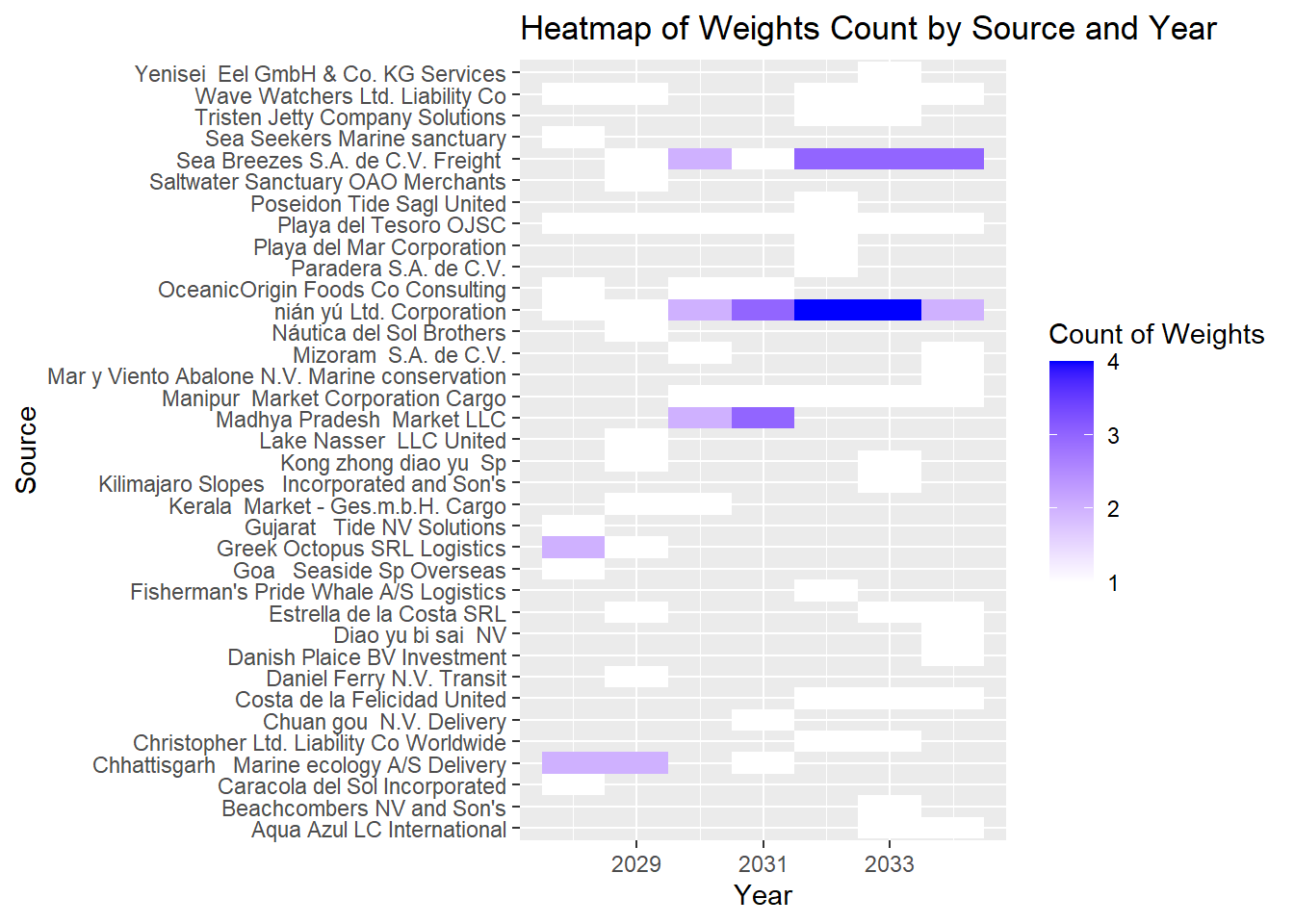
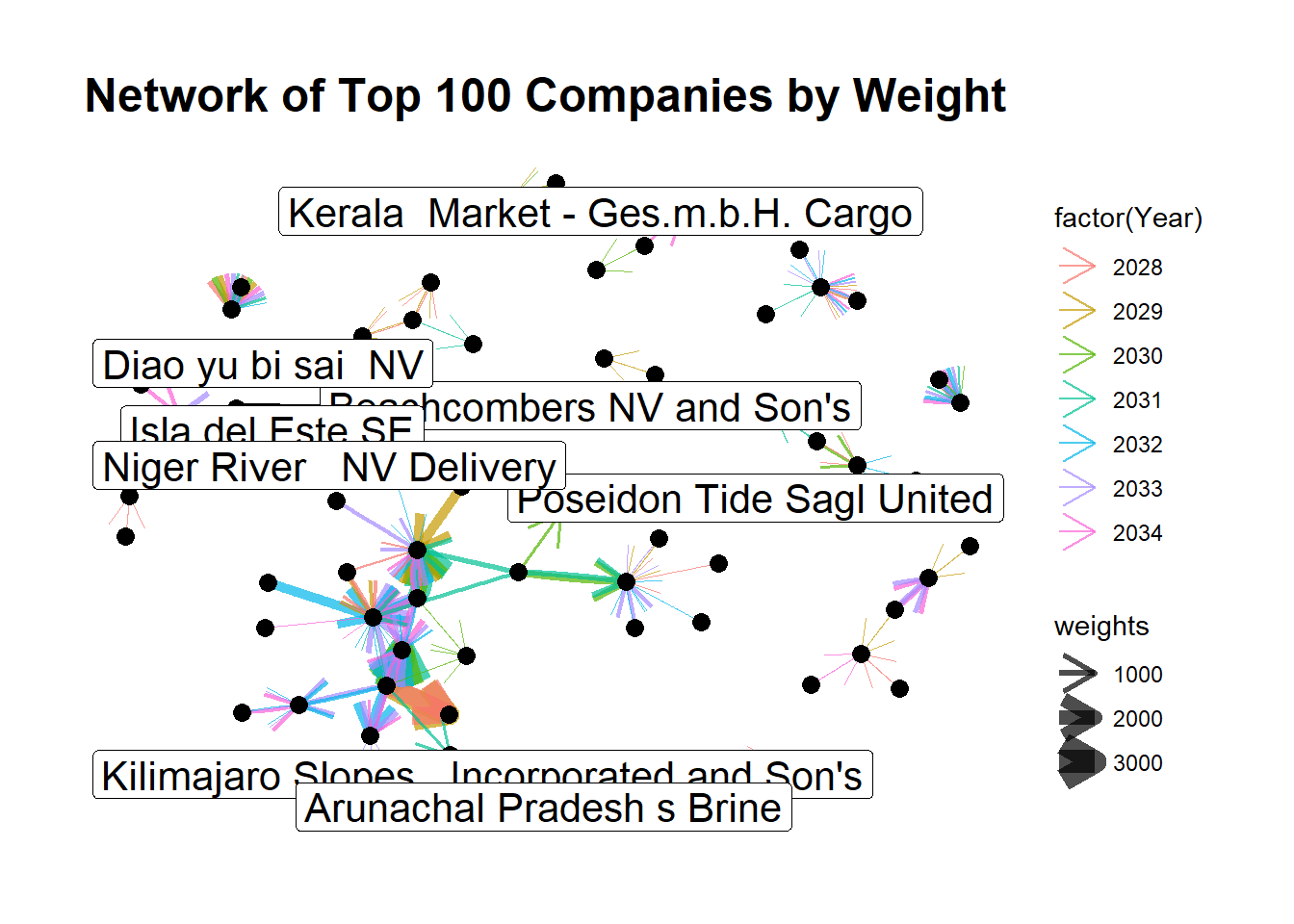
Evaluating the yearly shipment weights of the top 100 companies is crucial for discerning shipping patterns. We will probe into the average weight per kilogram each year and study the interplay among the source, weight, and year. This exploration will be facilitated through the utilization of heatmaps and network graphs. Such an analysis will allow us to gain deeper insights into the shipping trends and dynamics.

A Glimpse into the Code
Top100_Edge <- MC2_Edges_Aggregated %>% 
  arrange(desc(weights)) %>%
  head(100)
kable(head(Top100_Edge))
source target hscode Year weights
nián yú Ltd. Corporation Niger Bend Limited Liability Company Marine ecology 304620 2031 3471
nián yú Ltd. Corporation Niger Bend Limited Liability Company Marine ecology 304620 2030 2979
nián yú Ltd. Corporation Costa de la Felicidad Shipping 304620 2029 2797
Sea Breezes S.A. de C.V. Freight Caracola del Sol Services 304620 2031 2708
nián yú Ltd. Corporation Costa de la Felicidad Shipping 304620 2028 2473
nián yú Ltd. Corporation Niger Bend Limited Liability Company Marine ecology 304620 2032 2215
A Glimpse into the Code
id1 <- Top100_Edge %>%
  select(source) %>%
  rename(id = source)
id2 <- Top100_Edge %>%
  select(target) %>%
  rename(id = target)
Top100_Node <- rbind(id1, id2) %>%
  distinct()
A Glimpse into the Code
shipment <- Top100_Edge %>%
         select(Year, weights) %>%
         group_by(Year) %>%
         summarise(count=n(),weightkg = sum(weights),kg_per_ship=weightkg/count)

p1 <- ggplot(data=shipment, 
            aes(x = Year,
                y = kg_per_ship)) +
  geom_bar(stat = "identity") +
  xlab("Year") +
  ylab("Average per Kg")

ggplotly(p1)
A Glimpse into the Code
# HeatMap 
heatmap_data <- Top100_Edge %>%
  group_by(source, Year) %>%
  summarise(count = n(), .groups = 'drop')

ggplot(heatmap_data, aes(x = Year, y = source, fill = count)) +
  geom_tile() +
  scale_fill_gradient(low = "white", high = "blue") +
  labs(x = "Year", y = "Source", fill = "Count of Weights", 
       title = "Heatmap of Weights Count by Source and Year")

A Glimpse into the Code
# Network Graph

Graph_Top100 <- tbl_graph(nodes = Top100_Node, edges = Top100_Edge, directed = TRUE)
ggraph(Graph_Top100, layout = "fr") + 
  geom_edge_fan(aes(width = weights, colour = factor(Year)), 
                 alpha=0.7, arrow = arrow(length = unit(5, 'mm'))) +
  scale_edge_width(range = c(0.1, 5)) +
  geom_node_point(size = 3) + 
  theme_graph() +
  geom_node_label(aes(label = id), size = 5.5, repel = TRUE, nudge_y = 0.1) +
  
  labs(
    title = "Network of Top 100 Companies by Weight")

In this analysis, we visualized a network graph using the MC2 dataset where nodes represent different sources/targets, and the edges between them represent the shipment weights, with the edge thickness indicating the magnitude of weights. The color of the edges denotes different years.

Our network graph, particularly focusing on the weights, shows the flow of shipments from various sources to targets. The top three sources to targets with the highest shipment weights are as follows:

Nián yú Ltd. Corporation to Niger Bend Limited Liability Company Marine ecology with shipment weights of 3471 and 2979 in years 2031 and 2030, respectively.
Nián yú Ltd. Corporation to Costa de la Felicidad Shipping with shipment weights of 2797 and 2473 in years 2029 and 2028, respectively.
Sea Breezes S.A. de C.V. Freight to Caracola del Sol Services with a shipment weight of 2708 in the year 2031.

These insights are critical in understanding the dynamics of shipment weights from different sources to targets over the years.

2.2 Degree Centrality (In, Out and Total)

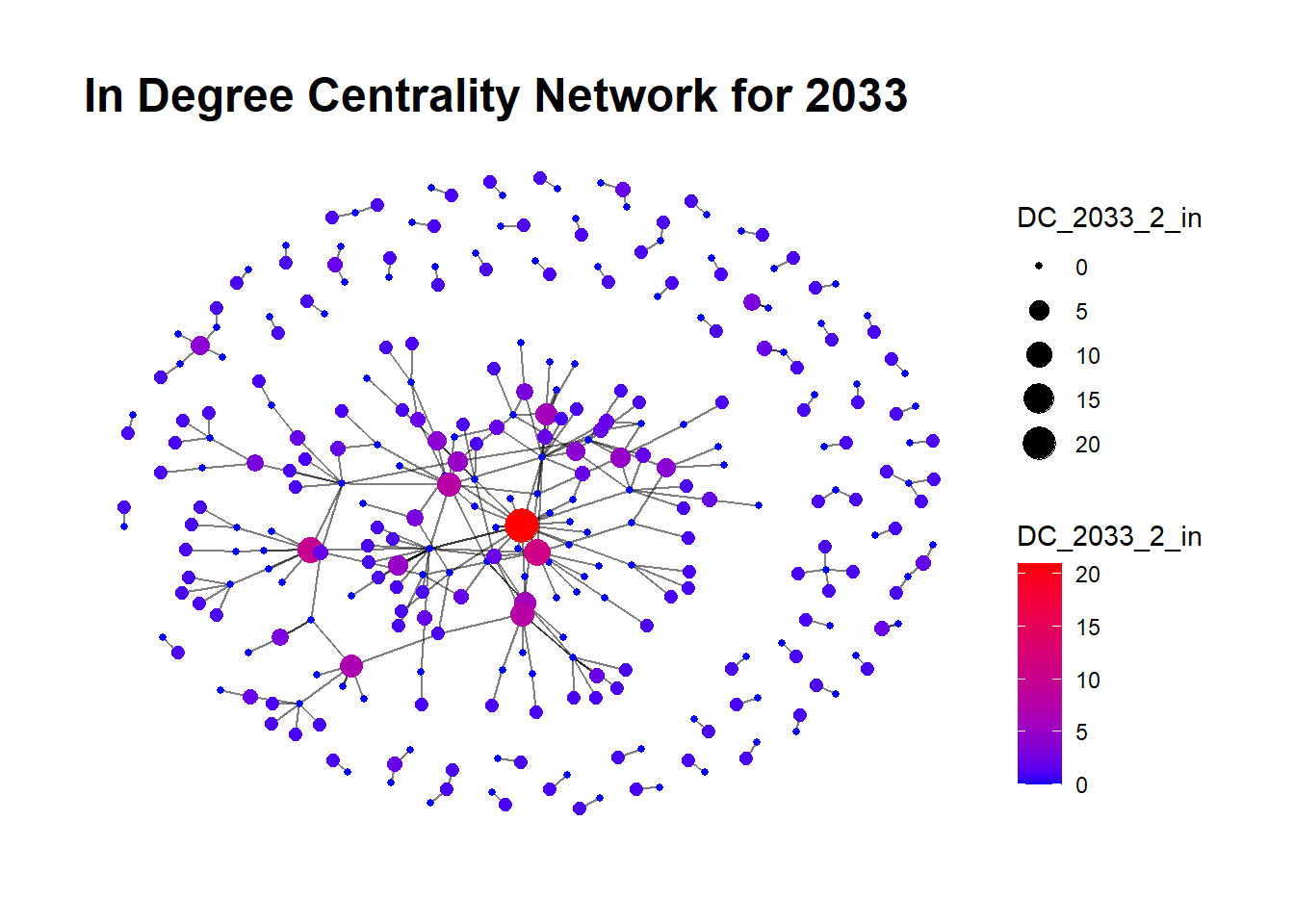
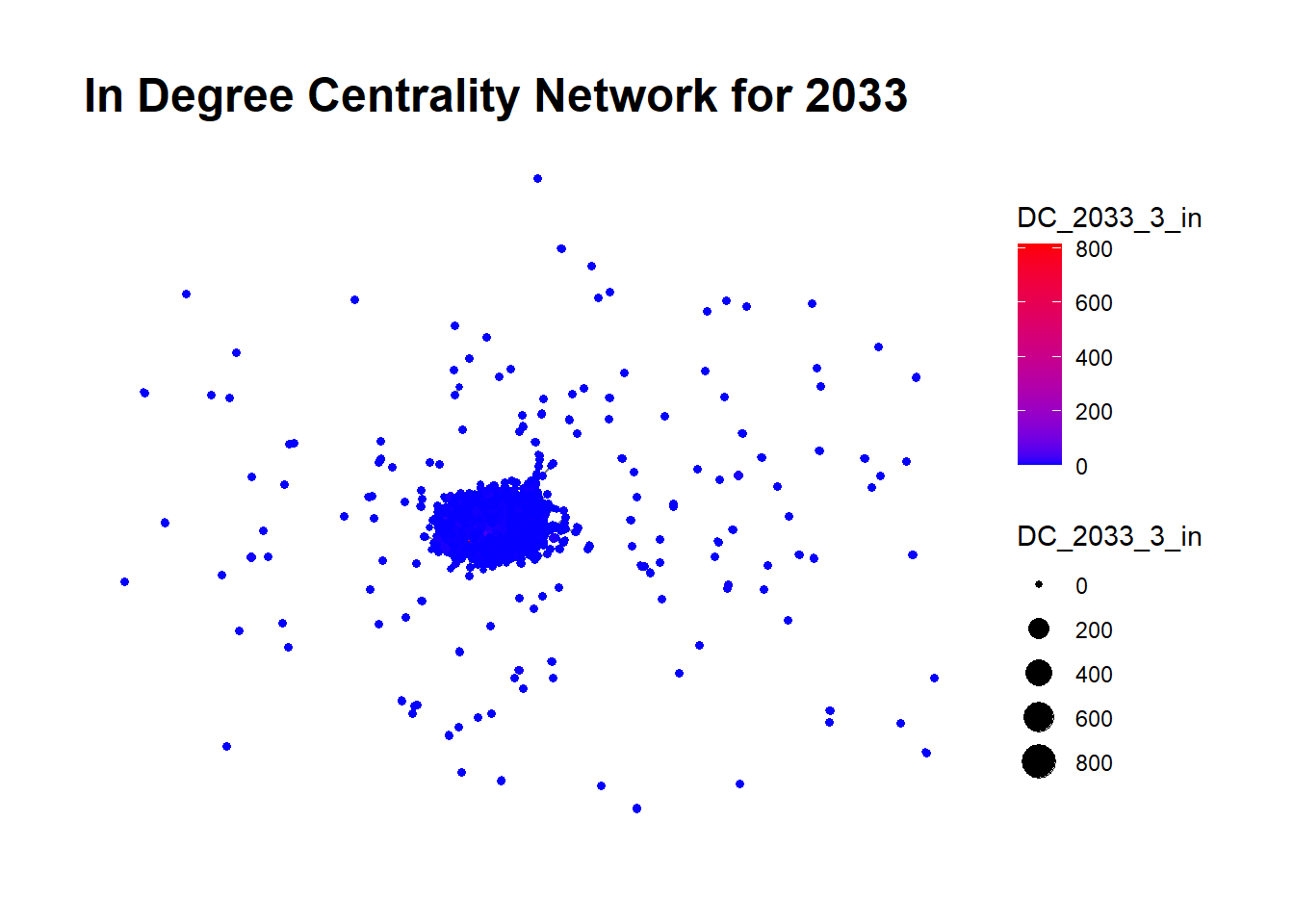
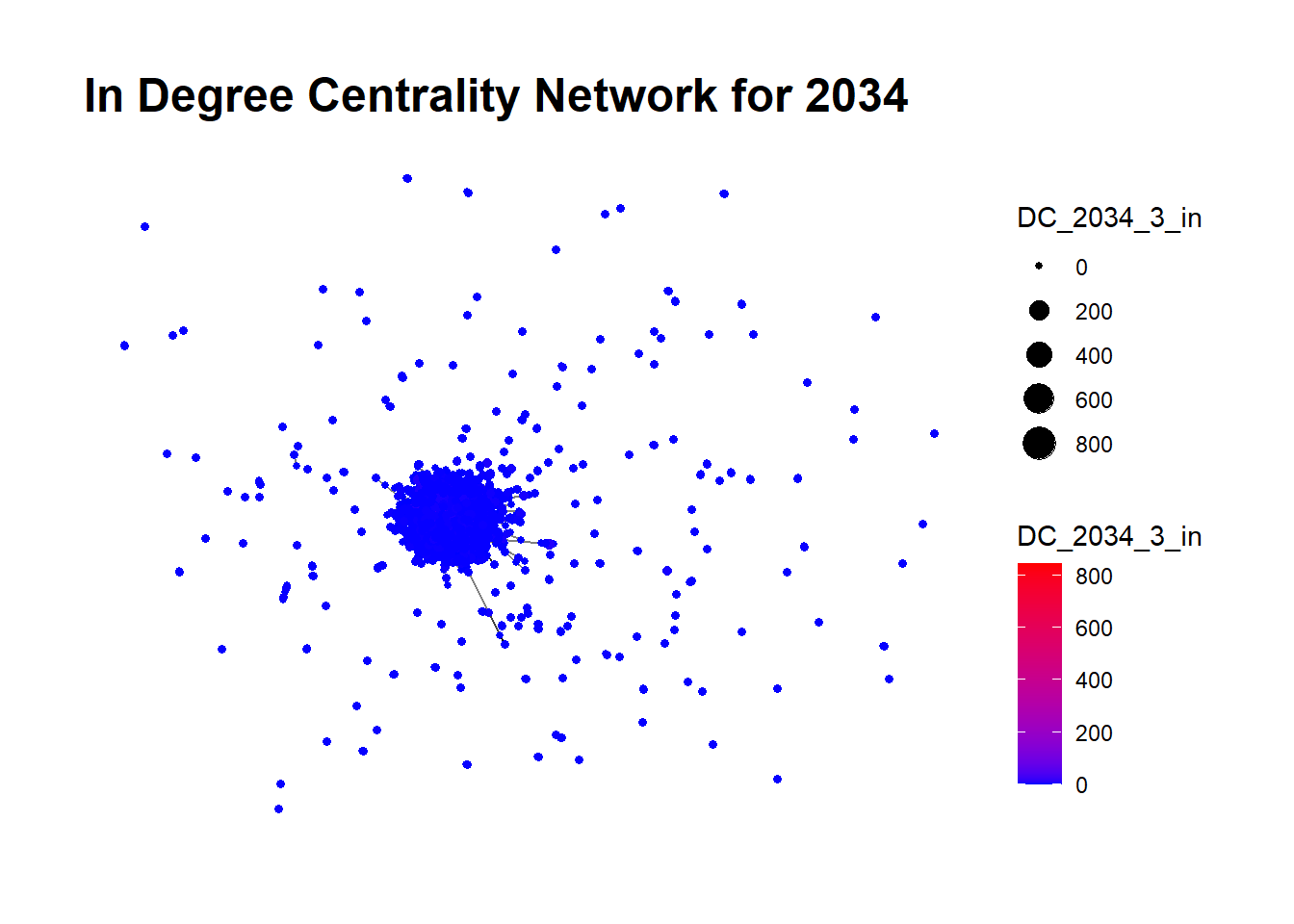
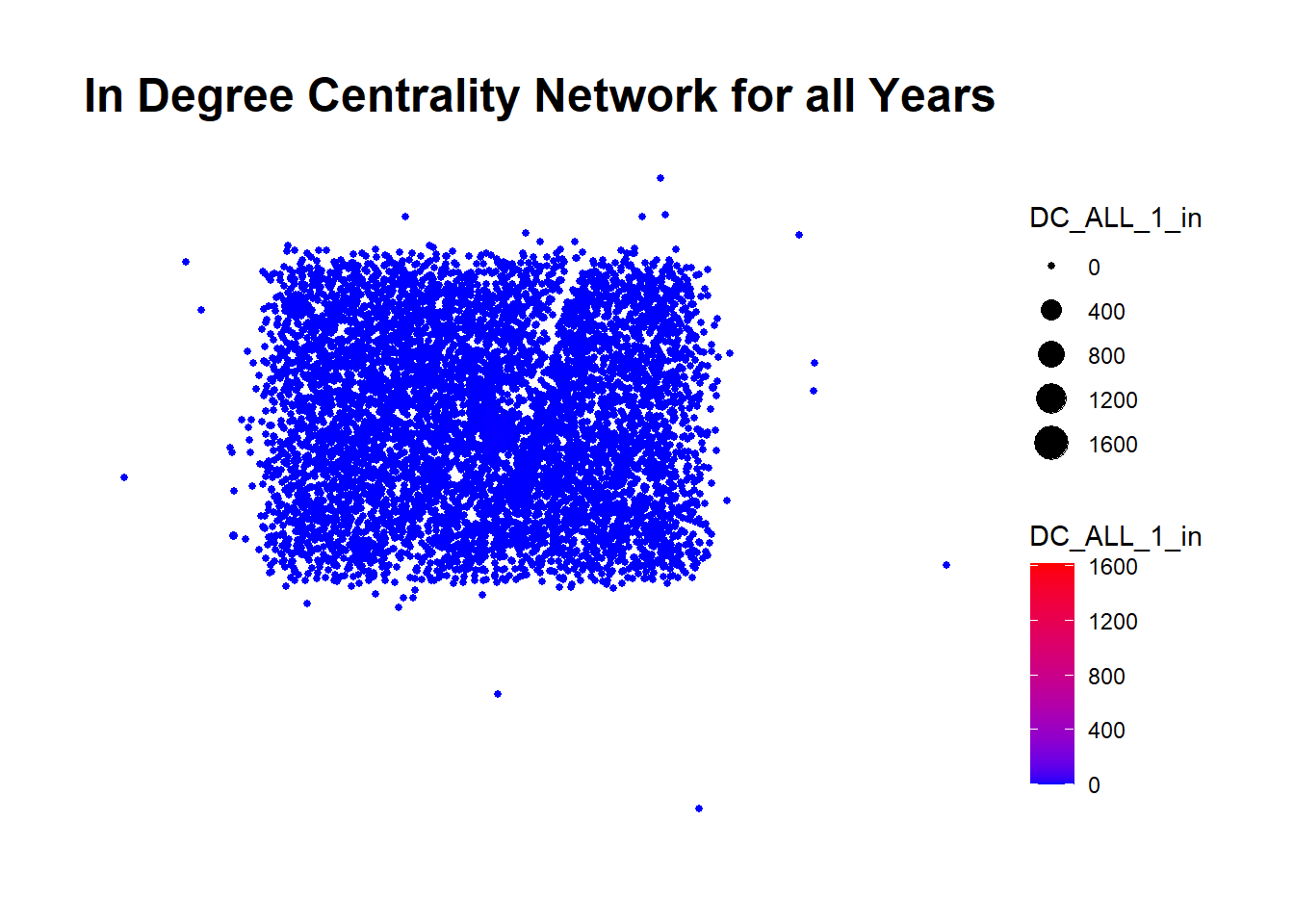
    **In-Degree Centrality:** For each node representing a shipping company , the in-degree centrality measures the number of incoming connections from other nodes. If this network represents the transfer of illegal goods (like illegally caught fish), a high in-degree centrality could suggest that a company is a major receiver of illegal goods. For example, a shipping company with high in-degree centrality might be a significant destination for illegal fish products.

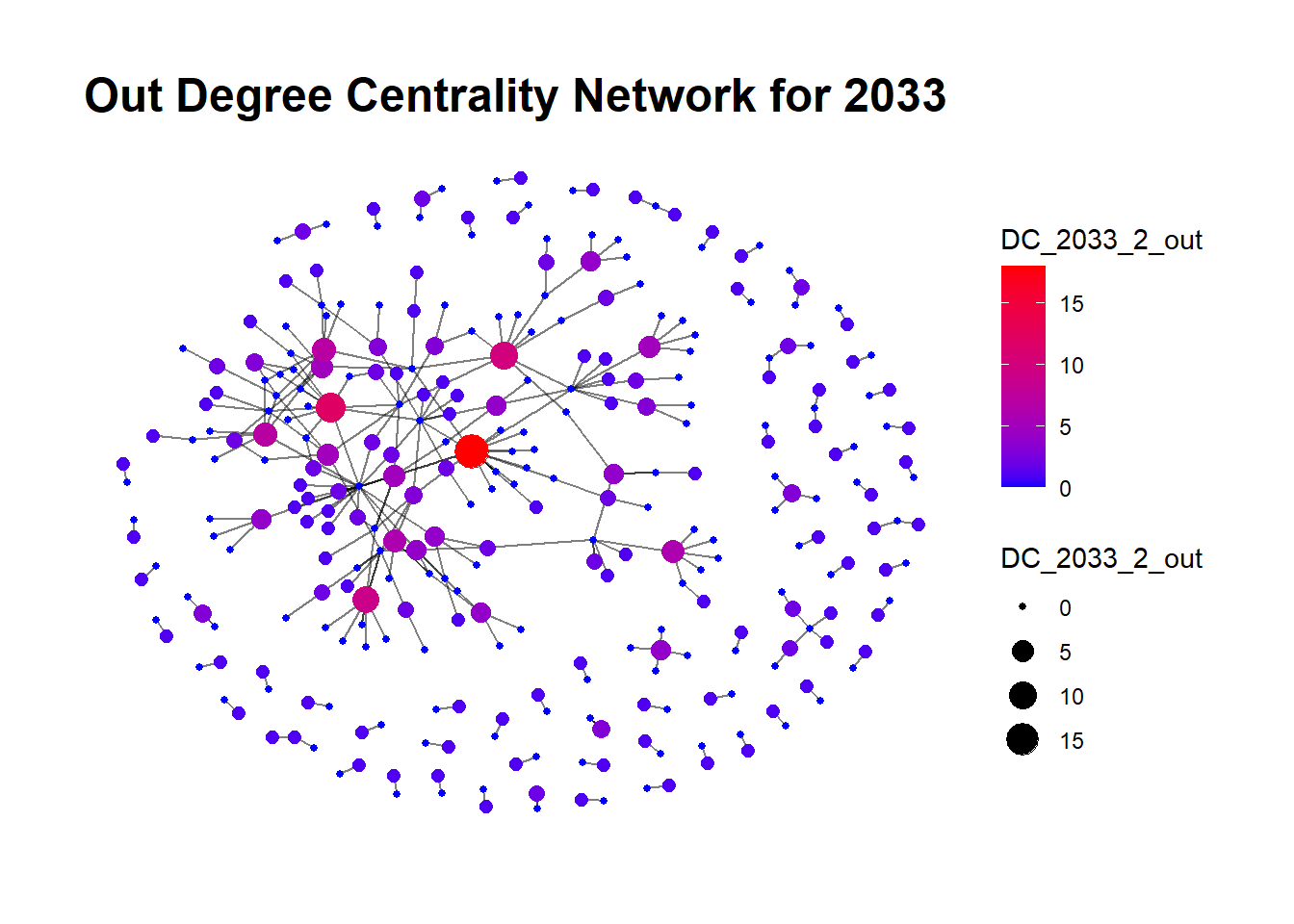
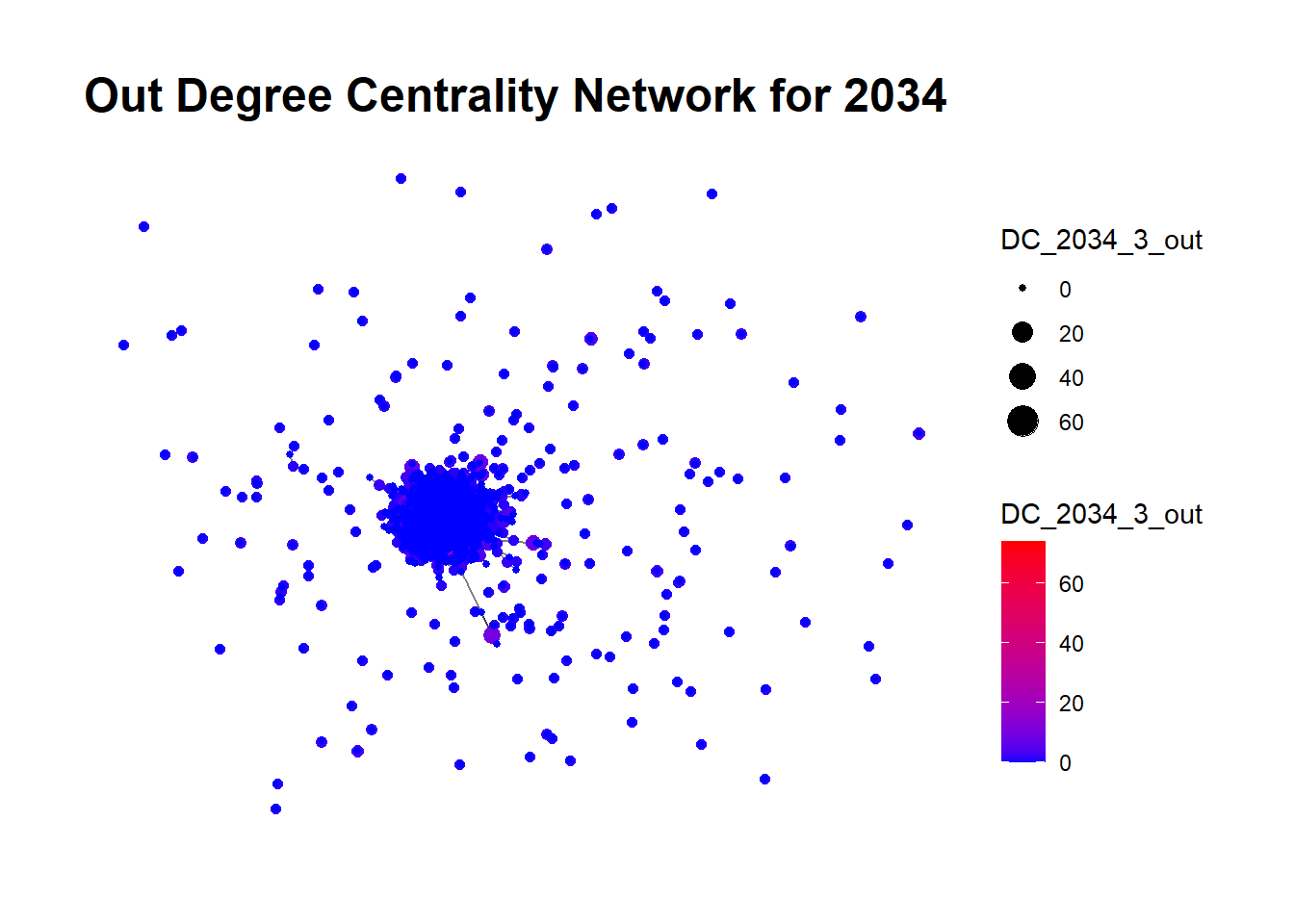
    **Out-Degree Centrality:**  For each node, the out-degree centrality measures the number of outgoing connections to other nodes. In the illegal fishing, a high out-degree centrality could indicate that a company or vessel is a major distributor or source of illegal goods. For instance, a fishing vessel with high out-degree centrality could be a significant source of illegal fishing activities, spreading its illicit catch to many different companies or locations.

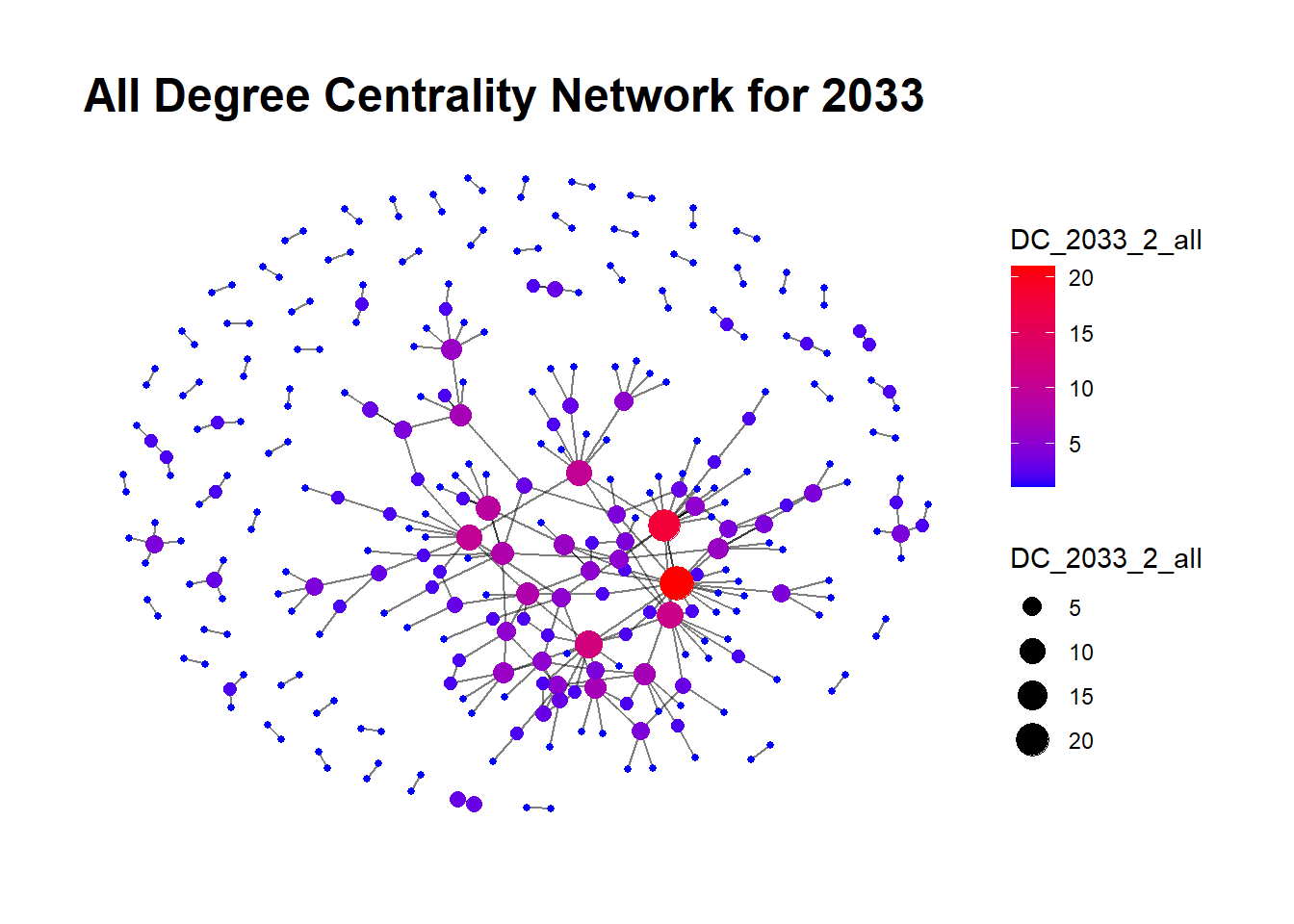
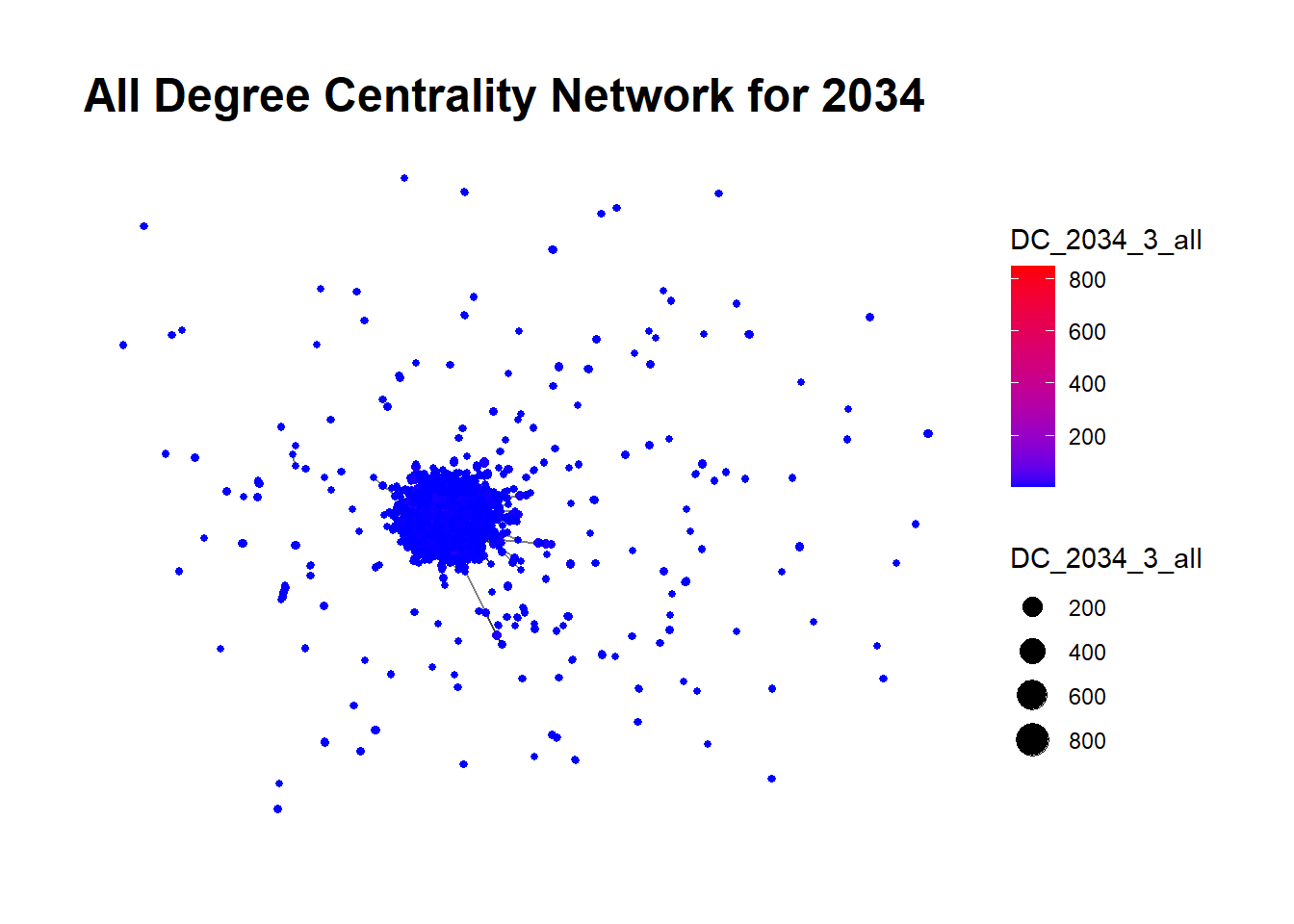
Total Degree Centrality (All Degree Centrality): This measures the total number of connections for each node, both incoming and outgoing. A node with high total degree centrality could be involved in both receiving and distributing illegal goods. This indicate that a shipping company or a fishing vessel plays a central role in the illegal fishing network, both obtaining and dispatching illegal catch.
A Glimpse into the Code
# Calculate degree centrality for nodes
DC_2028_1_in <- degree(Graph2028_1, mode = "in")
DC_2028_1_out <- degree(Graph2028_1, mode = "out")
DC_2028_1_all <- degree(Graph2028_1, mode = "all")

# Add degree centrality to the nodes data of the graph
Graph2028_1$nodes$DC_2028_1_in <- DC_2028_1_in
Graph2028_1$nodes$DC_2028_1_out <- DC_2028_1_out
Graph2028_1$nodes$DC_2028_1_all <- DC_2028_1_all

# Creating a graph plot with node size proportional to degree centrality
plot_list <- list()
plot_list[["In Degree Centrality"]] <- ggraph(Graph2028_1, layout = "fr") + 
  geom_edge_link(alpha = 0.5) +
  geom_node_point(aes(size = DC_2028_1_in, color = DC_2028_1_in)) +
  scale_color_gradient(low = "blue", high = "red") +
  theme_graph() +
  labs(title = "In Degree Centrality Network for 2028")

plot_list[["Out Degree Centrality"]] <- ggraph(Graph2028_1, layout = "fr") + 
  geom_edge_link(alpha = 0.5) +
  geom_node_point(aes(size = DC_2028_1_out, color = DC_2028_1_out)) +
  scale_color_gradient(low = "blue", high = "red") +
  theme_graph() +
  labs(title = "Out Degree Centrality Network for 2028")

plot_list[["All Degree Centrality"]] <- ggraph(Graph2028_1, layout = "fr") + 
  geom_edge_link(alpha = 0.5) +
  geom_node_point(aes(size = DC_2028_1_all, color = DC_2028_1_all)) +
  scale_color_gradient(low = "blue", high = "red") +
  theme_graph() +
  labs(title = "All Degree Centrality Network for 2028")

plot_list
$`In Degree Centrality`


$`Out Degree Centrality`


$`All Degree Centrality`

Here’s a summary of what each section of the code does:

  • Calculate Degree Centrality: The degree() function from the igraph package calculates degree centrality for all nodes in the graph. The mode argument specifies whether to calculate in-degree centrality (mode = “in”), out-degree centrality (mode = “out”), or total degree centrality (mode = “all”).

  • Add Degree Centrality to Node Data: The calculated degree centrality values are added to the node attribute data of Graph2028_1.

  • Create Graph Plots: The ggraph package is used to create plots of the graph, with node size proportional to degree centrality. The geom_edge_link() function adds the edges (connections) between nodes to the plot. The geom_node_point() function adds the nodes to the plot, with the size and color of each node determined by its degree centrality. The scale_color_gradient() function sets the color gradient for the nodes based on their degree centrality values, with lower values in blue and higher values in red. The labs() function sets the title for each plot.

  • Create List of Plots: A list of the three plots is created for easy access and comparison.

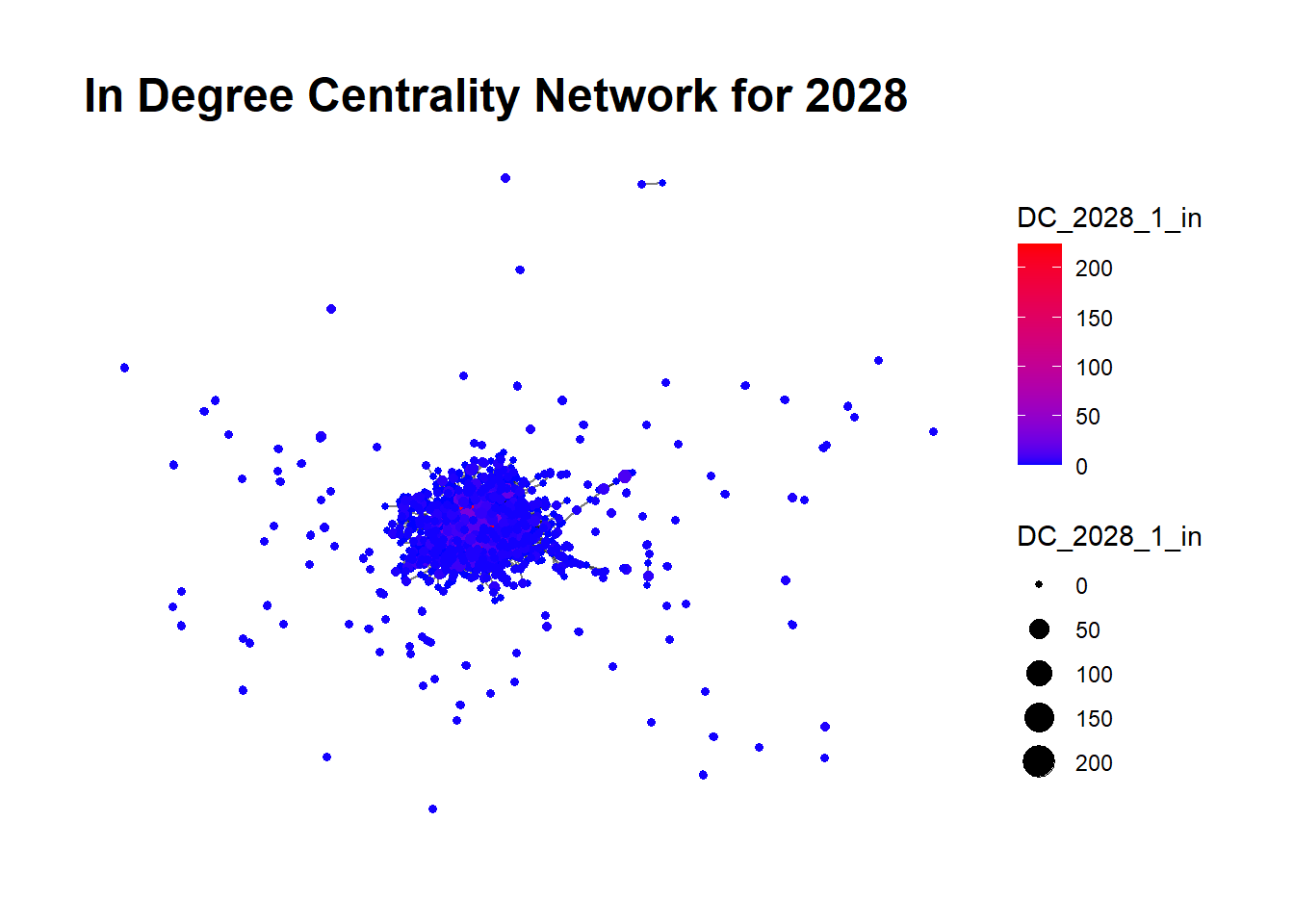
The type of goods traded is designated by the Harmonized System (HS) codes, which for the scope of this analysis, falls within the range 160300-160599. This HS code range corresponds to various kinds of prepared or preserved fish, crustaceans, and mollusks.

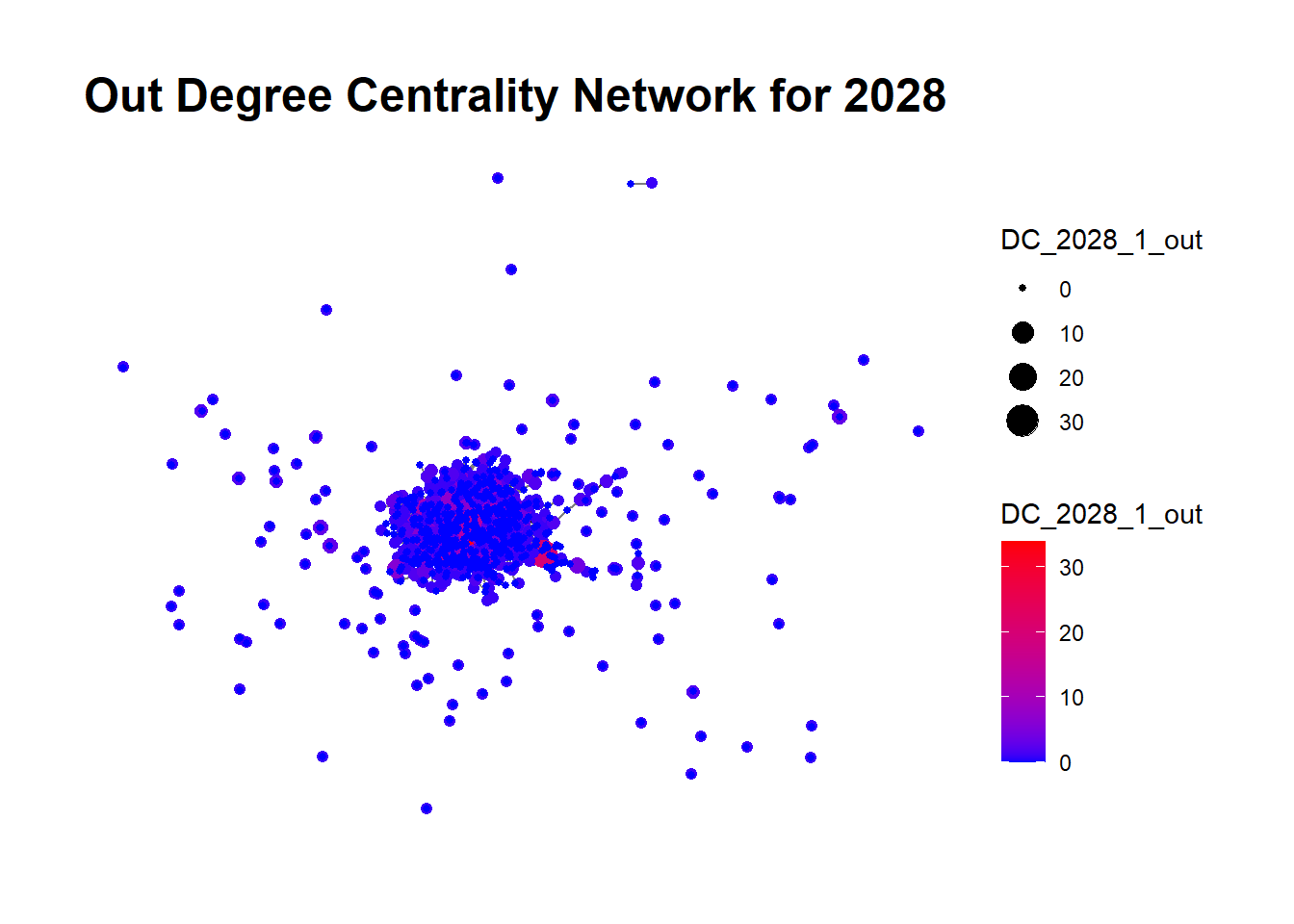
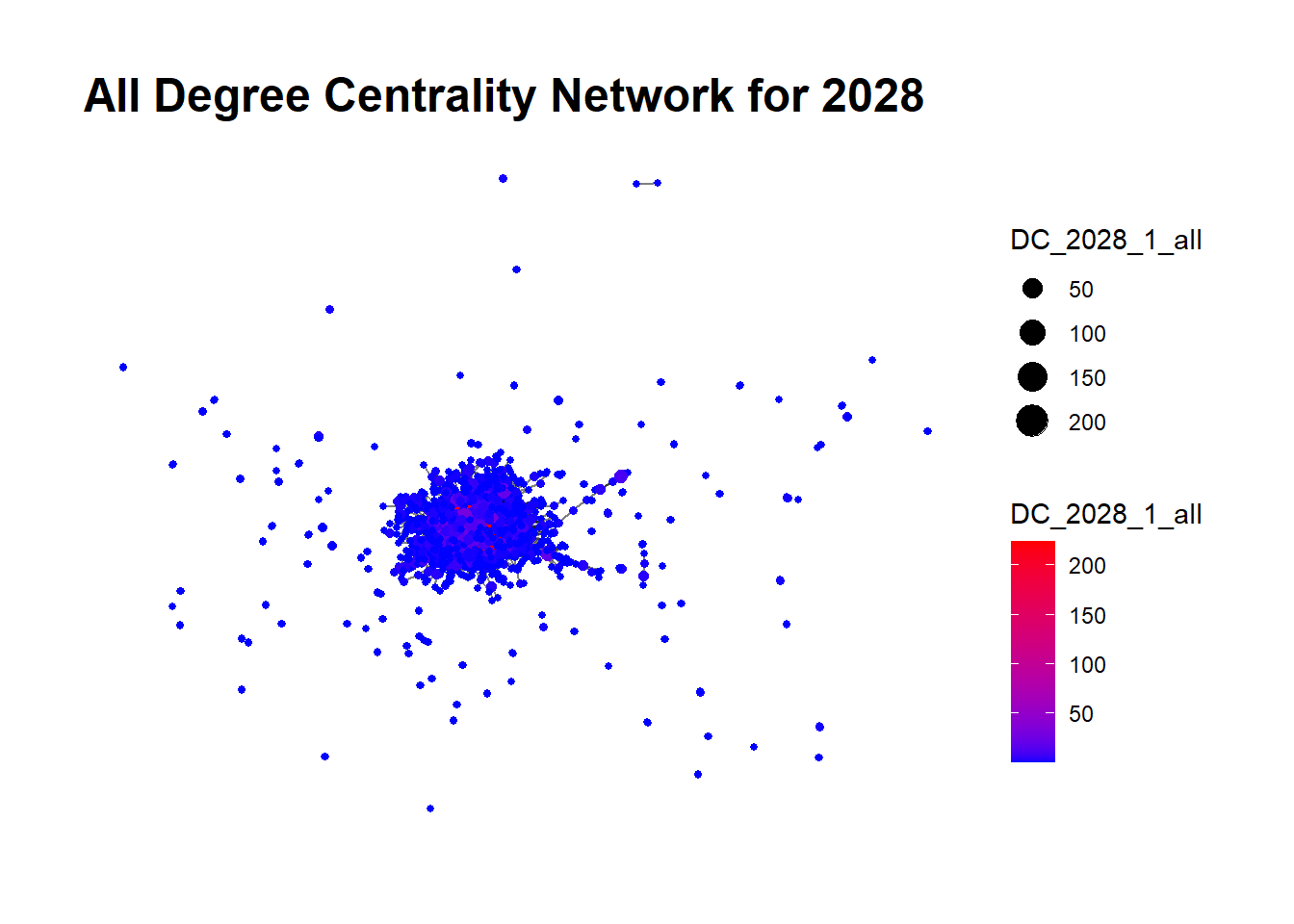
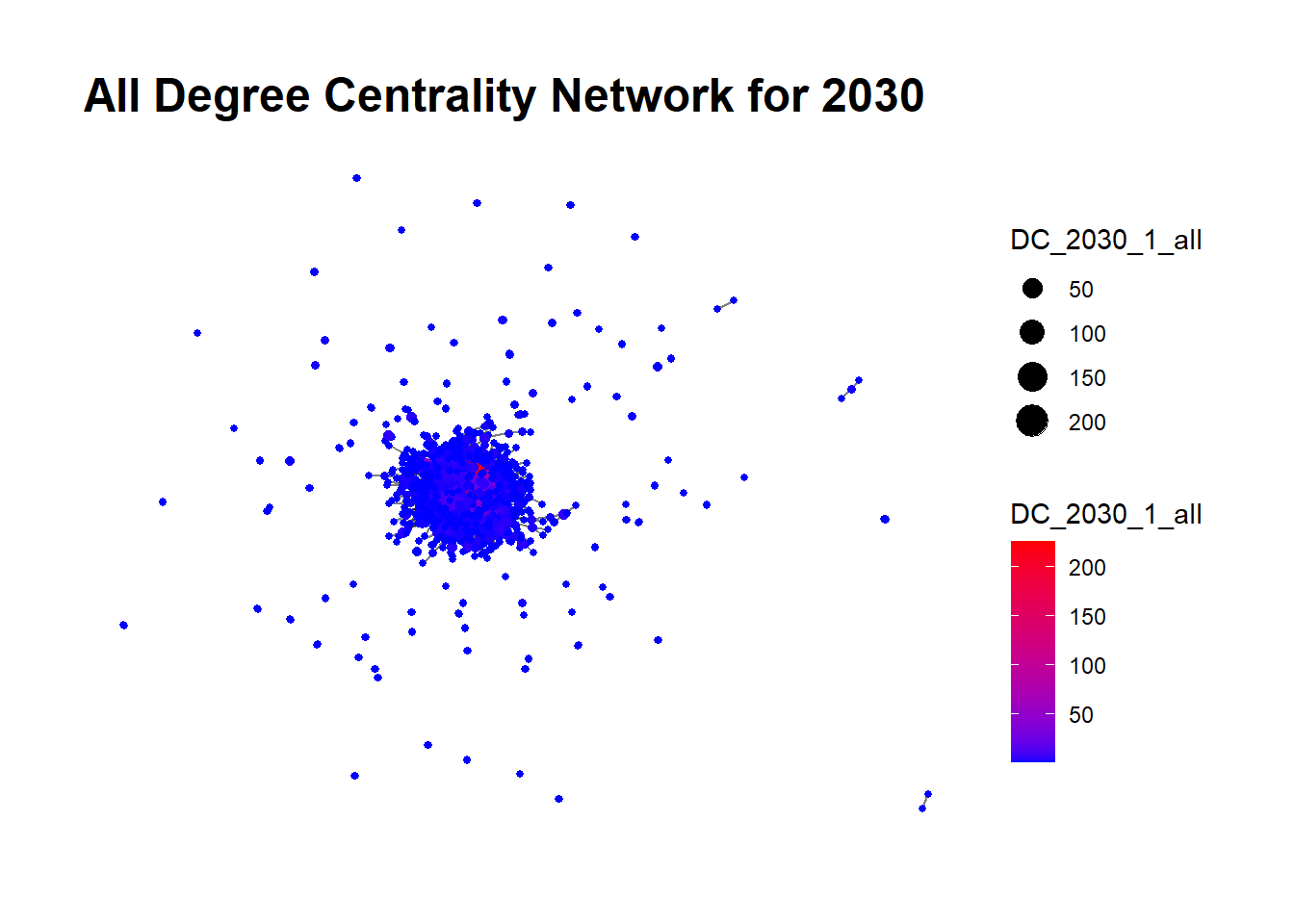
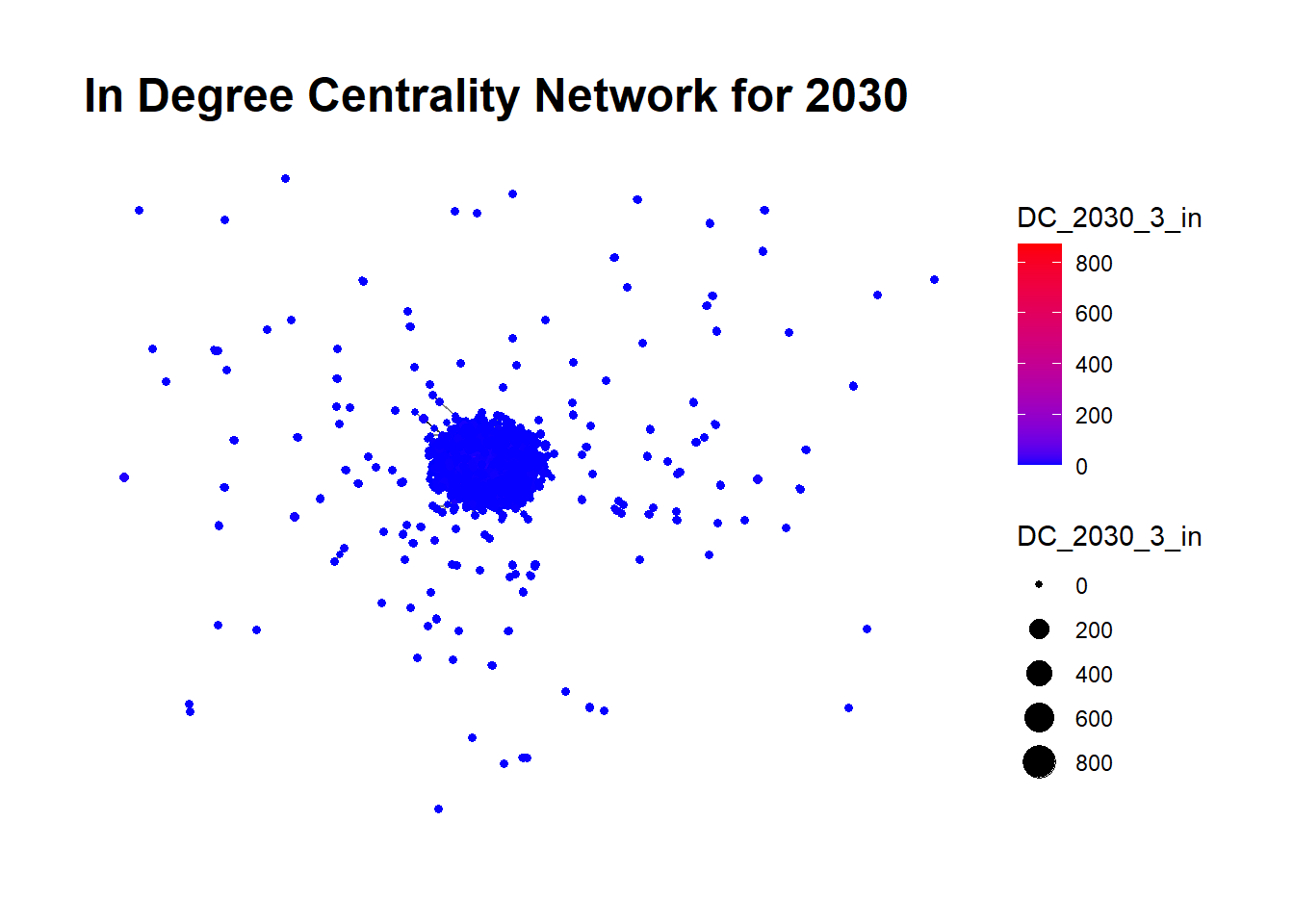
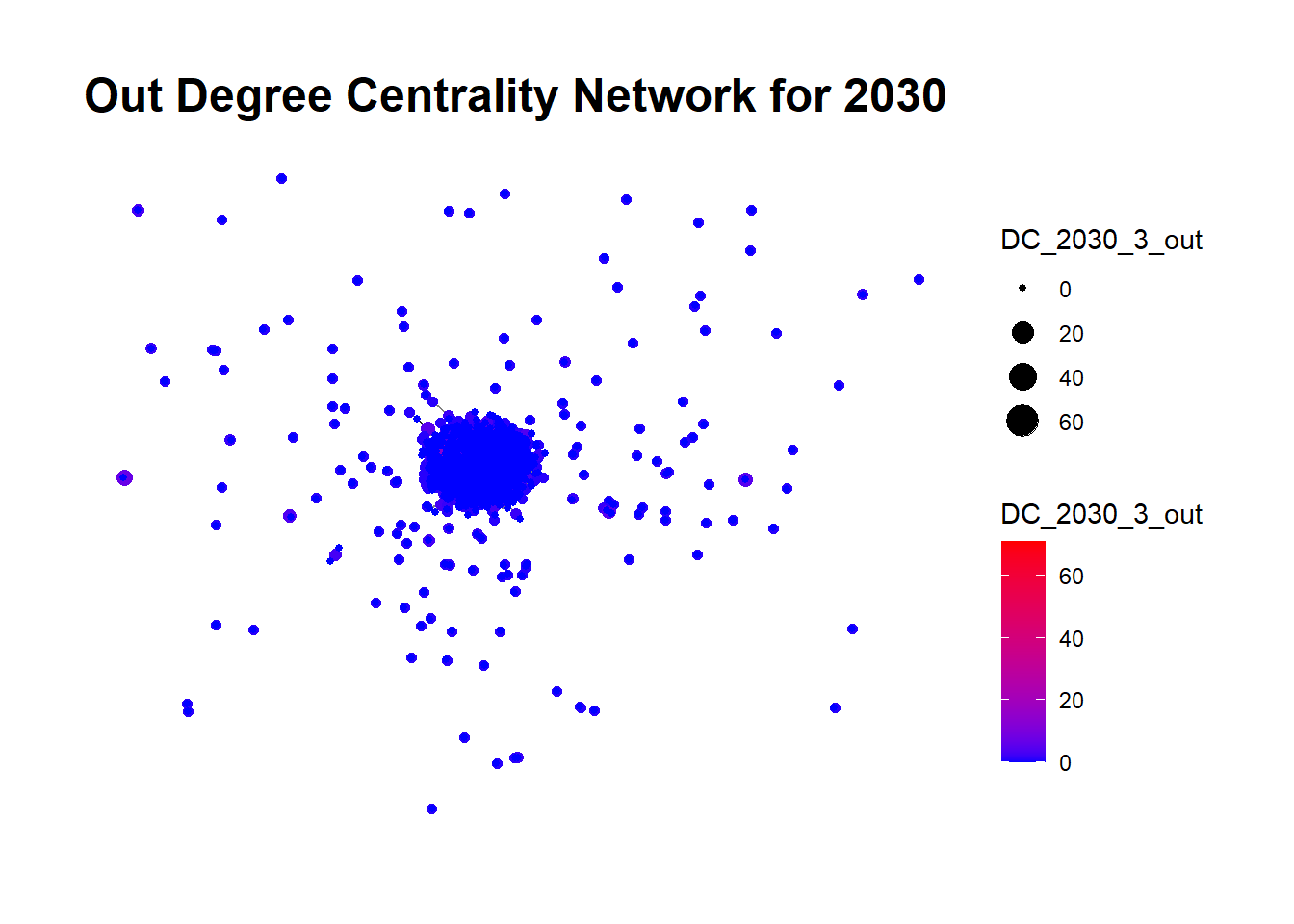
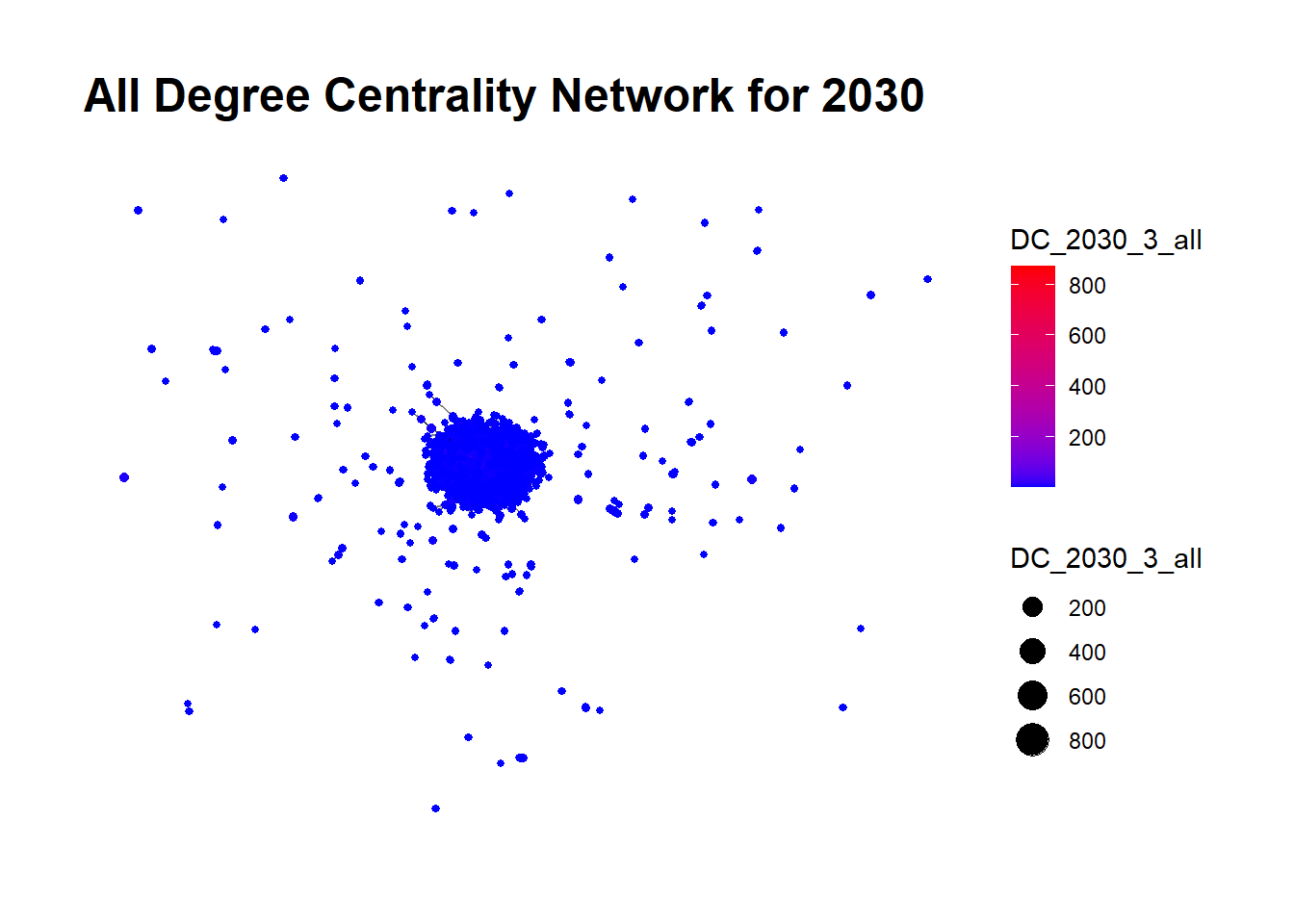
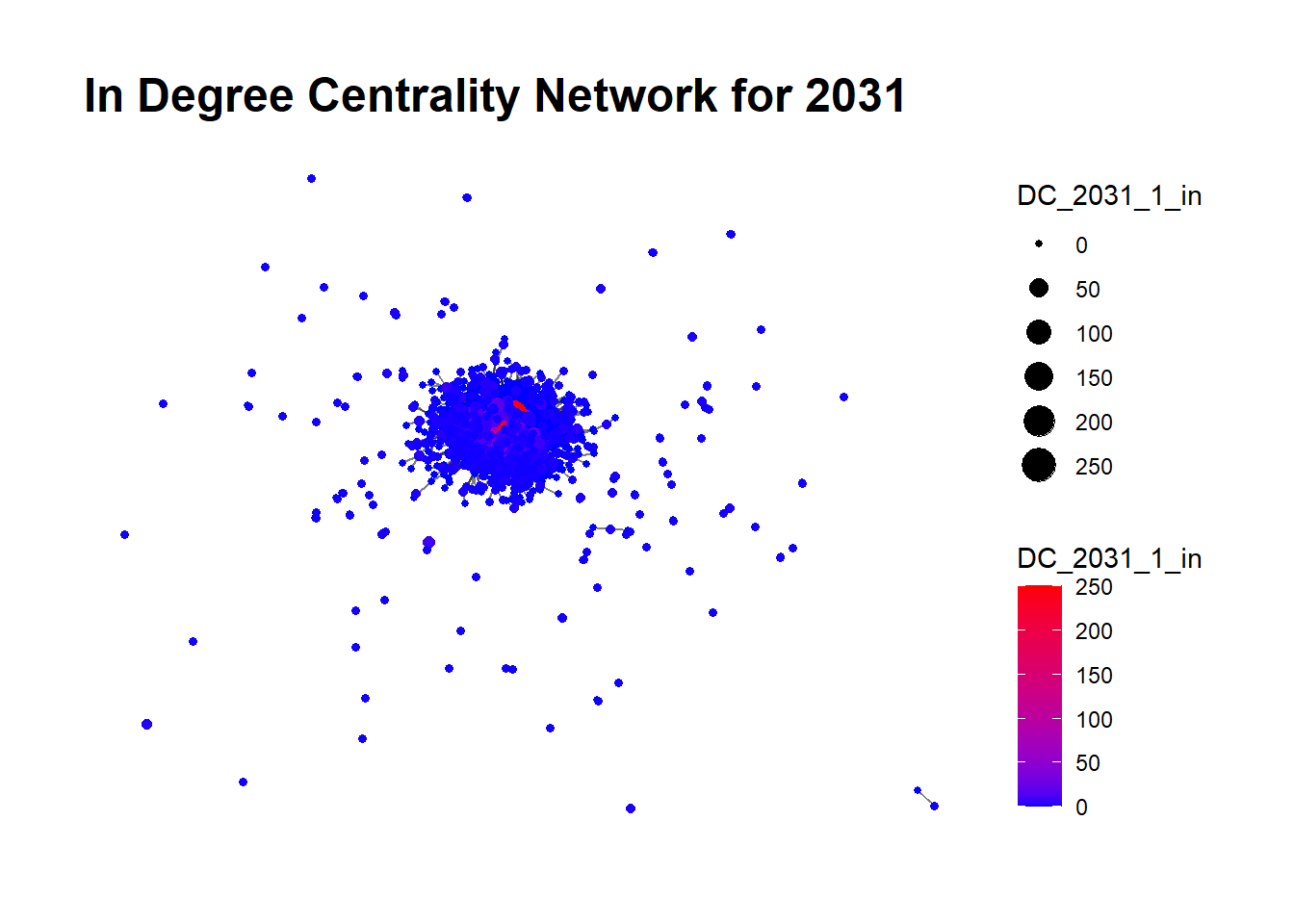
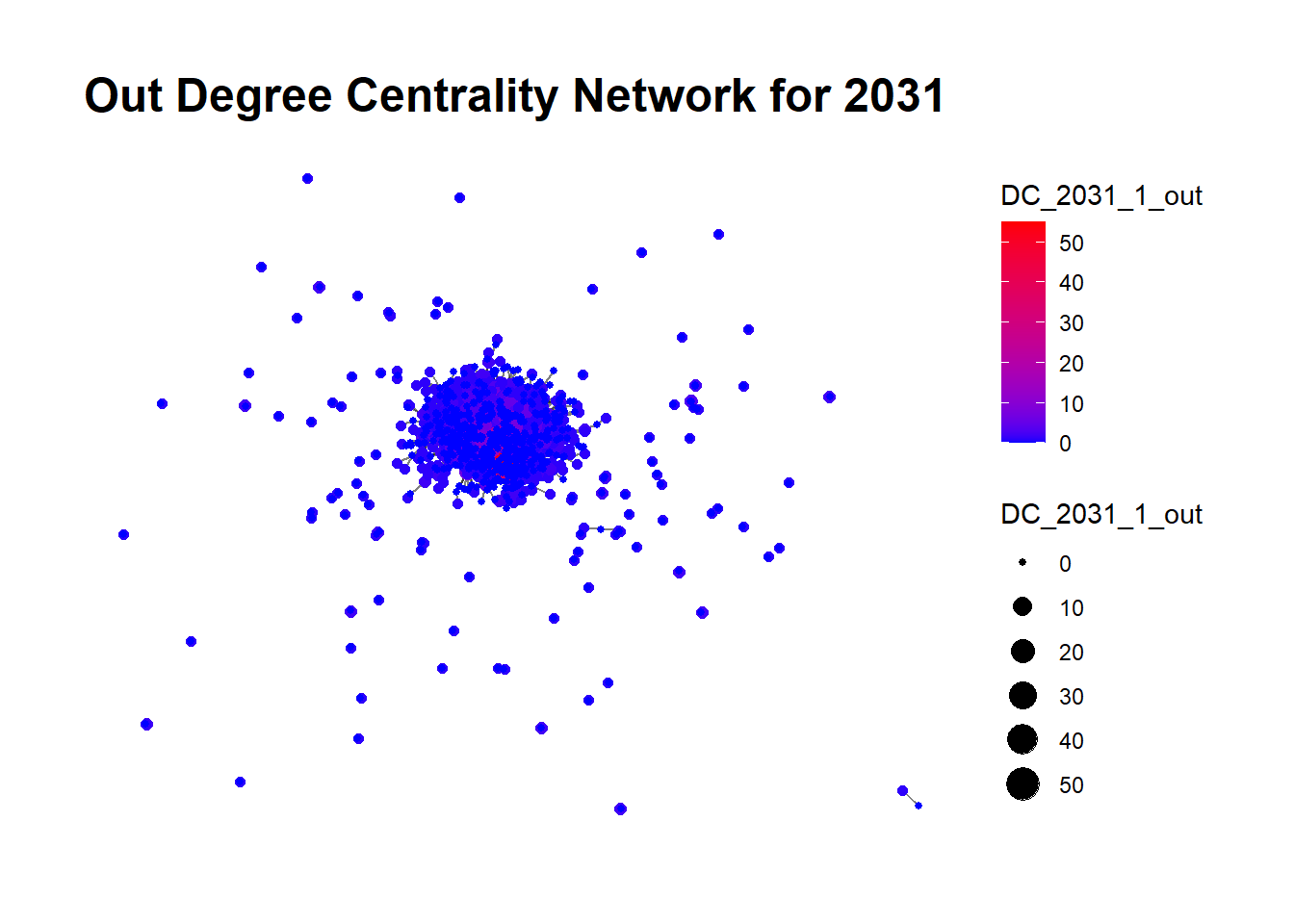
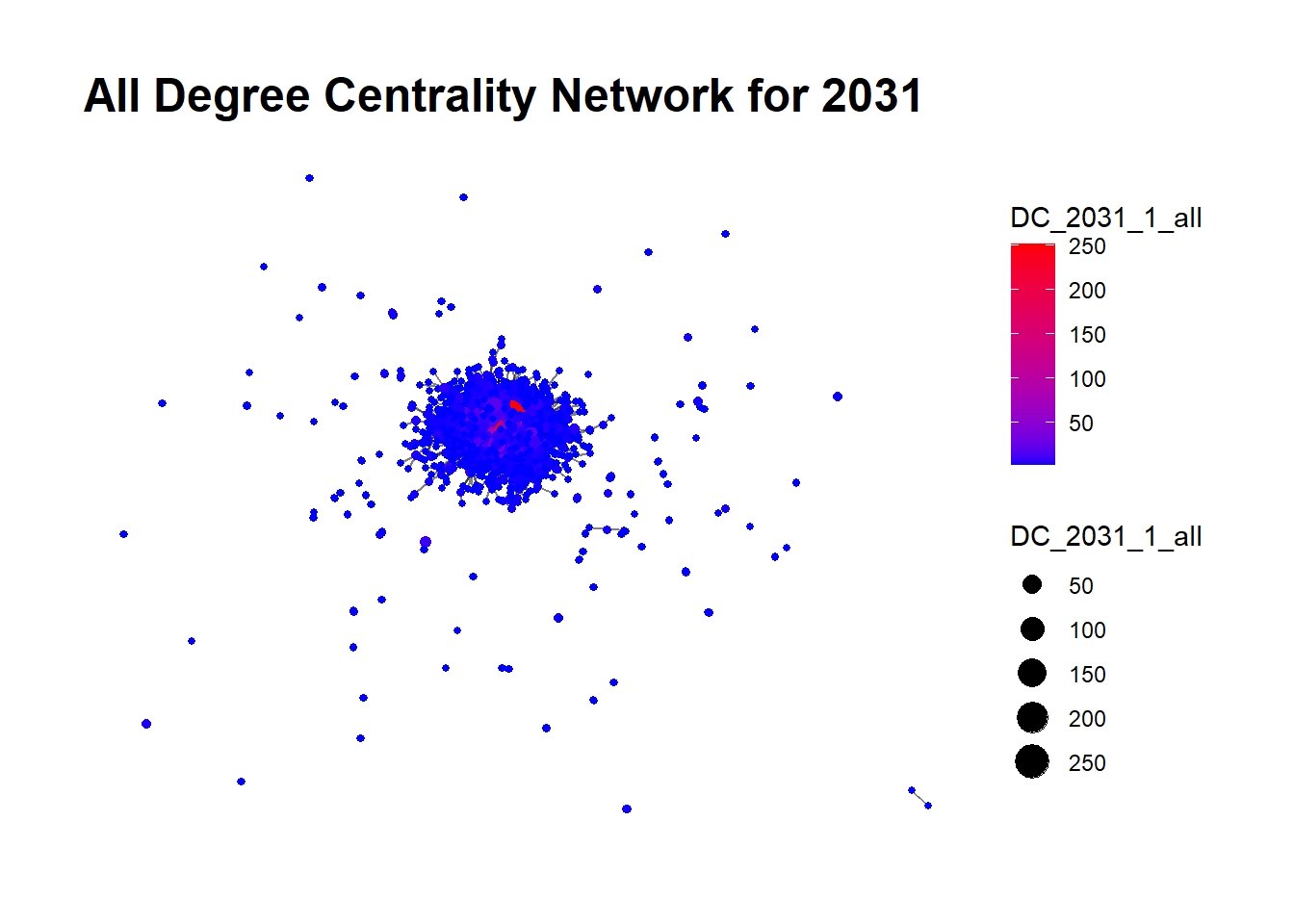
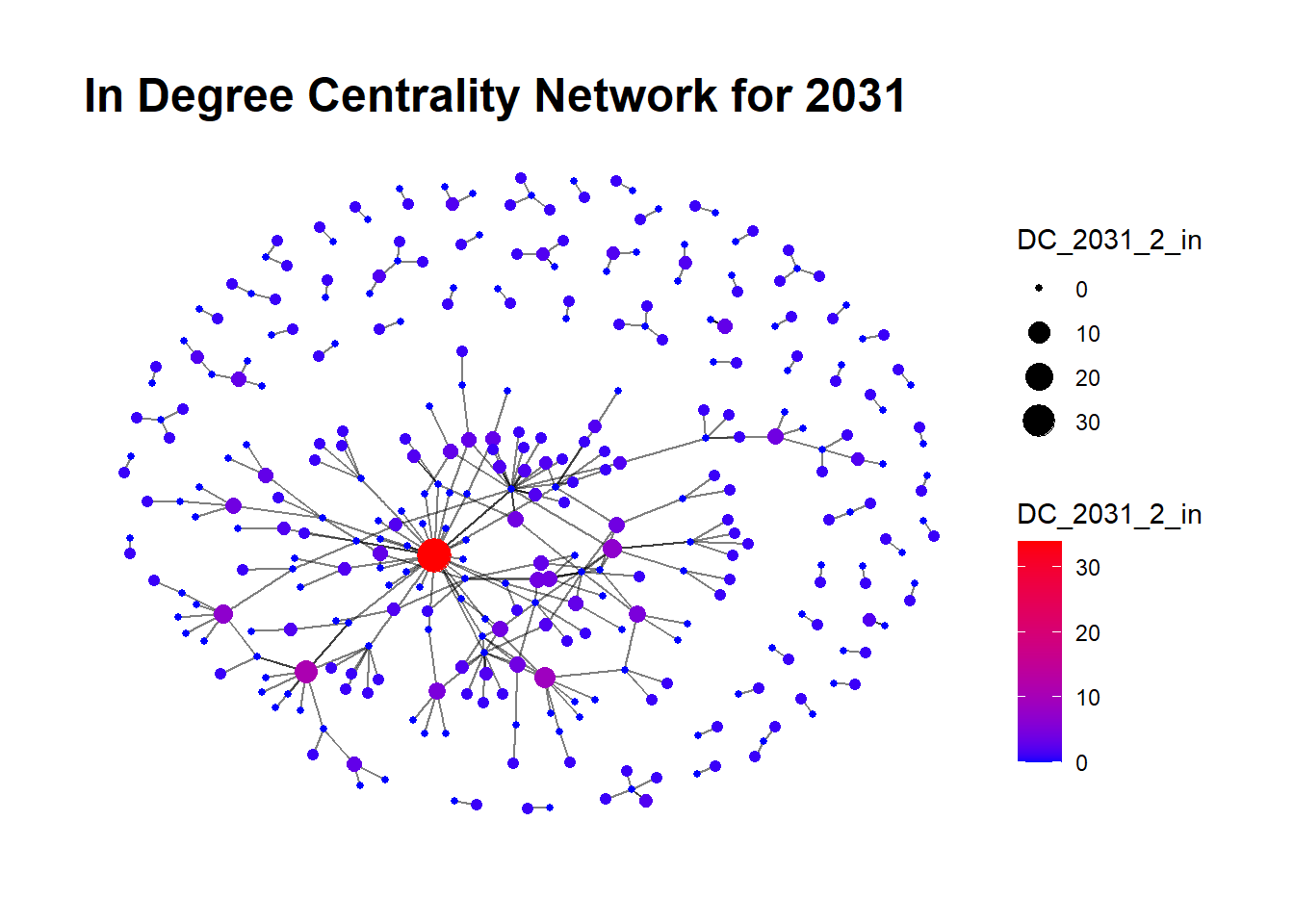
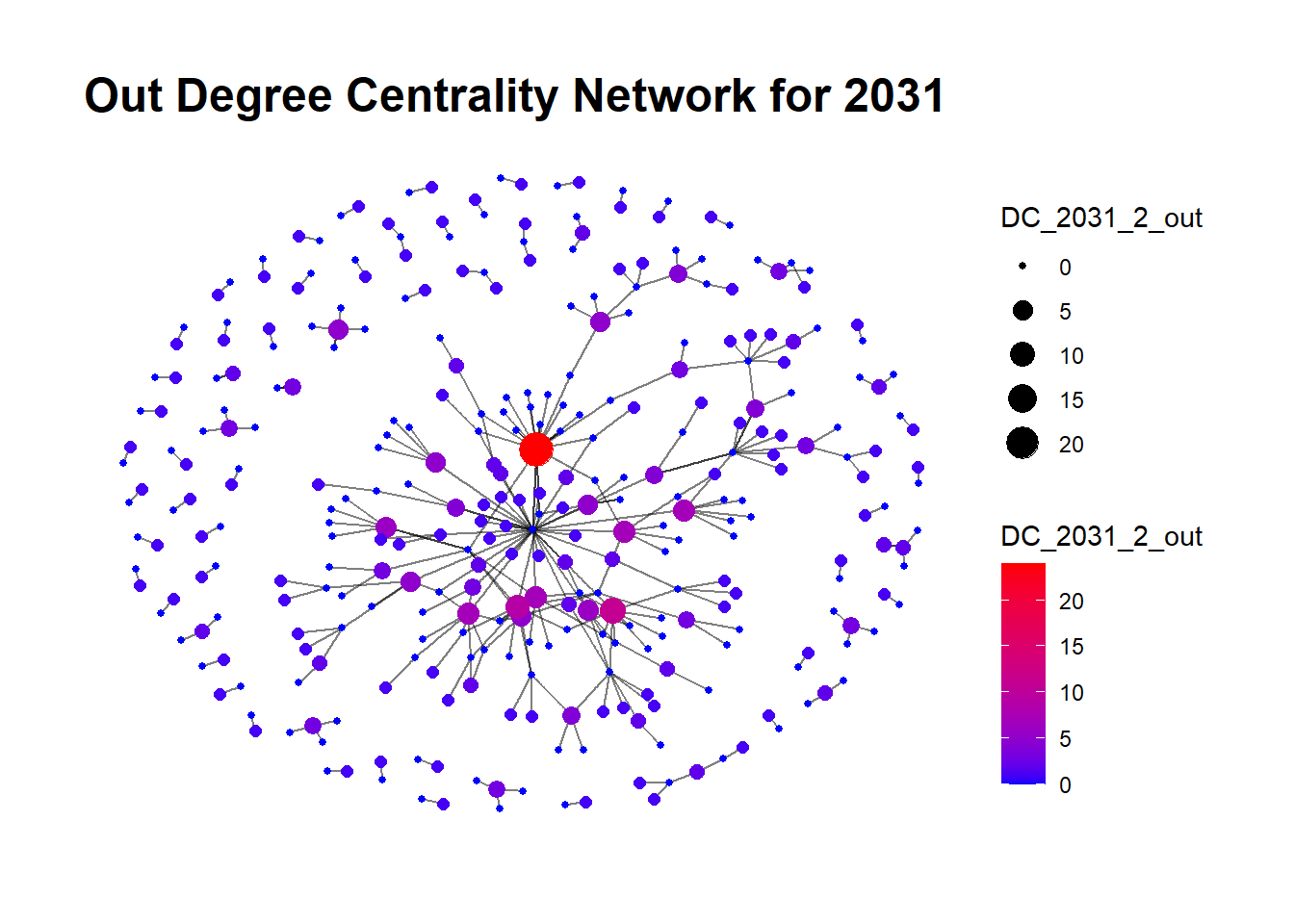
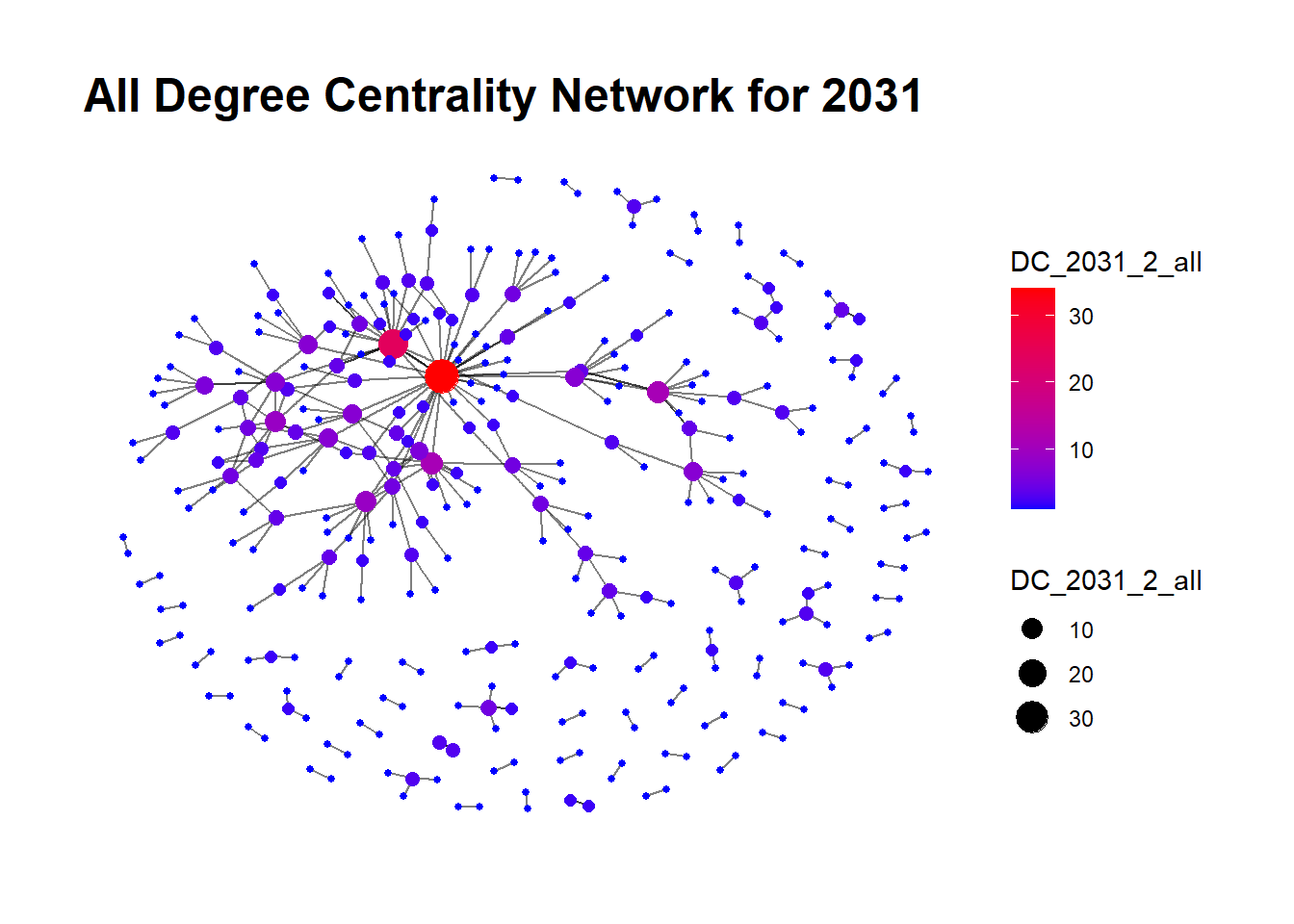
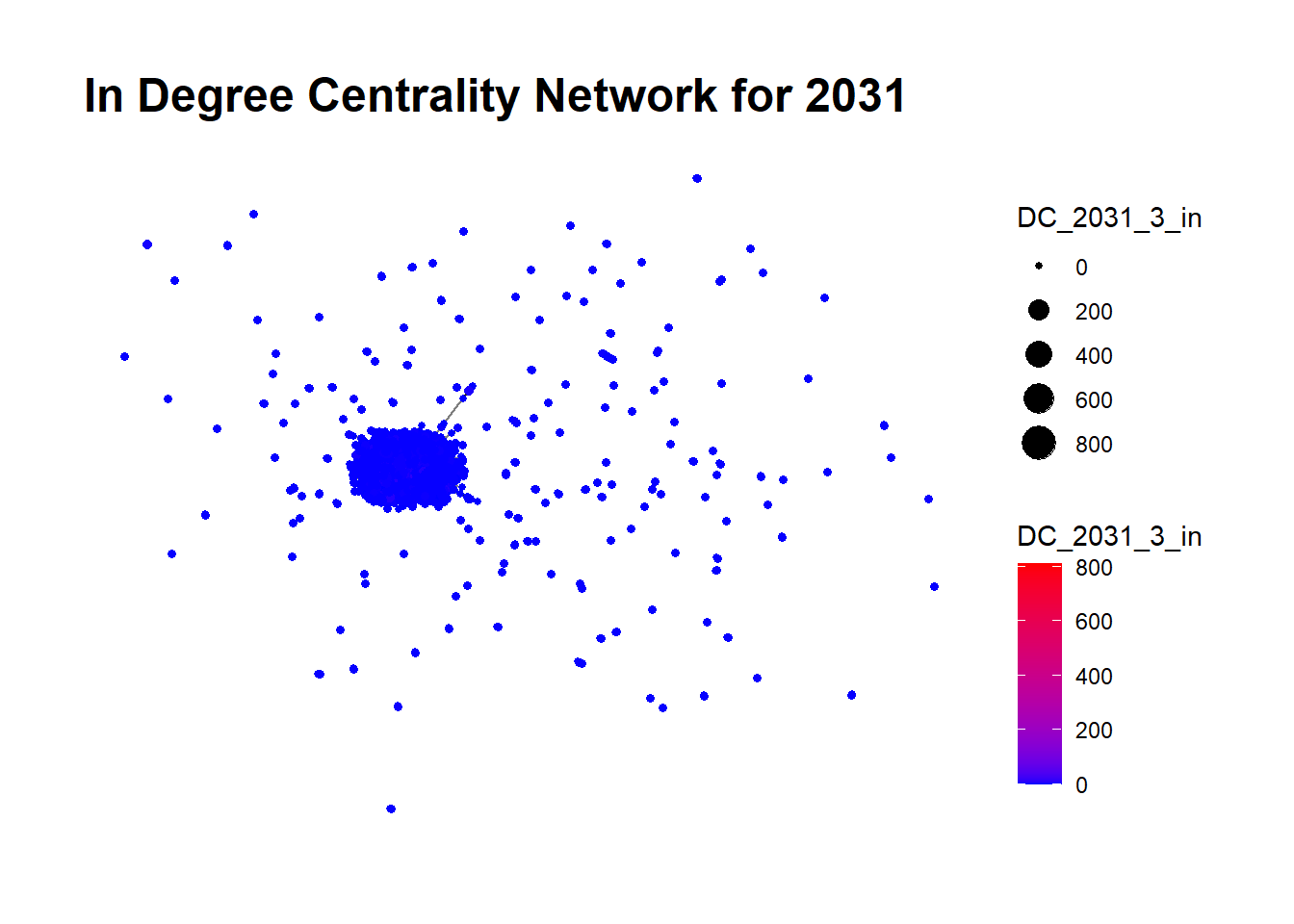
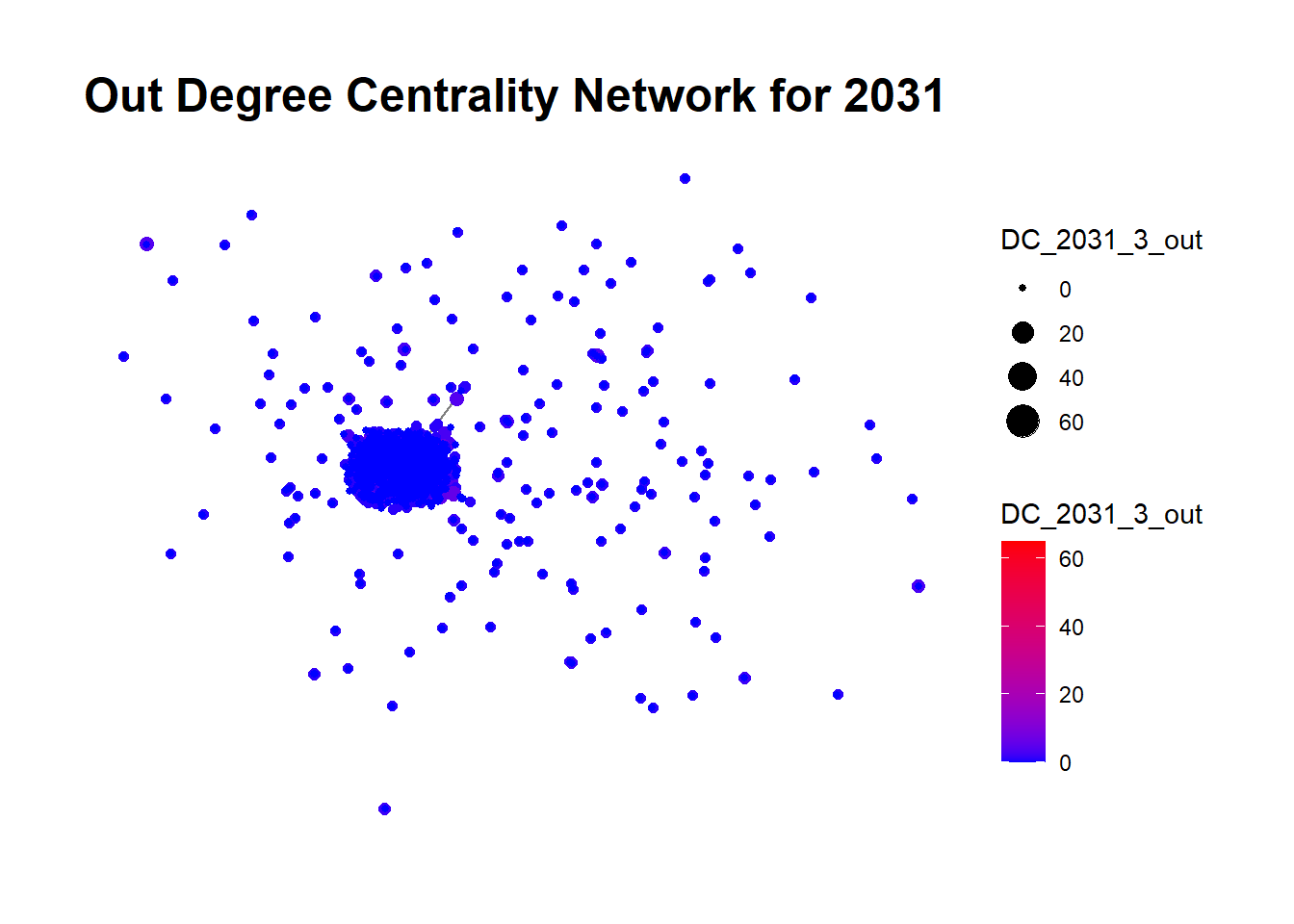
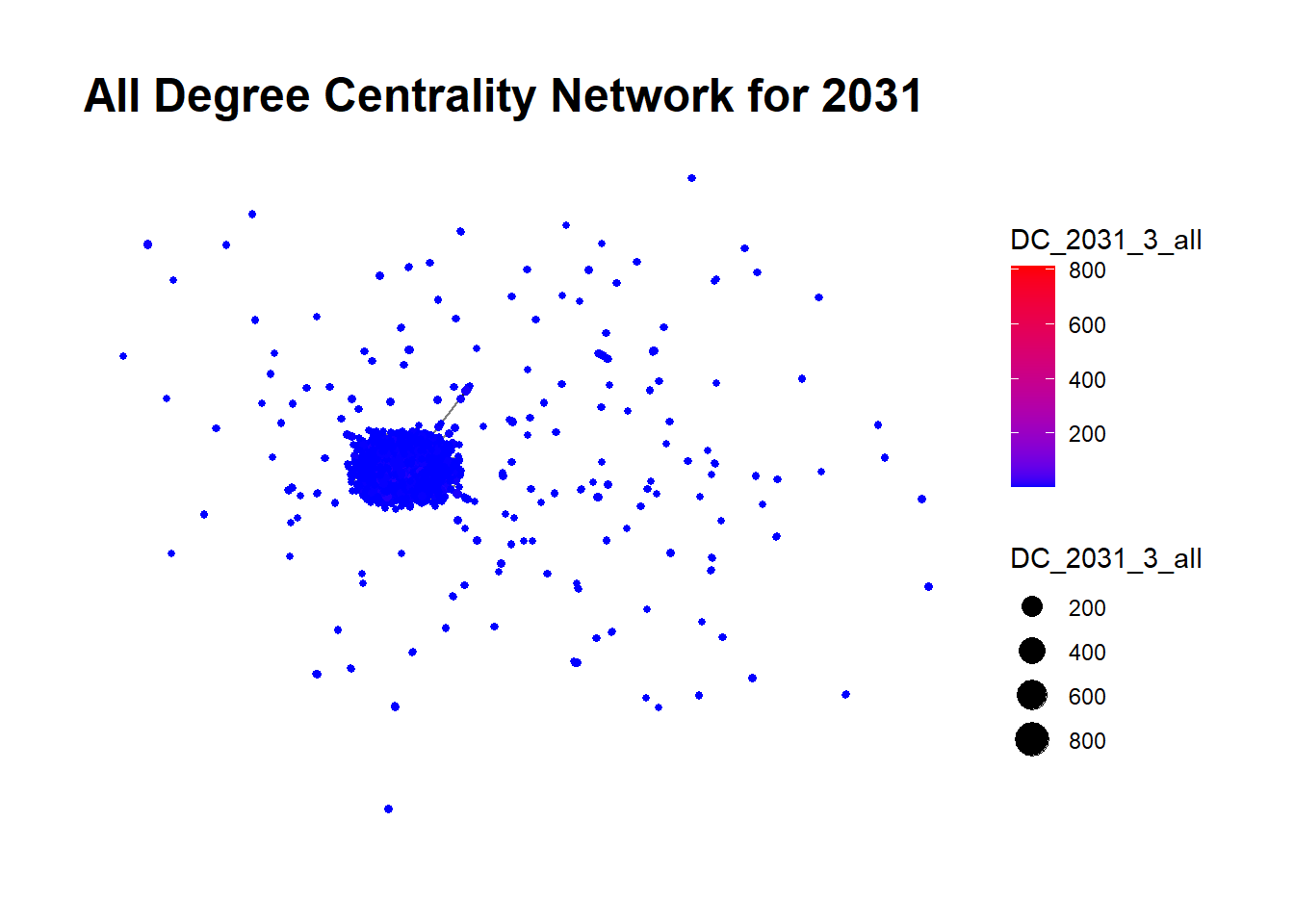
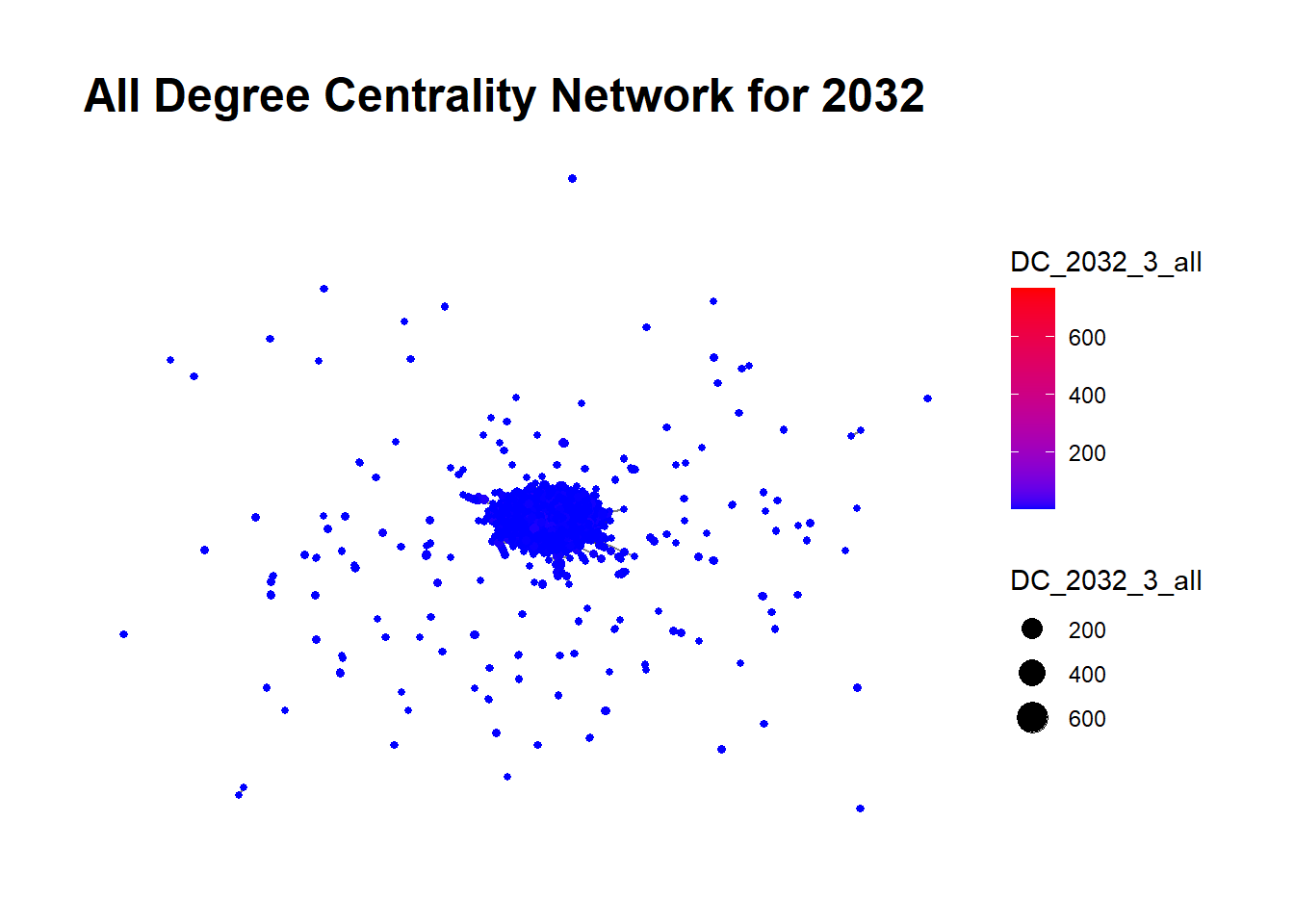
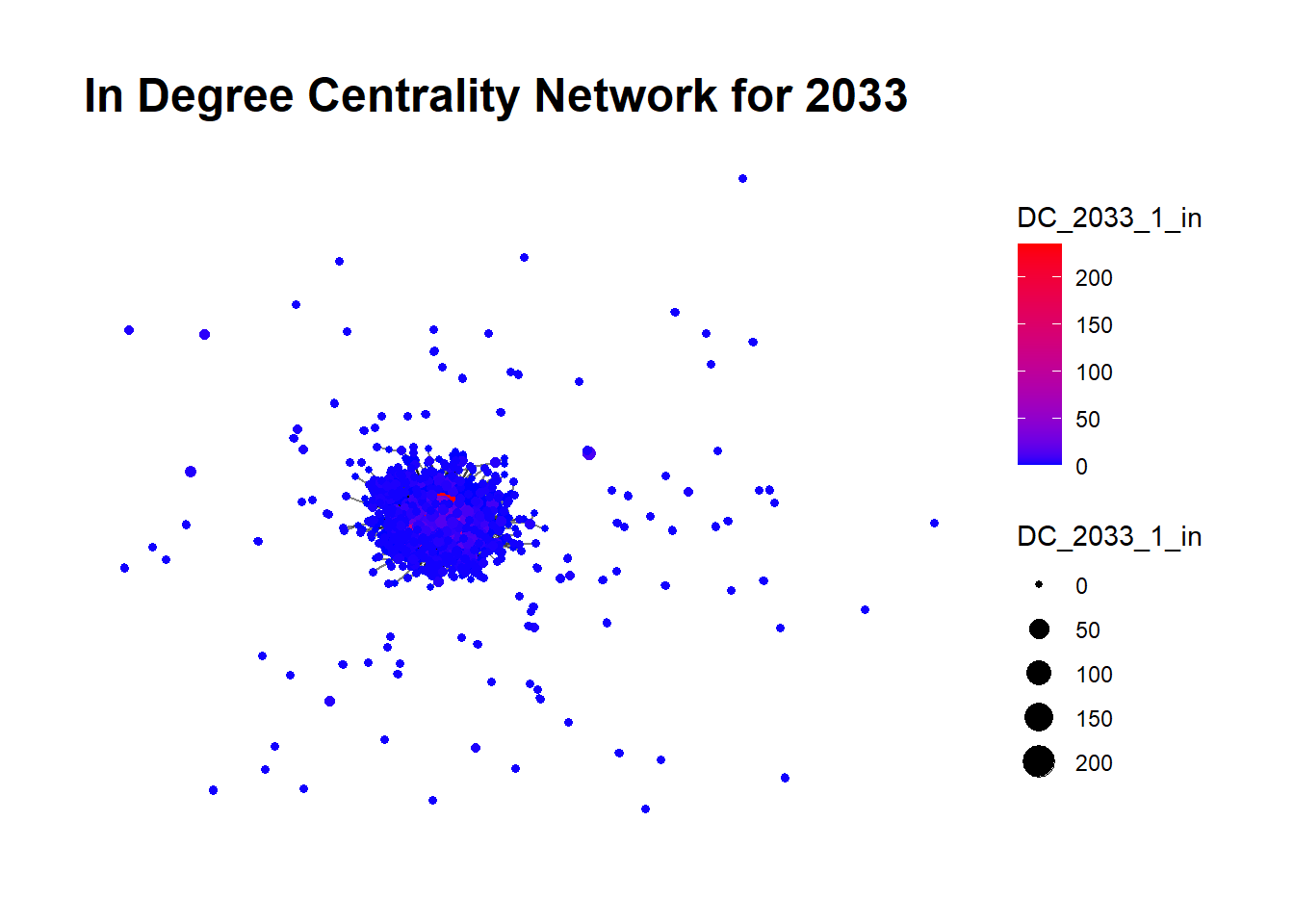
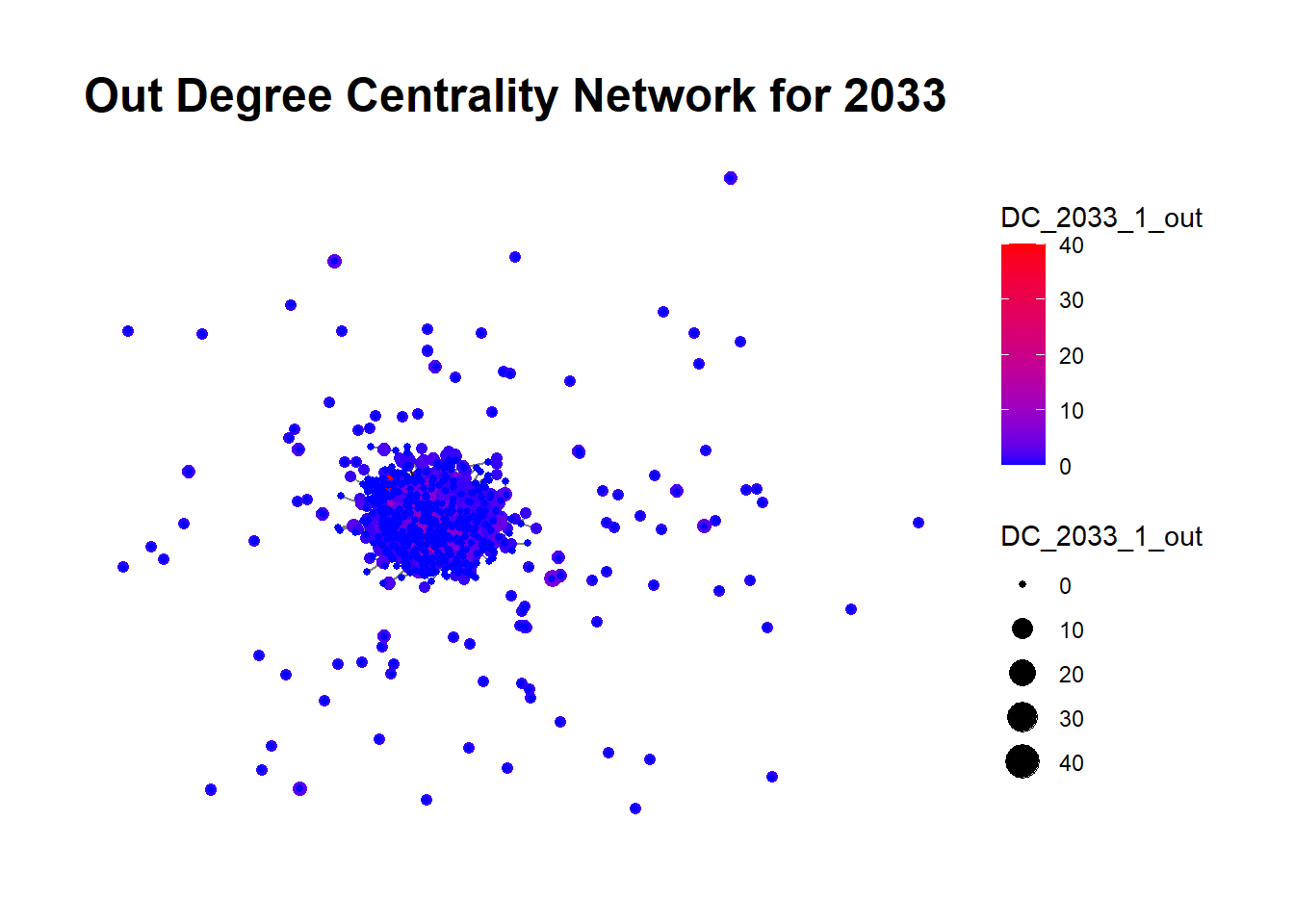
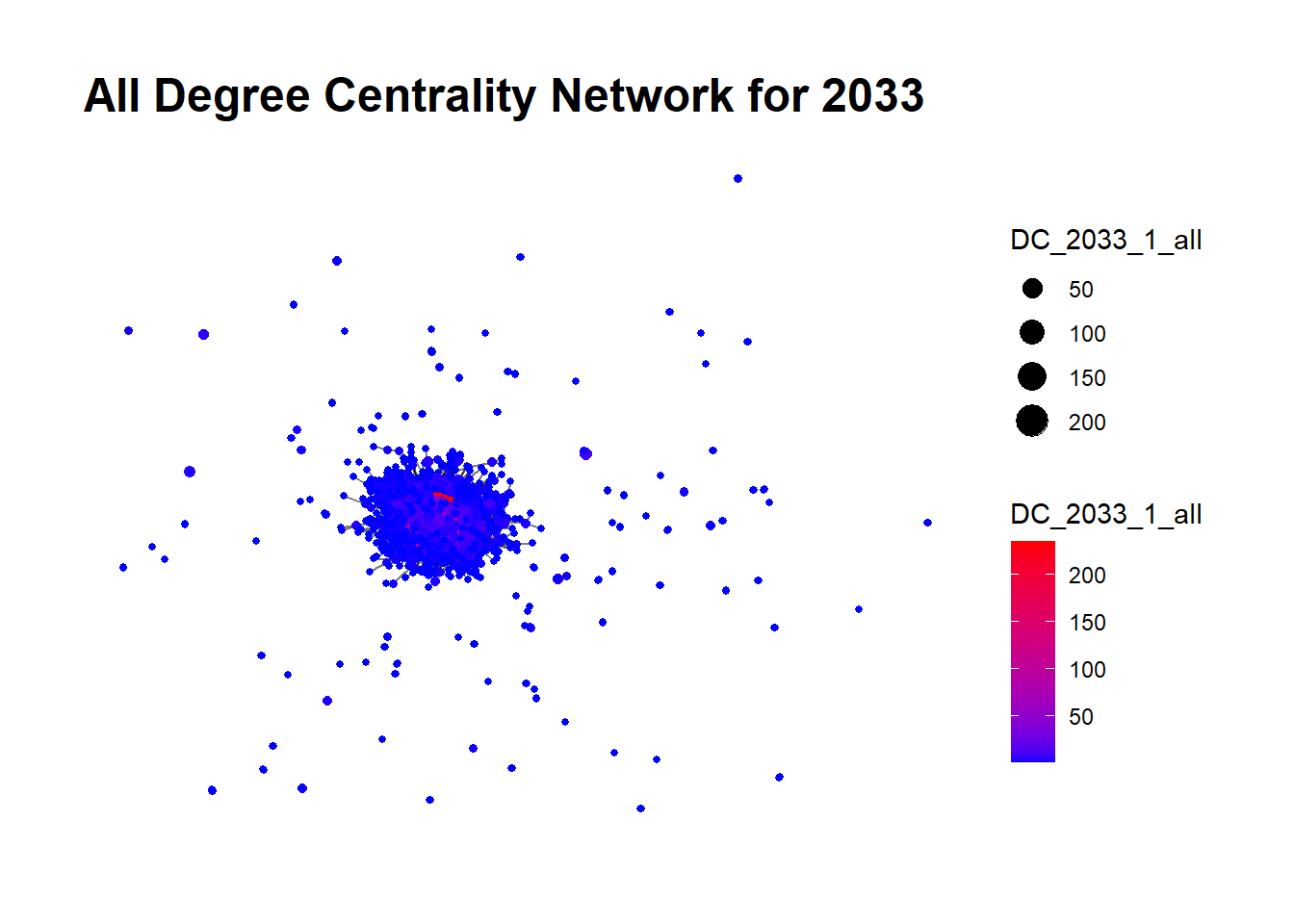
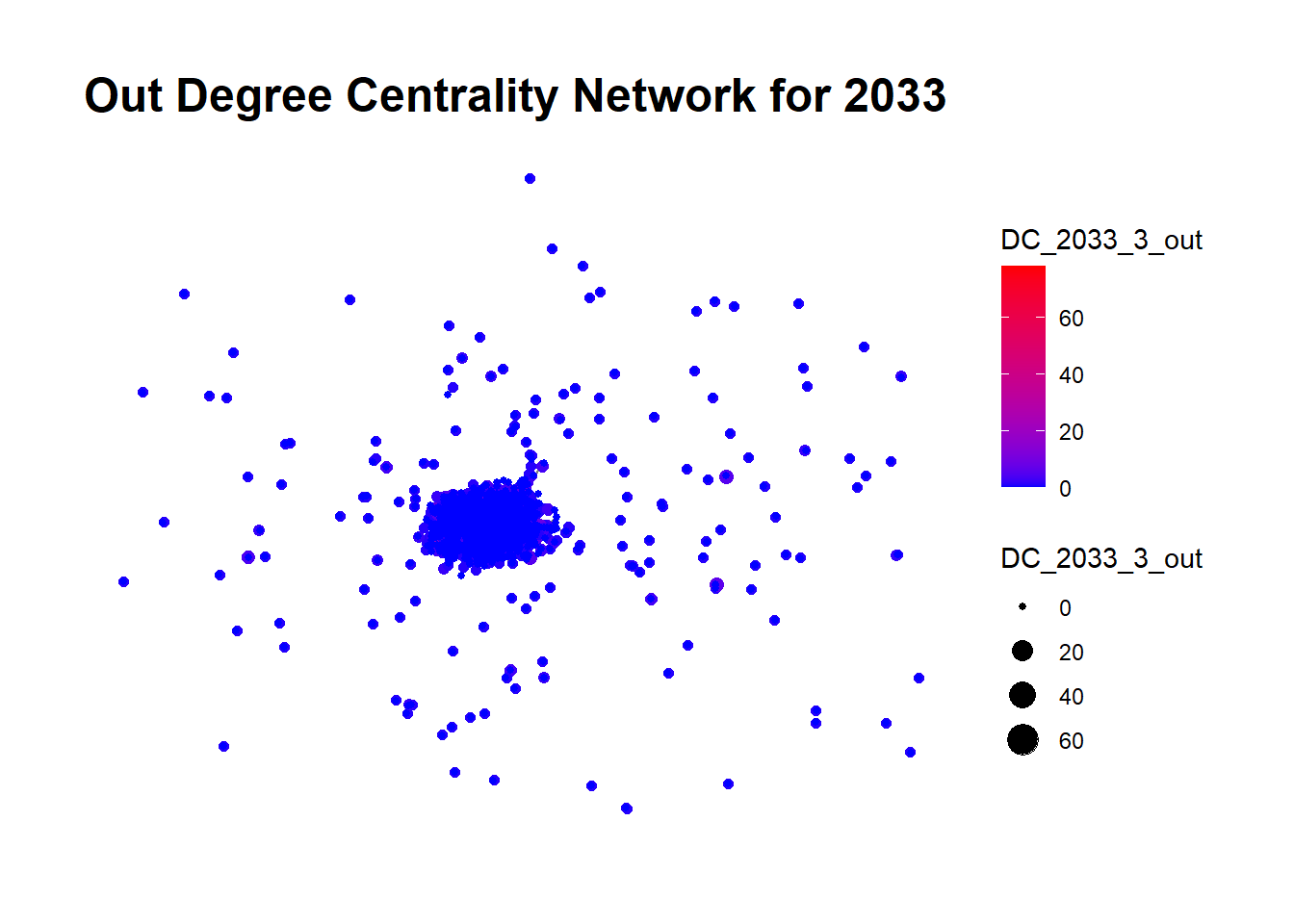
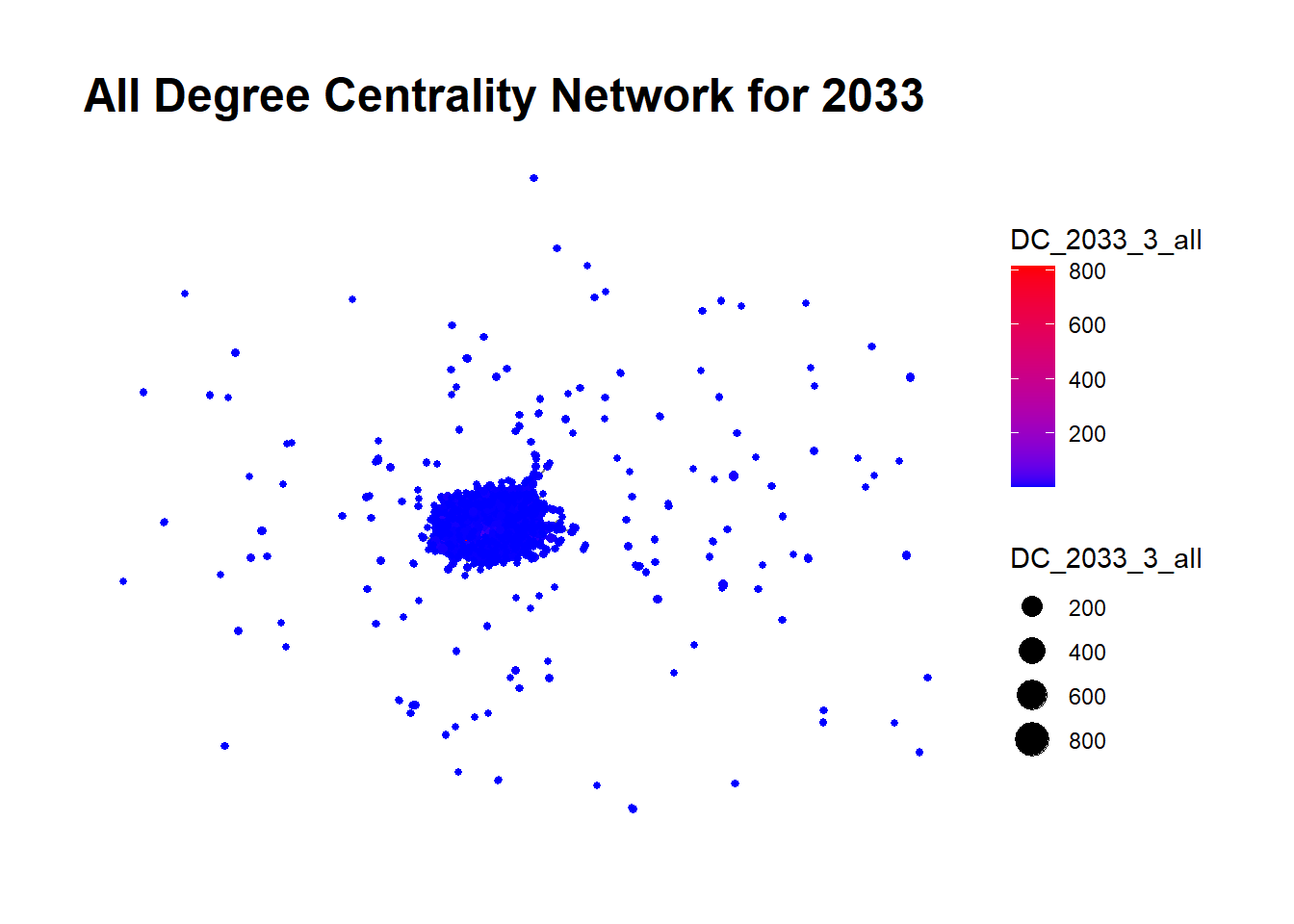
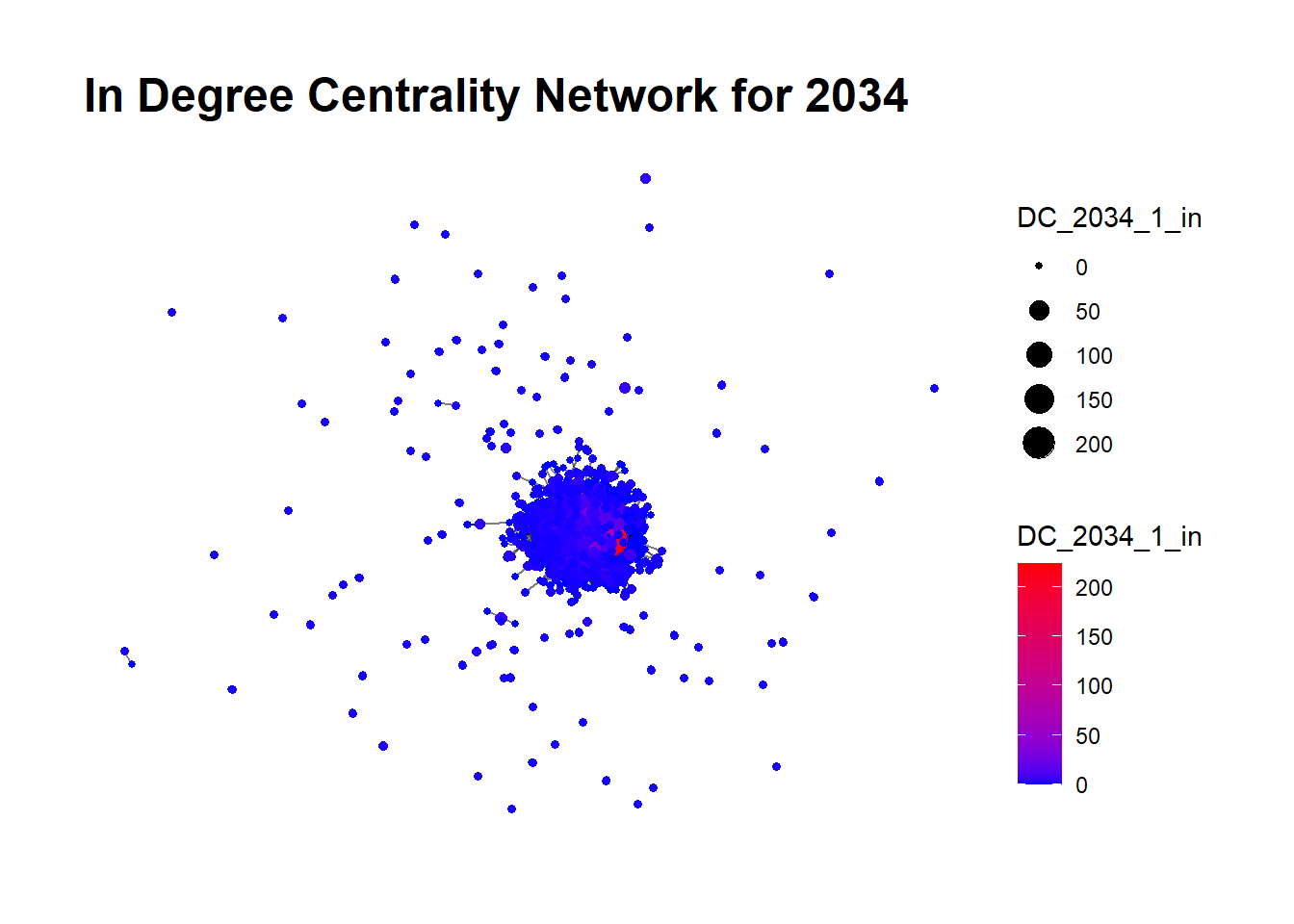
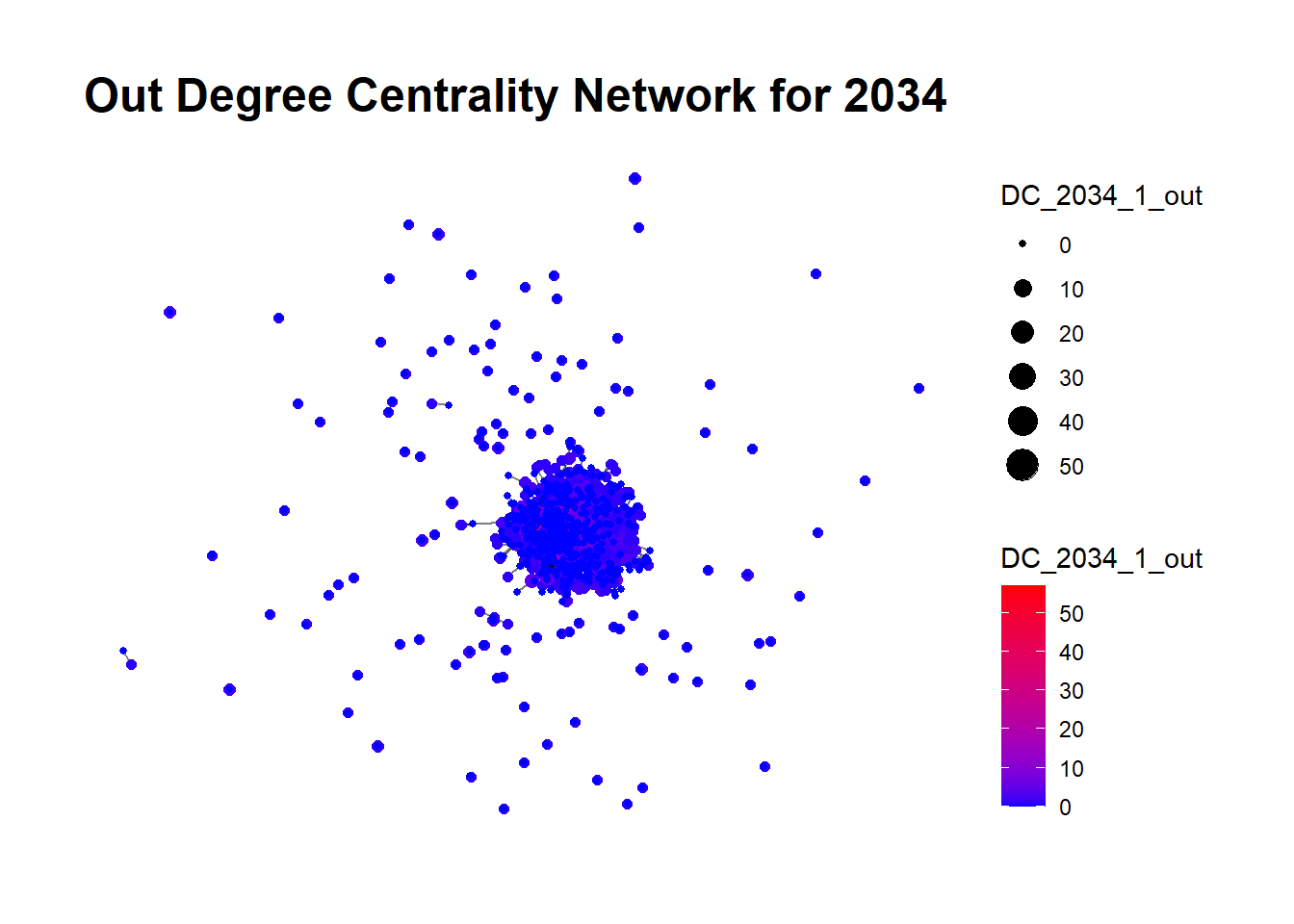
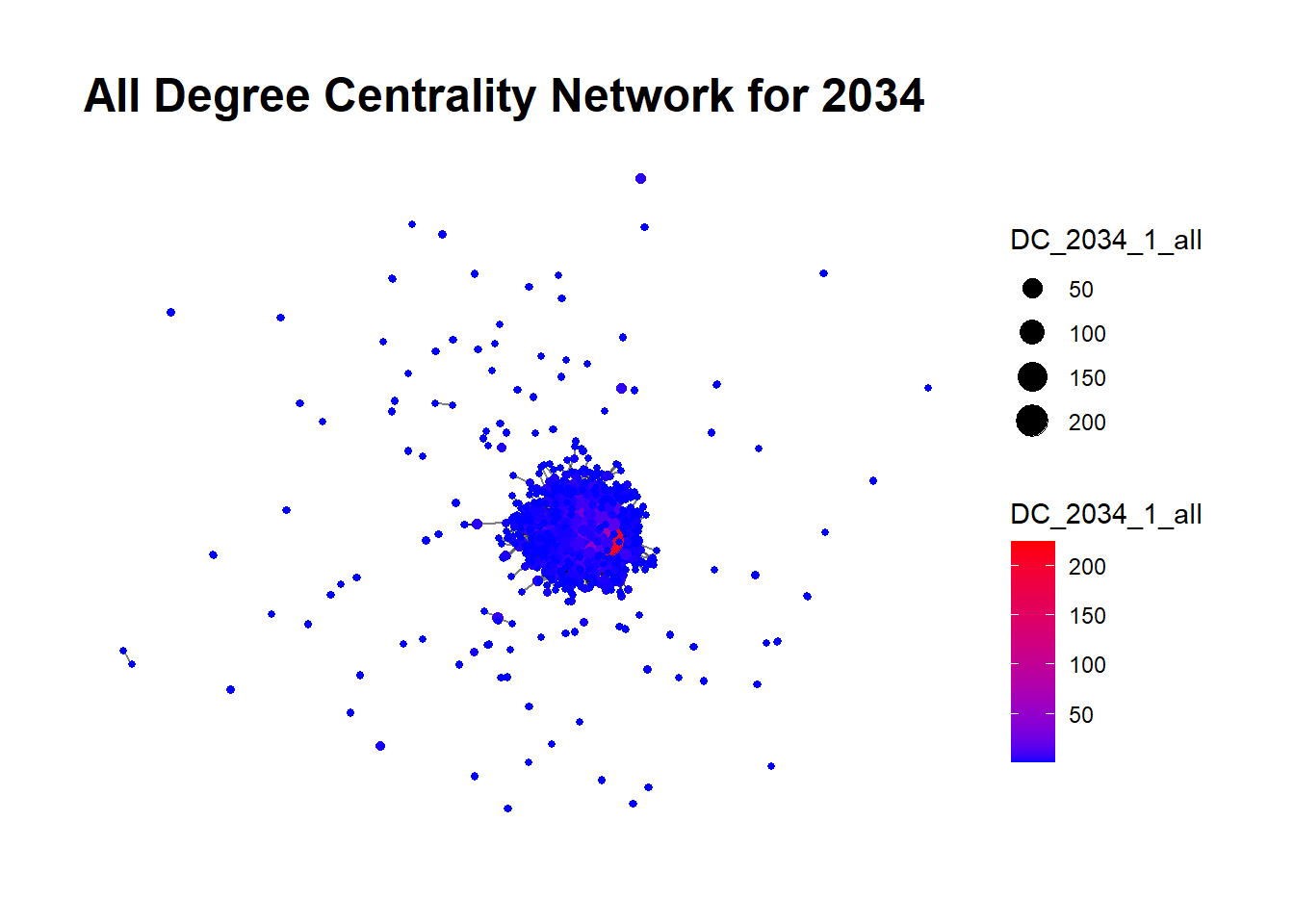
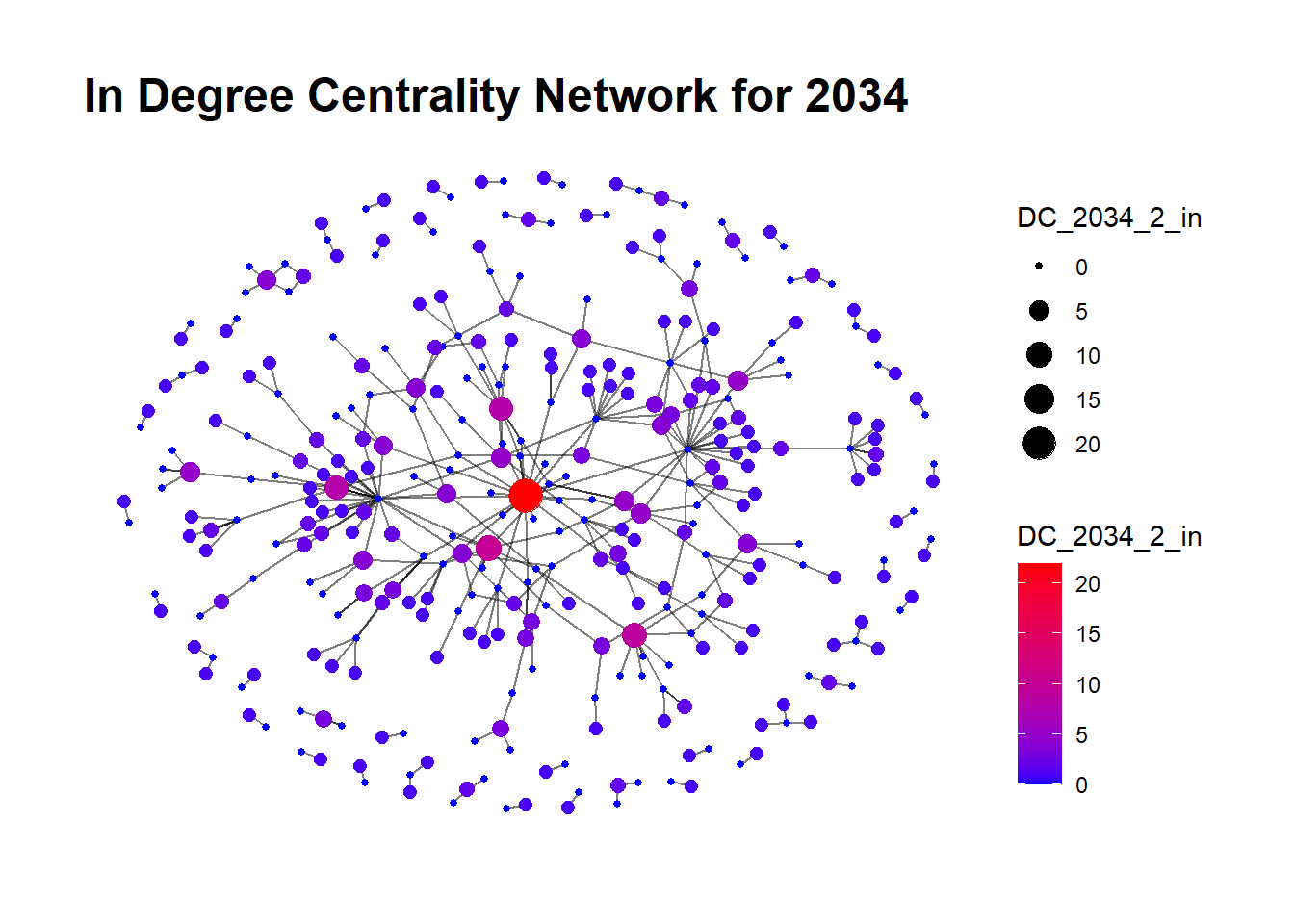
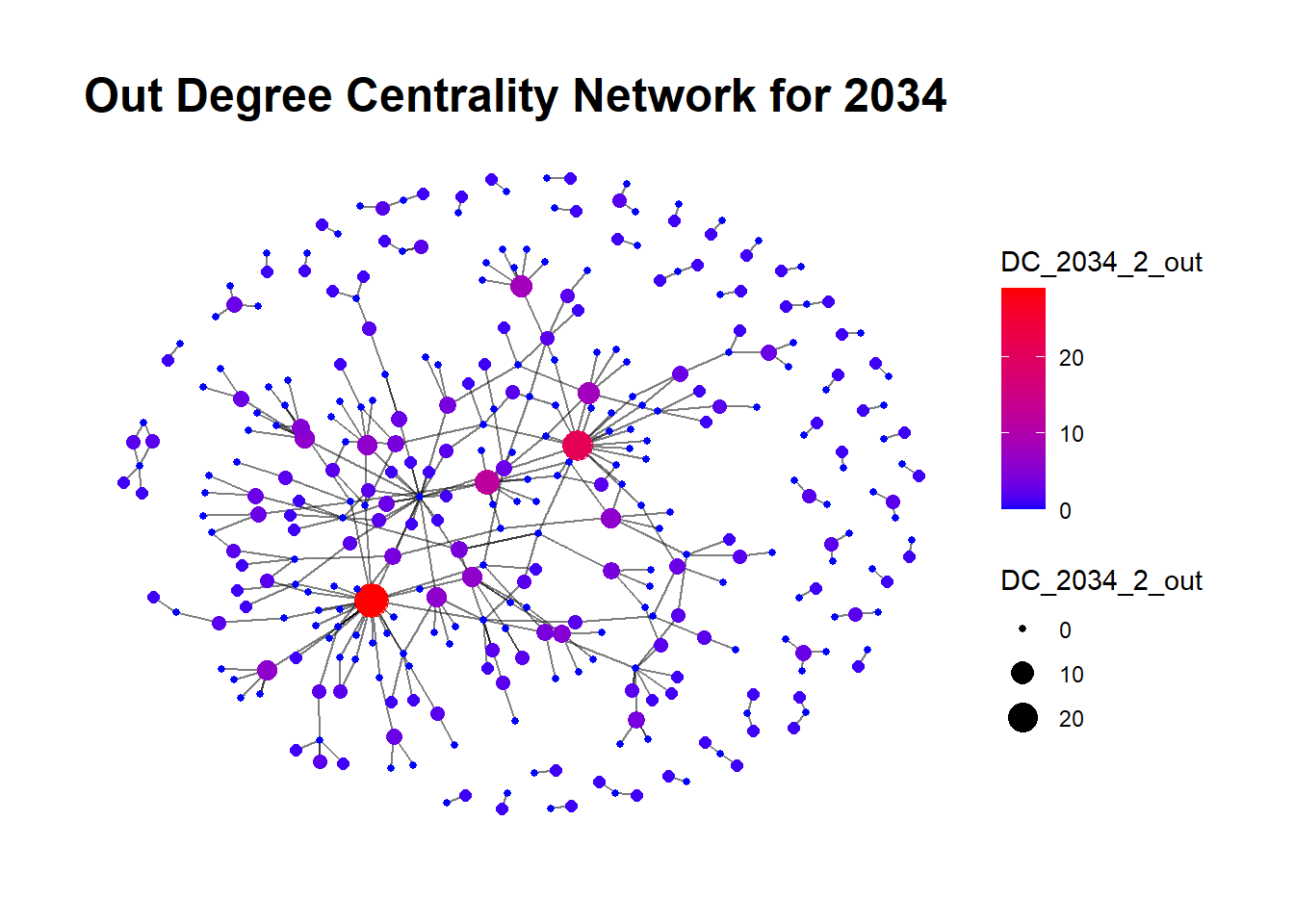
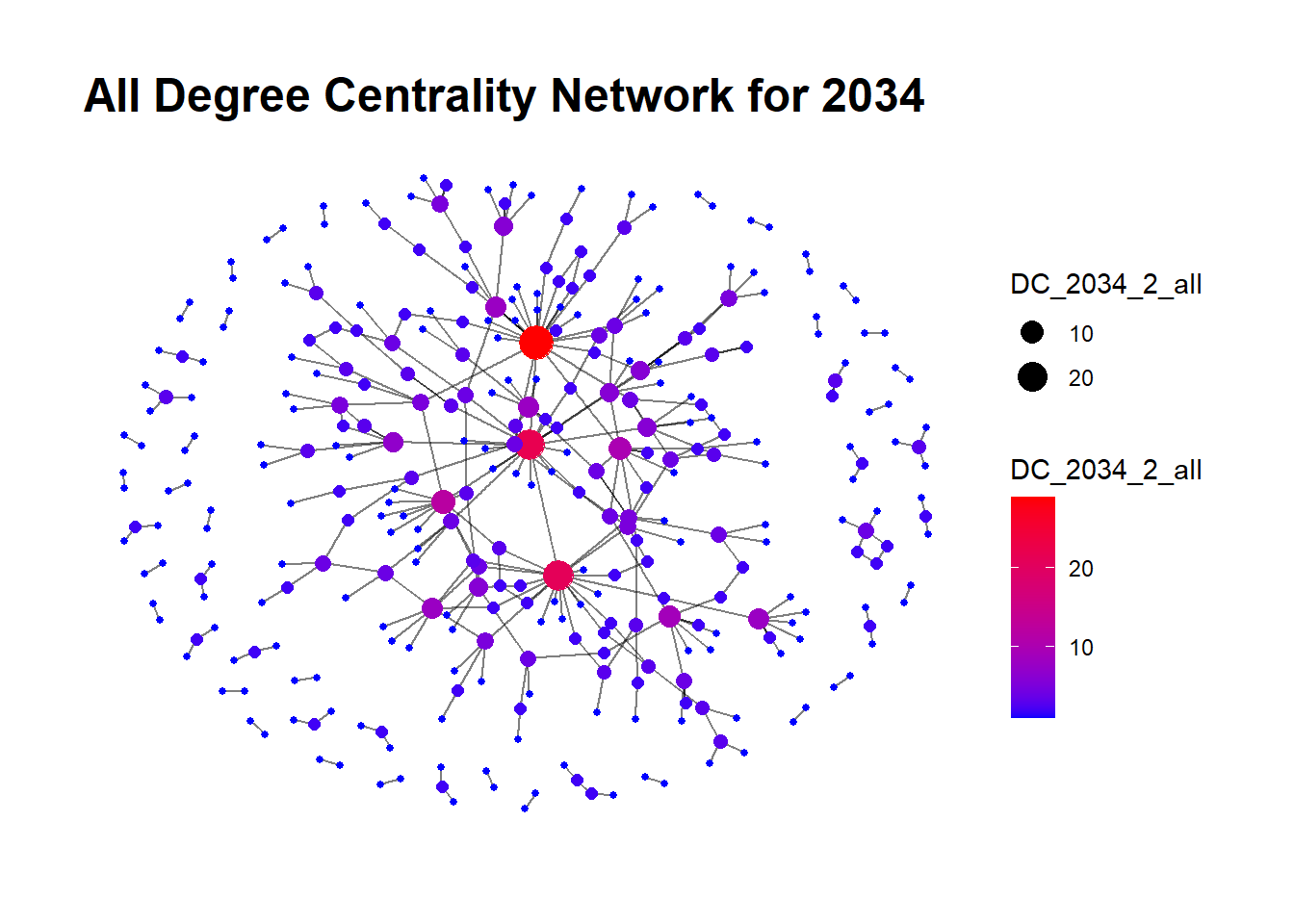
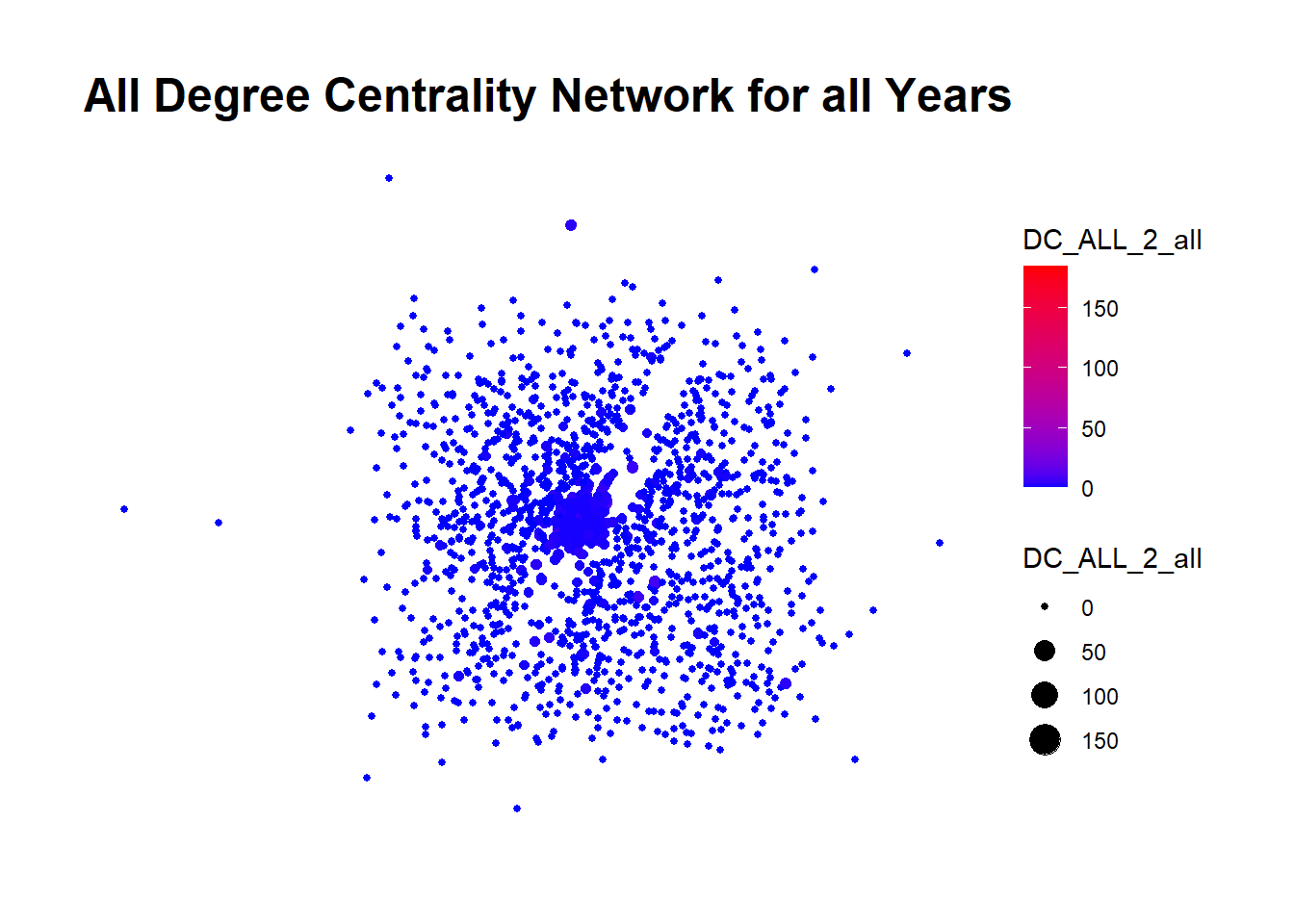
In this analysis, we leverage Degree Centrality, a key measure in network analysis, to identify the most significant nodes (companies) in the network and patterns of transactions in the fishing industry. Degree Centrality is computed in three forms:

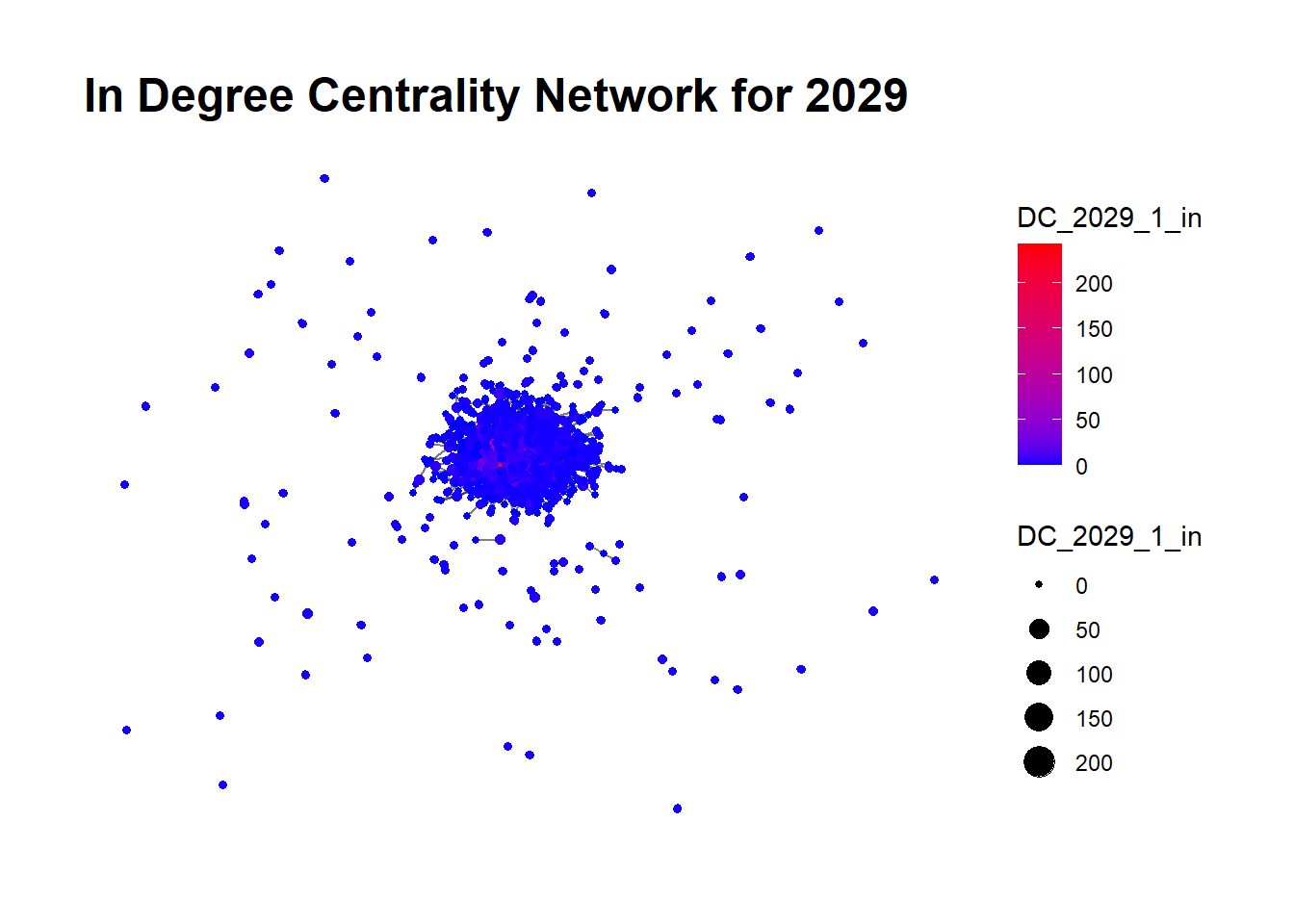
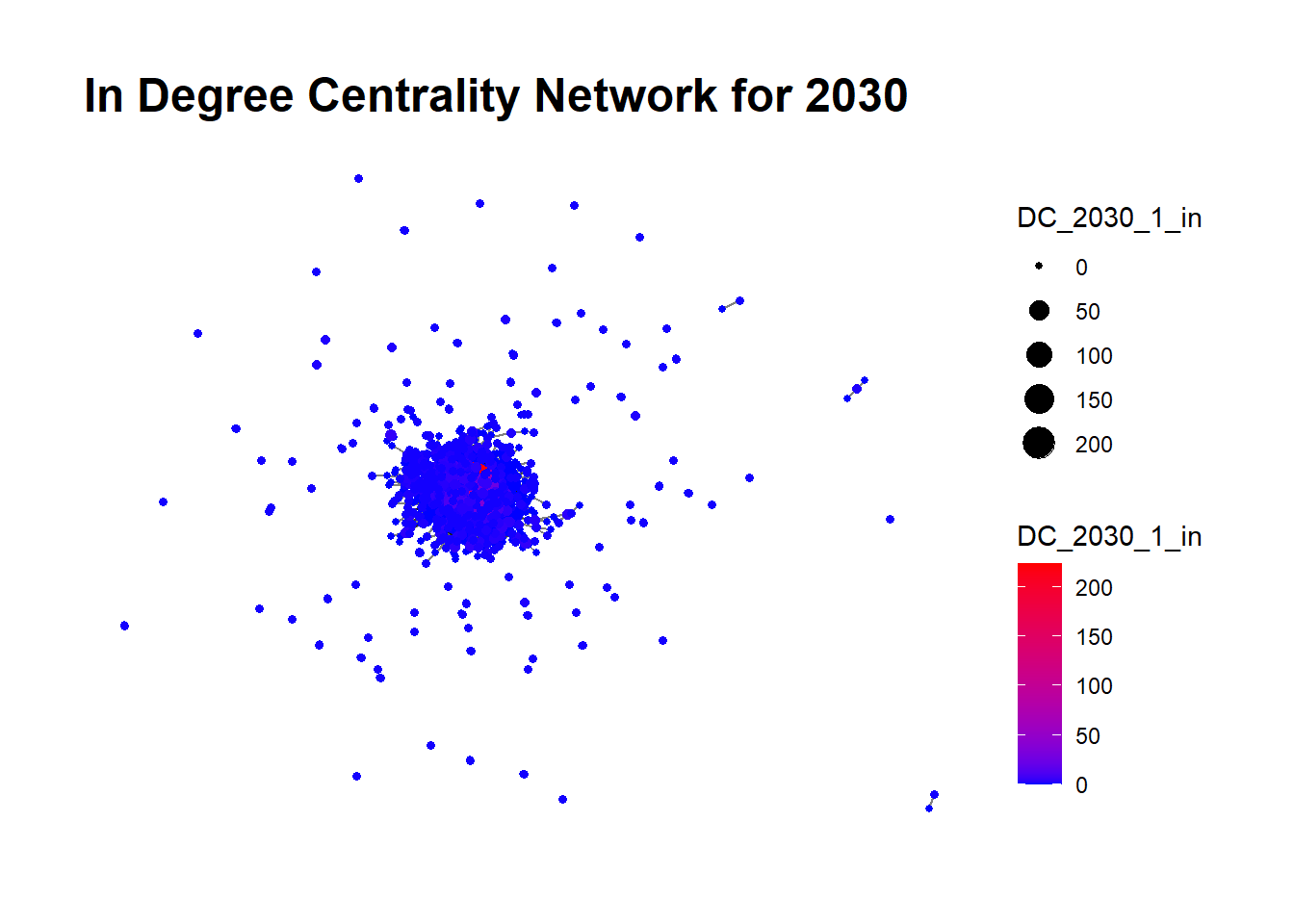
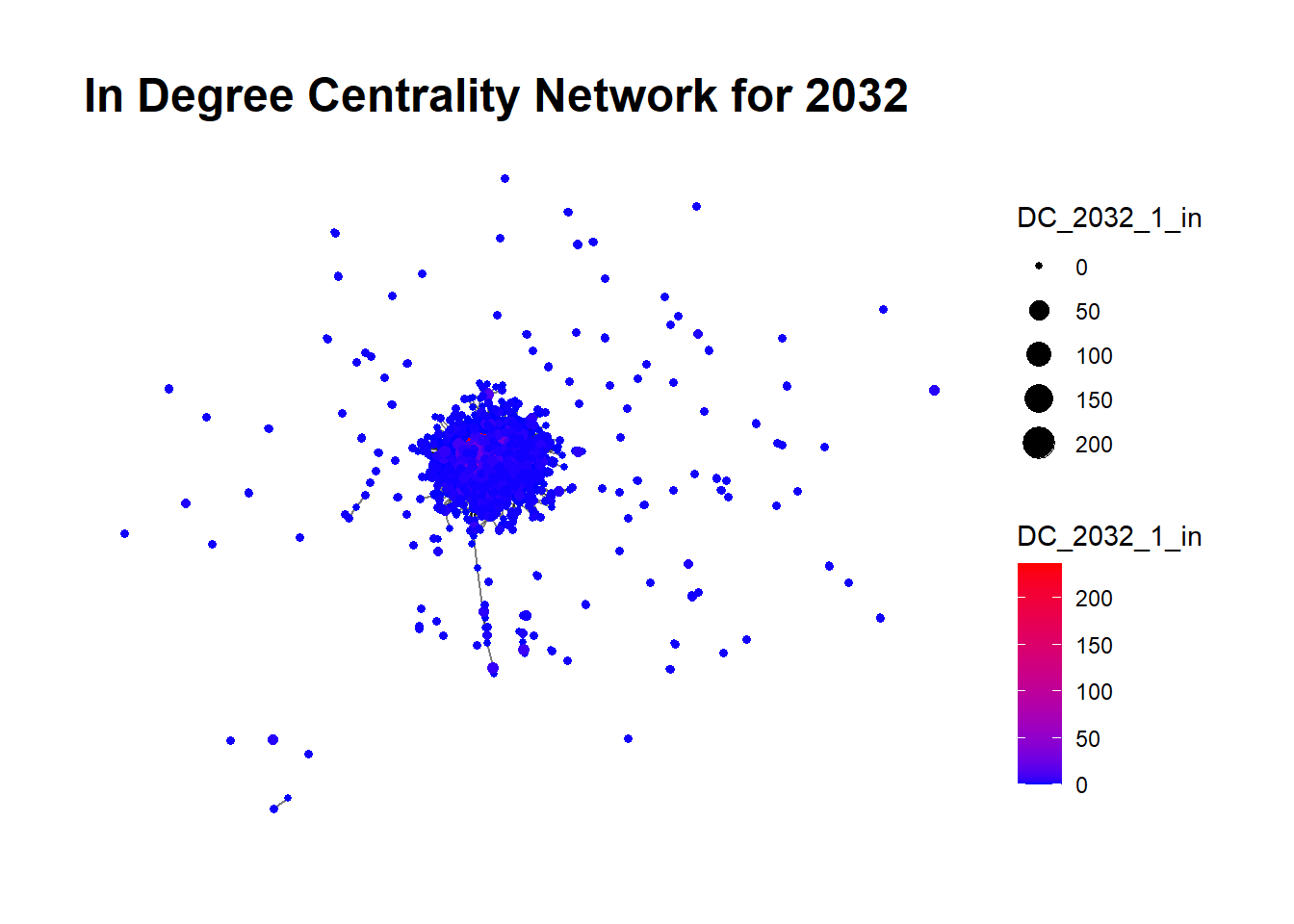
  • In-Degree Centrality: It measures the number of incoming connections to a node. In this Analysis, a higher In-Degree Centrality indicates that a particular fishing company receives a considerable amount of prepared or preserved seafood. The visual representation uses node sizes to mirror this measure with five levels: 0, 50,100,150,200, where a larger size signifies higher In-Degree Centrality.

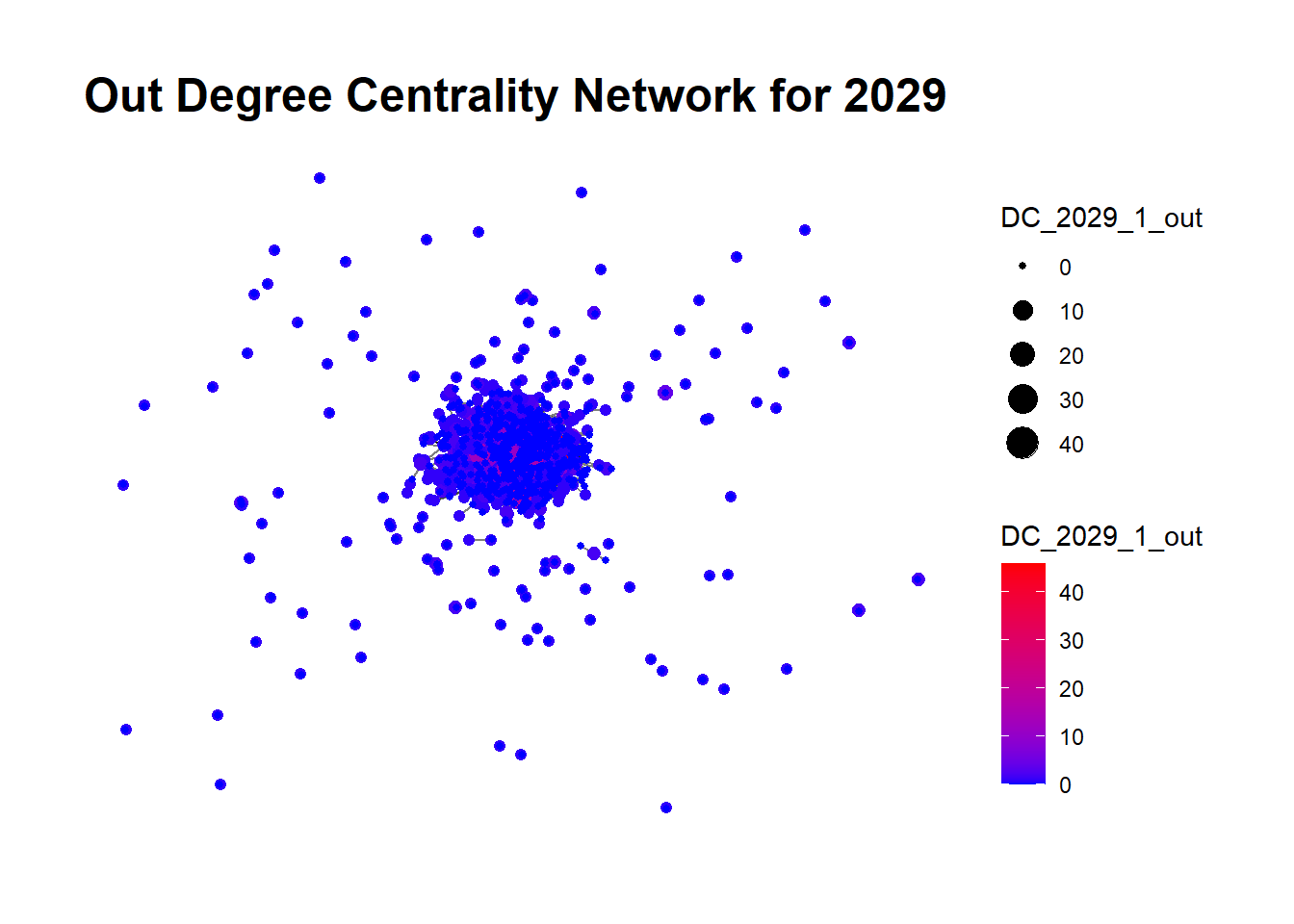
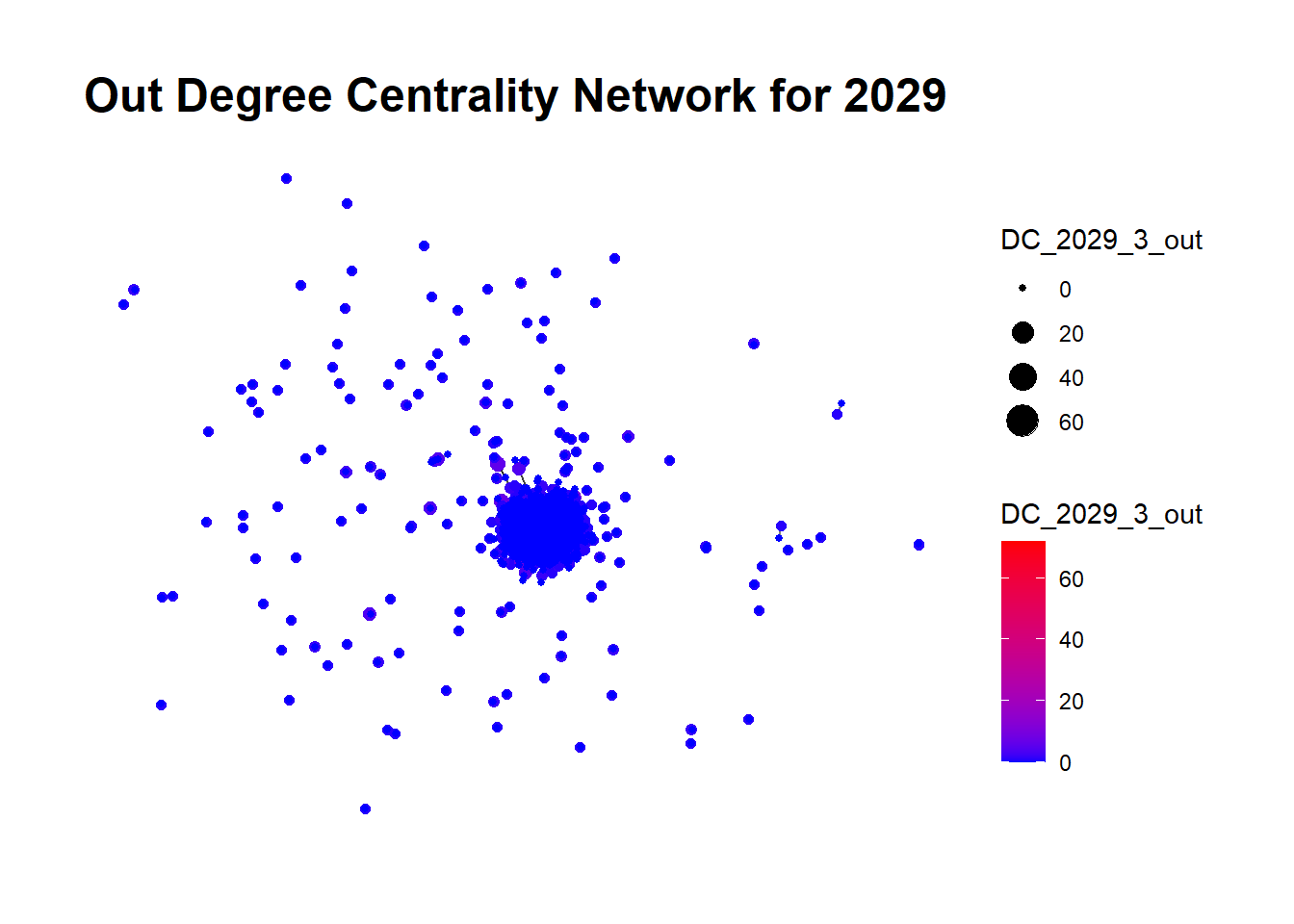
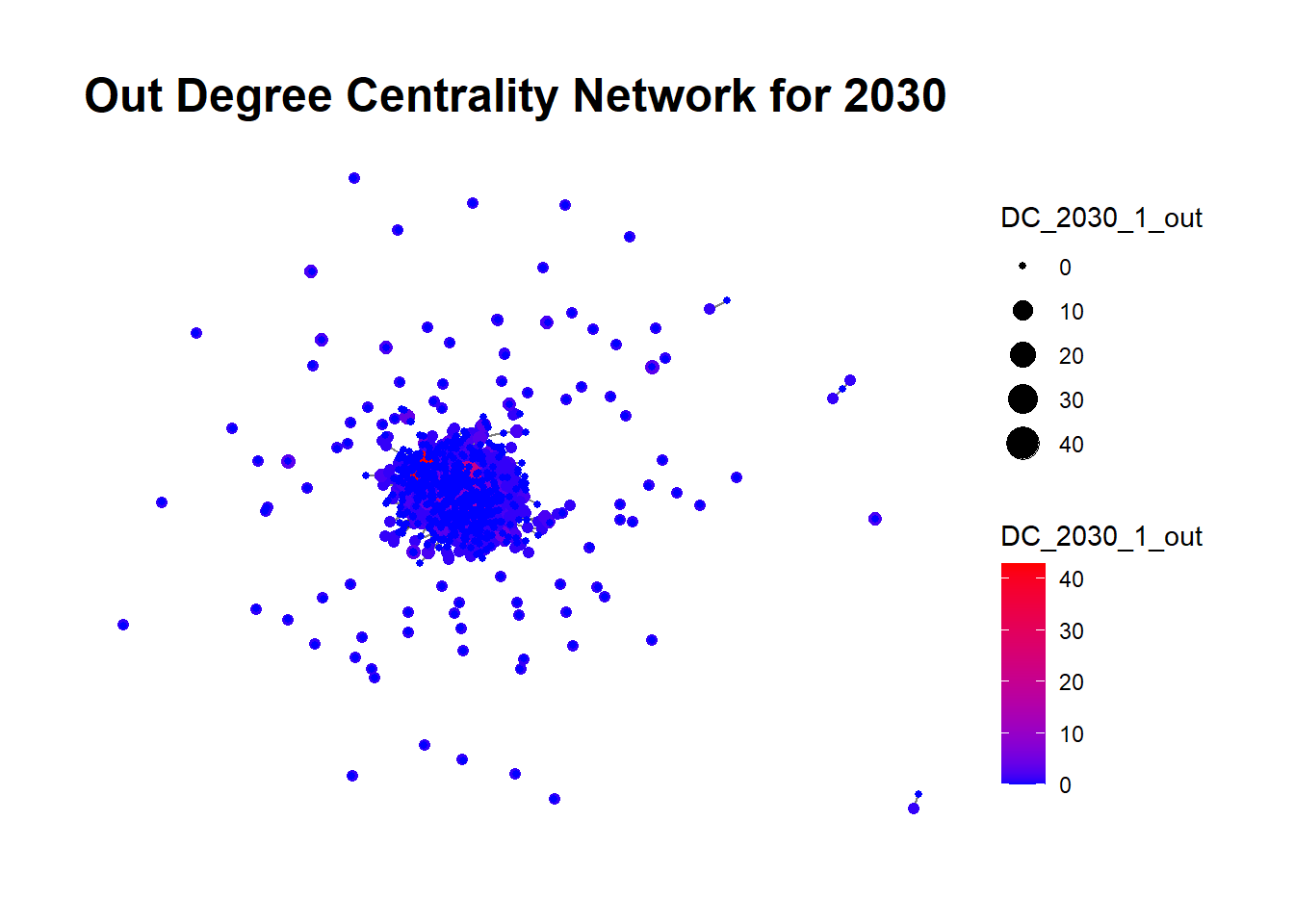
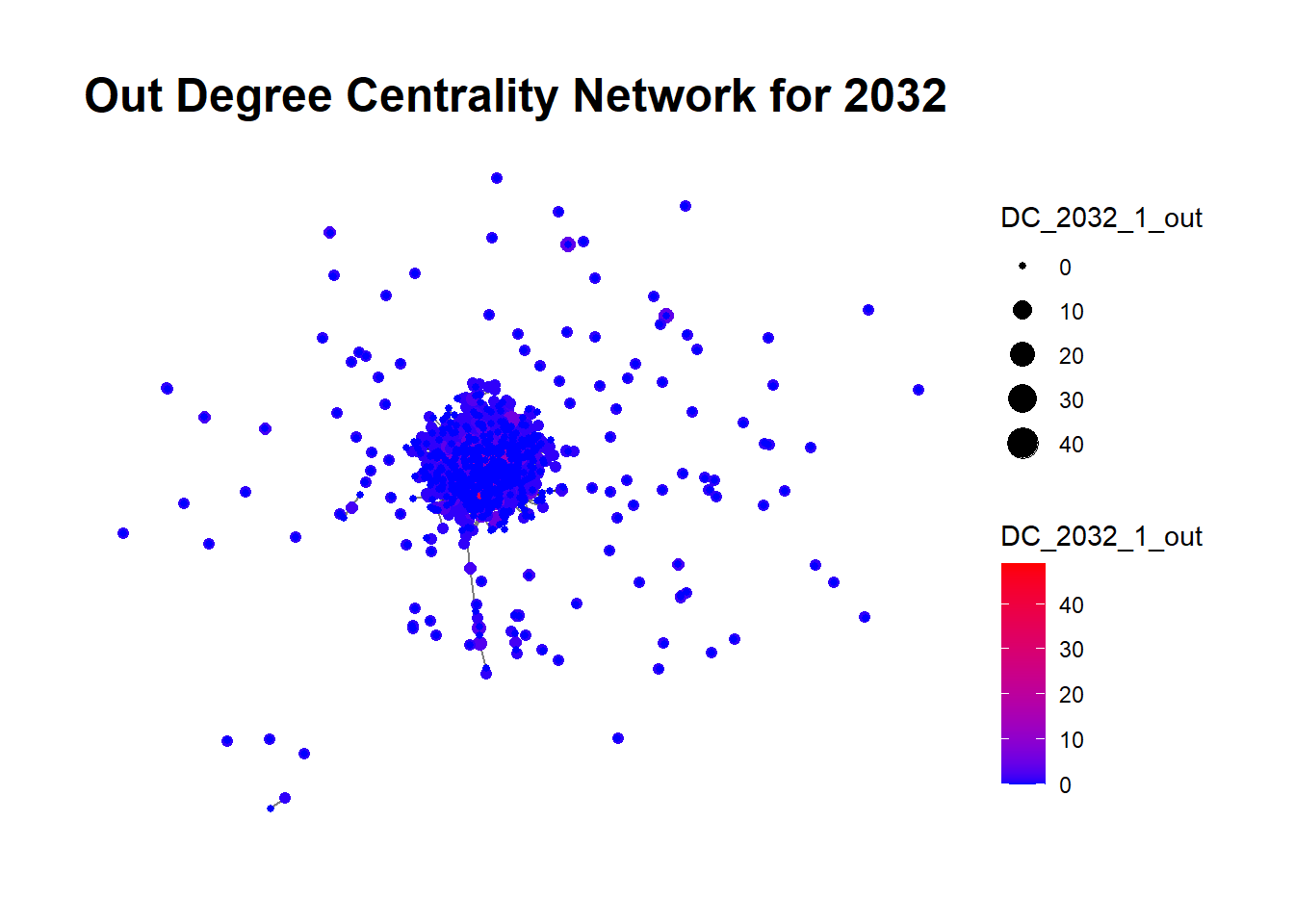
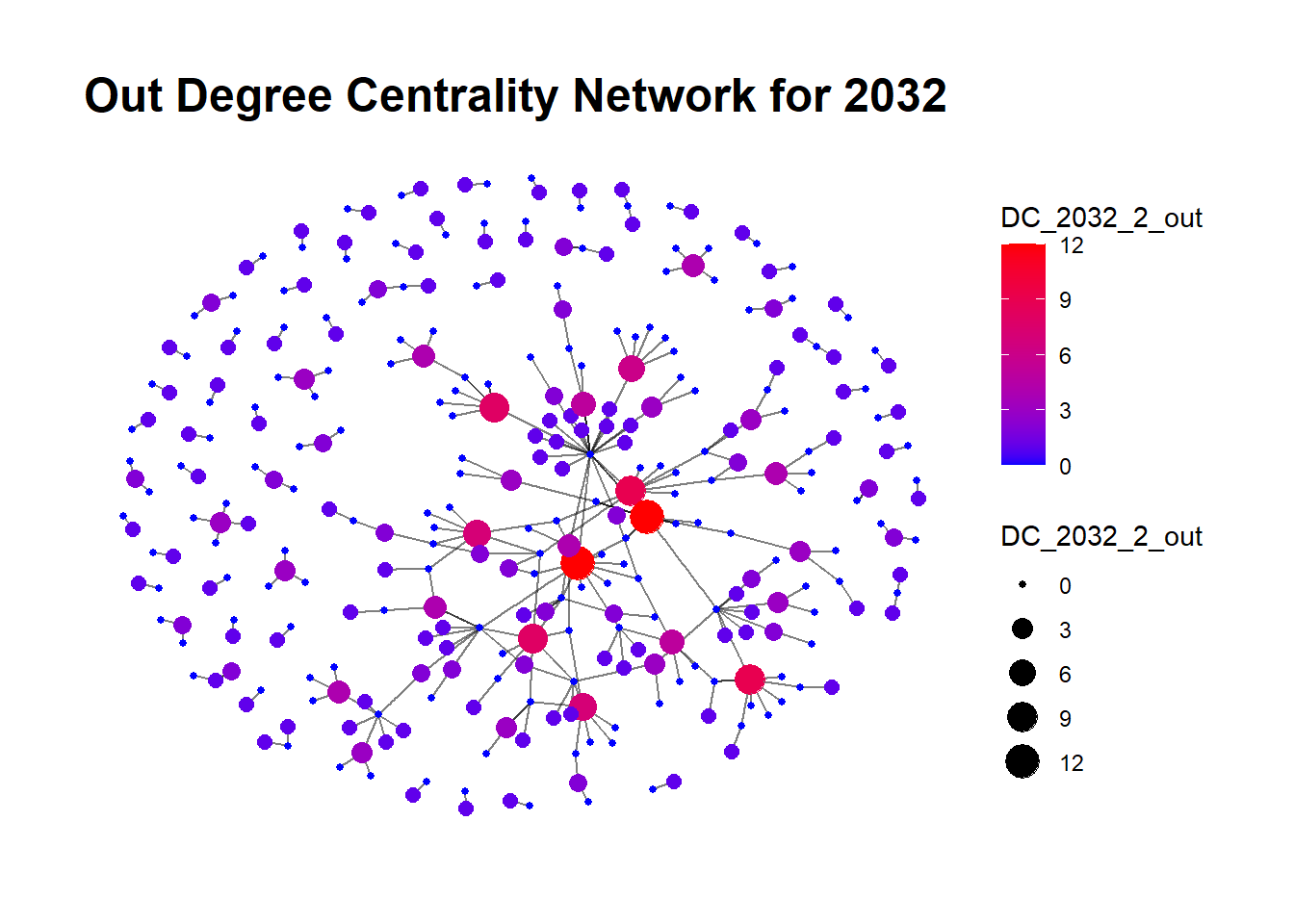
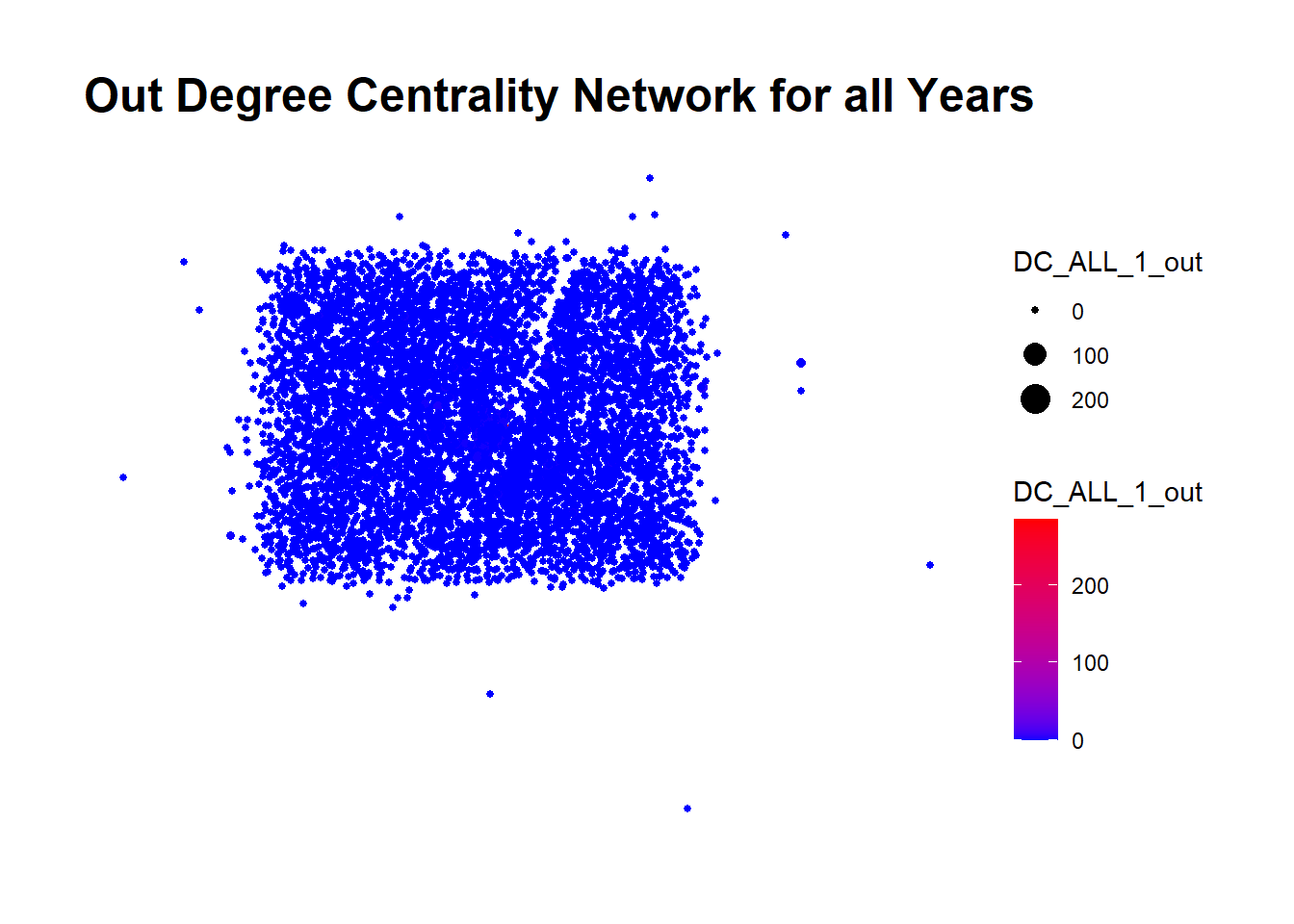
  • Out-Degree Centrality: This quantifies the number of outgoing connections from a node. In our case, a higher Out-Degree Centrality suggests a company is a prominent sender or supplier of prepared or preserved seafood. The node sizes, varying across four levels: 0, 10,20,30, visually signify this measure, with larger sizes indicating higher Out-Degree Centrality.

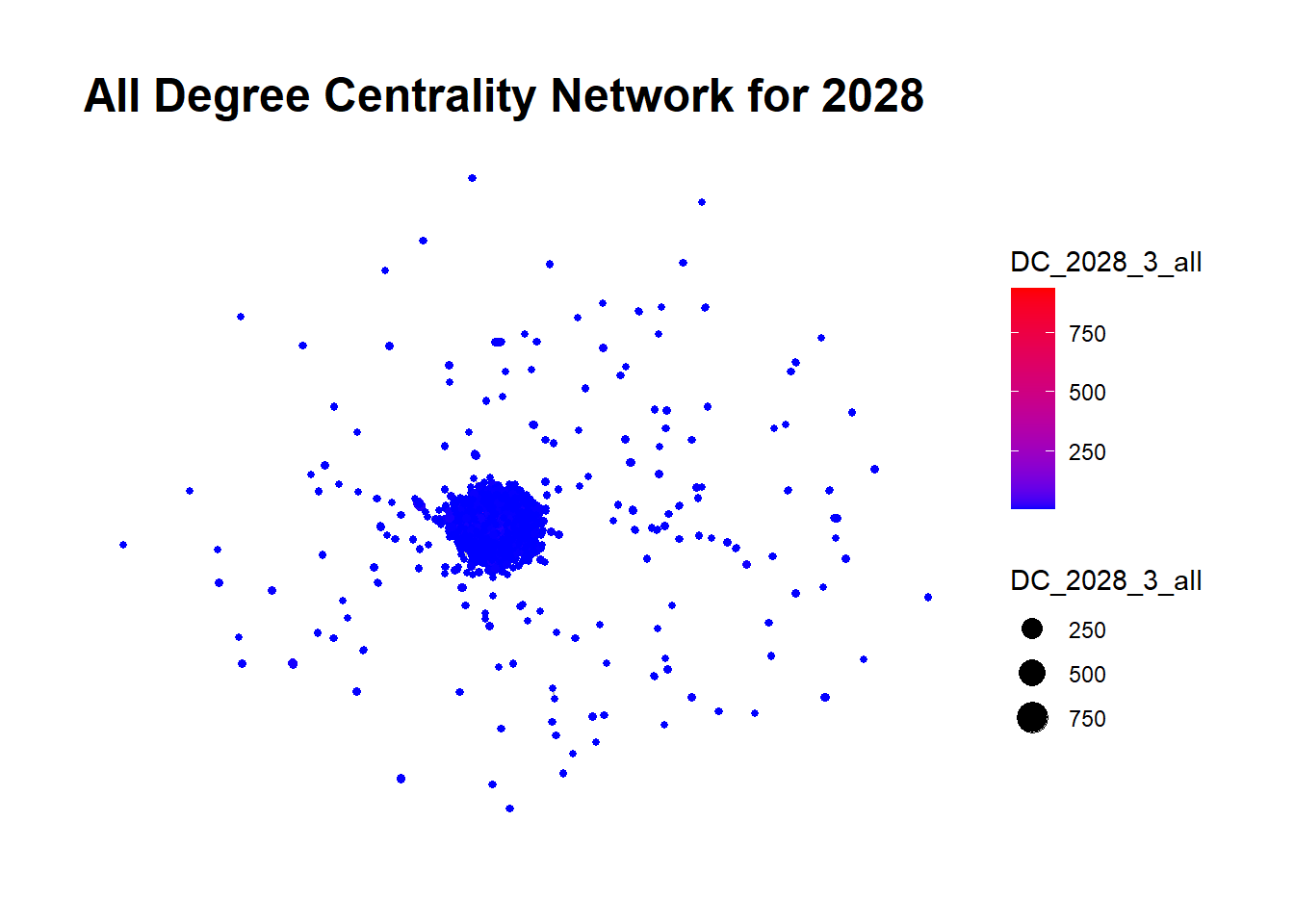
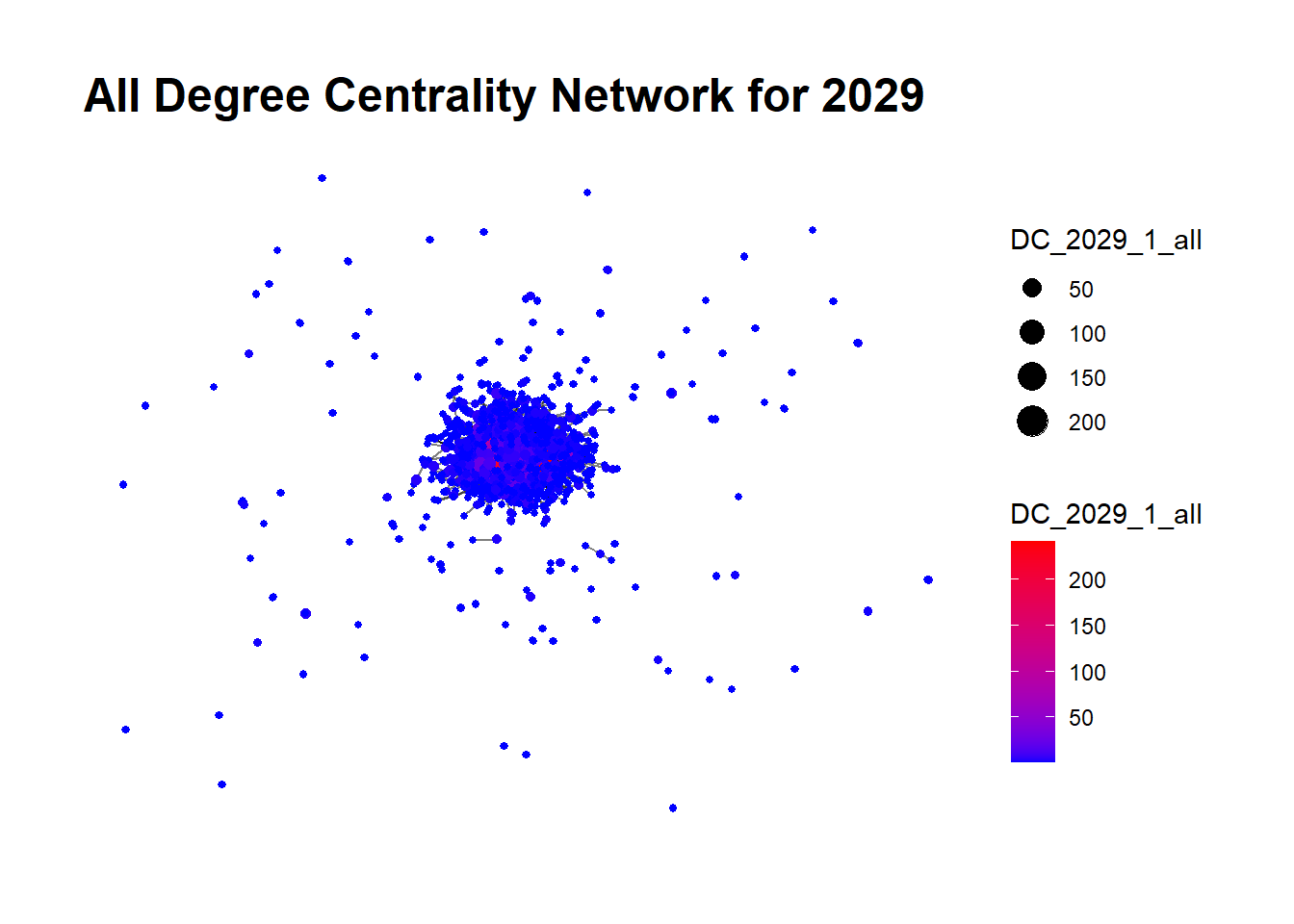
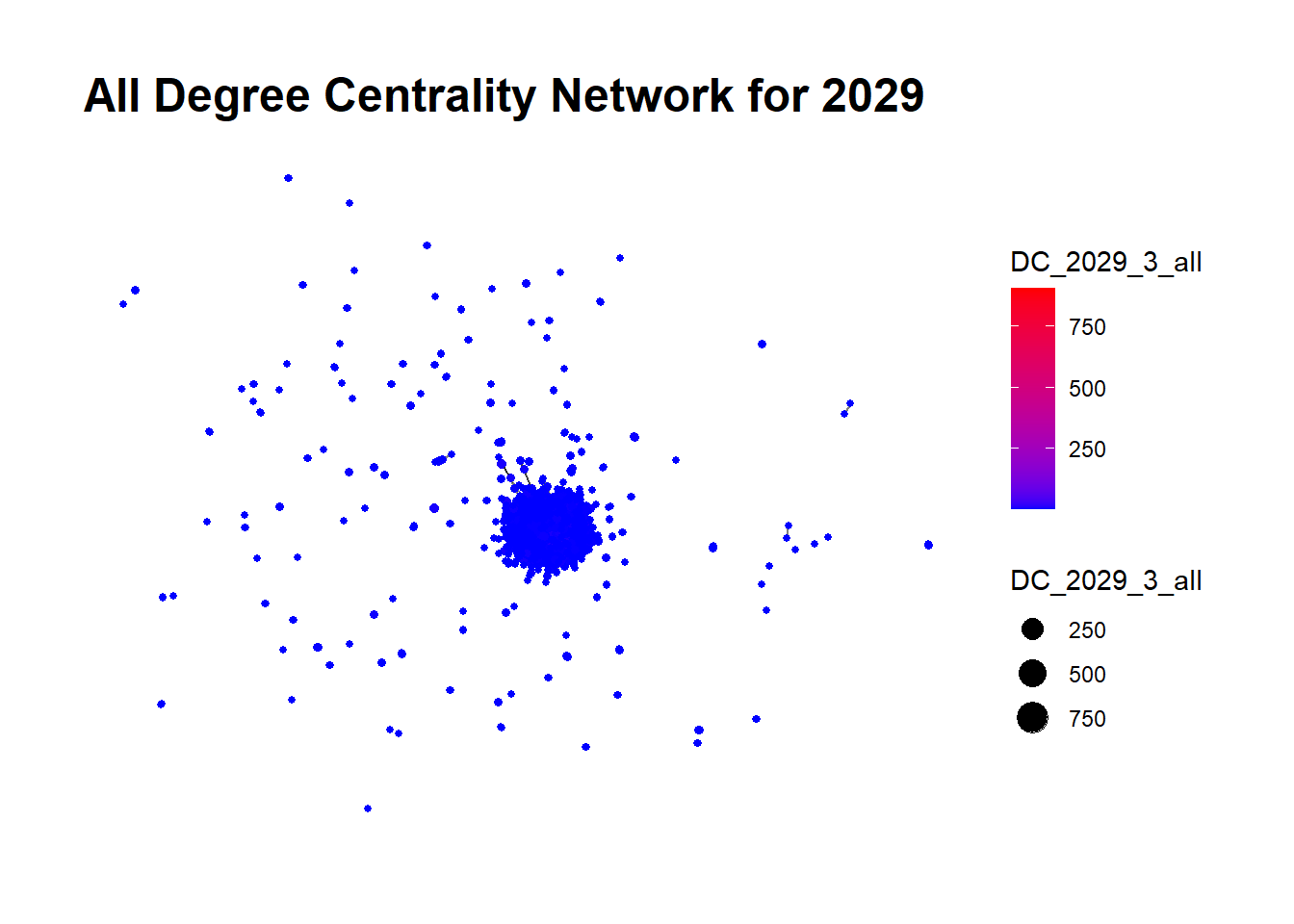
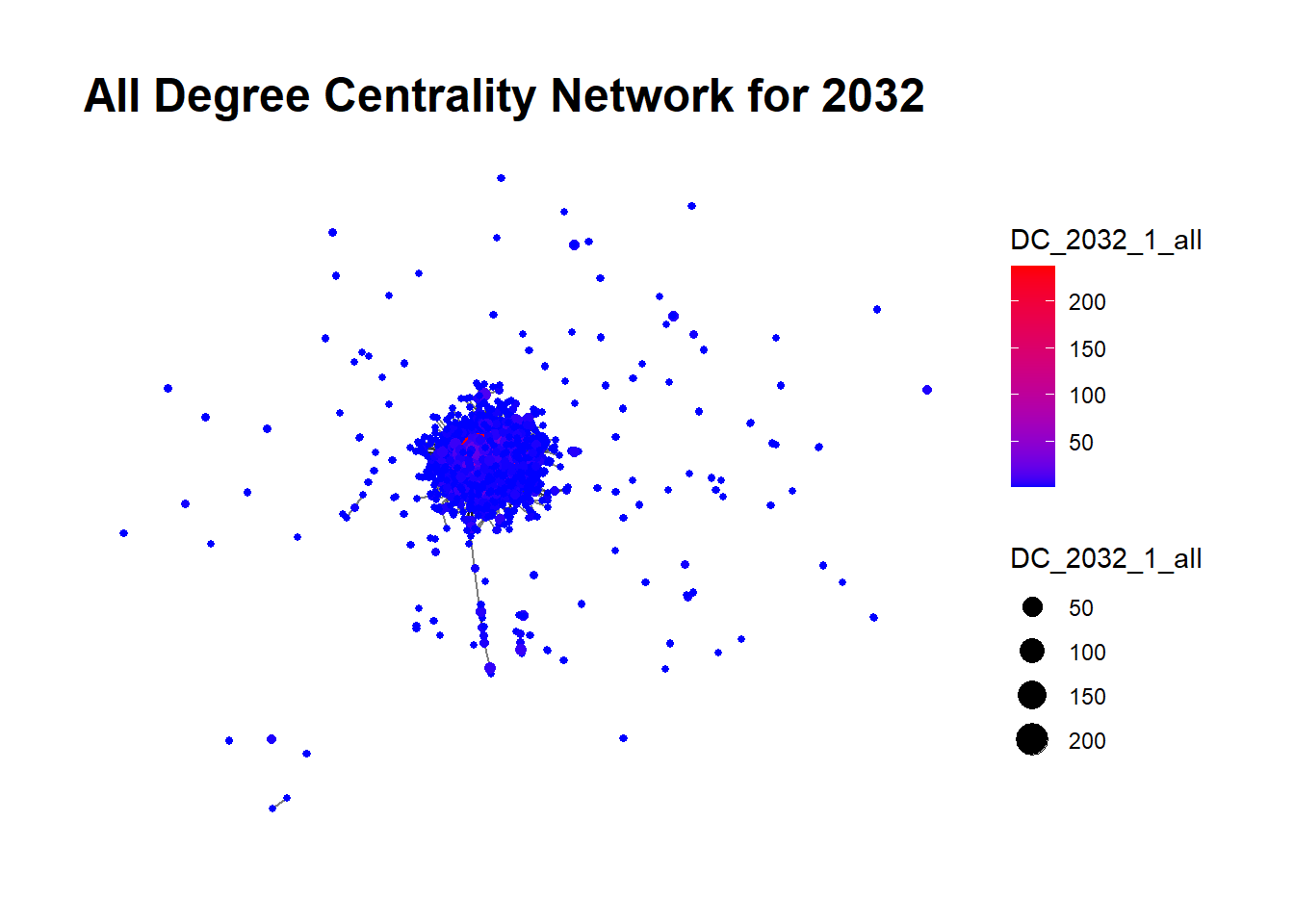
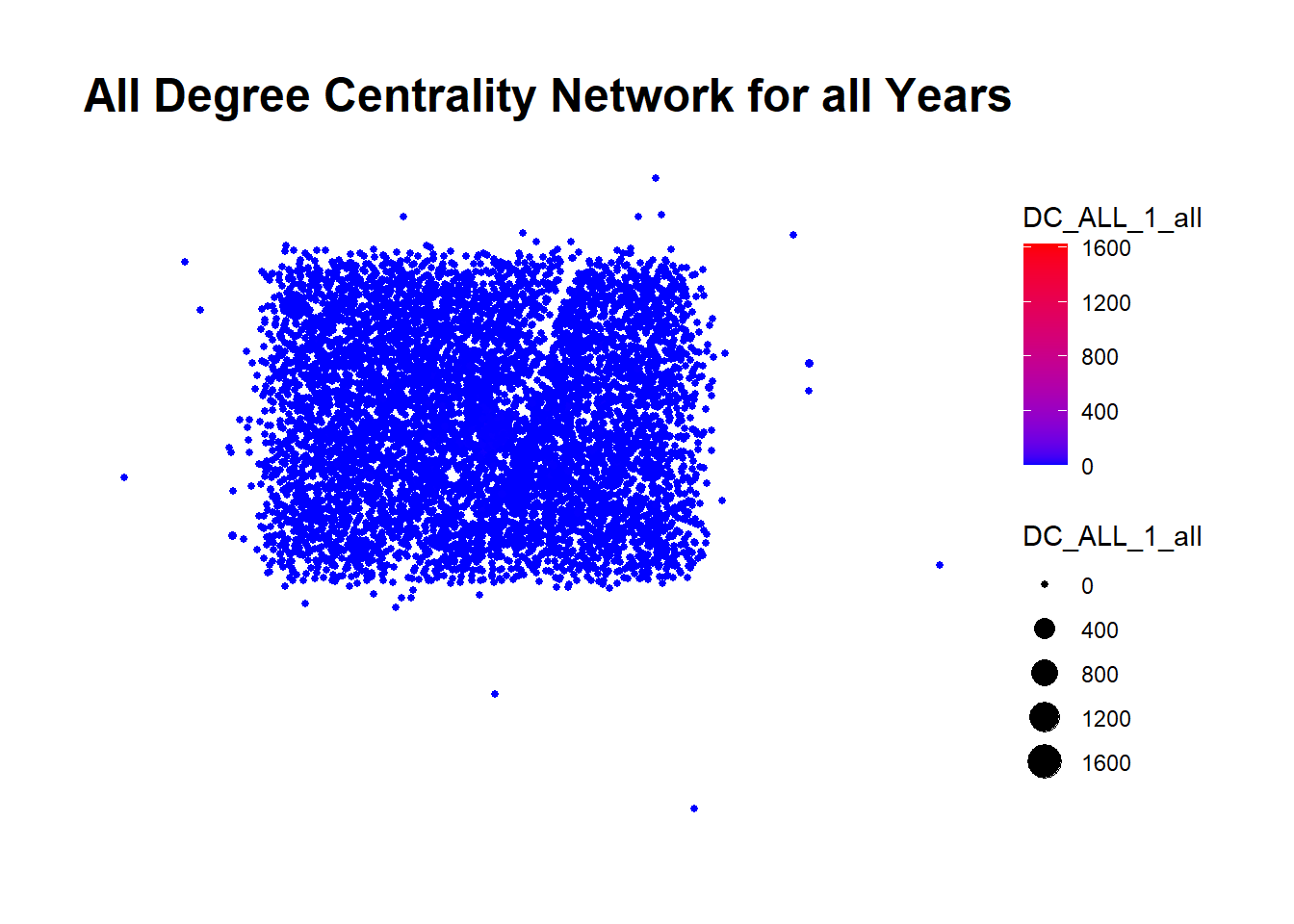
  • Total Degree Centrality: This metric, the sum of In-Degree and Out-Degree, provides an overall indication of a node’s connectivity within the network, irrespective of the direction of the edge. A high Total Degree Centrality signifies a company engaged in a significant volume of transactions, both in receiving and dispatching seafood. Nodes are visually depicted with varying sizes based on their Total Degree Centrality across four levels: 50,100,150,200.

In this we calculate these three forms of Degree Centrality for each node (fishing company) for the year 2028, incorporating this information into the network. The resulting visualization aids in understanding the distribution of these centrality measures across the network.

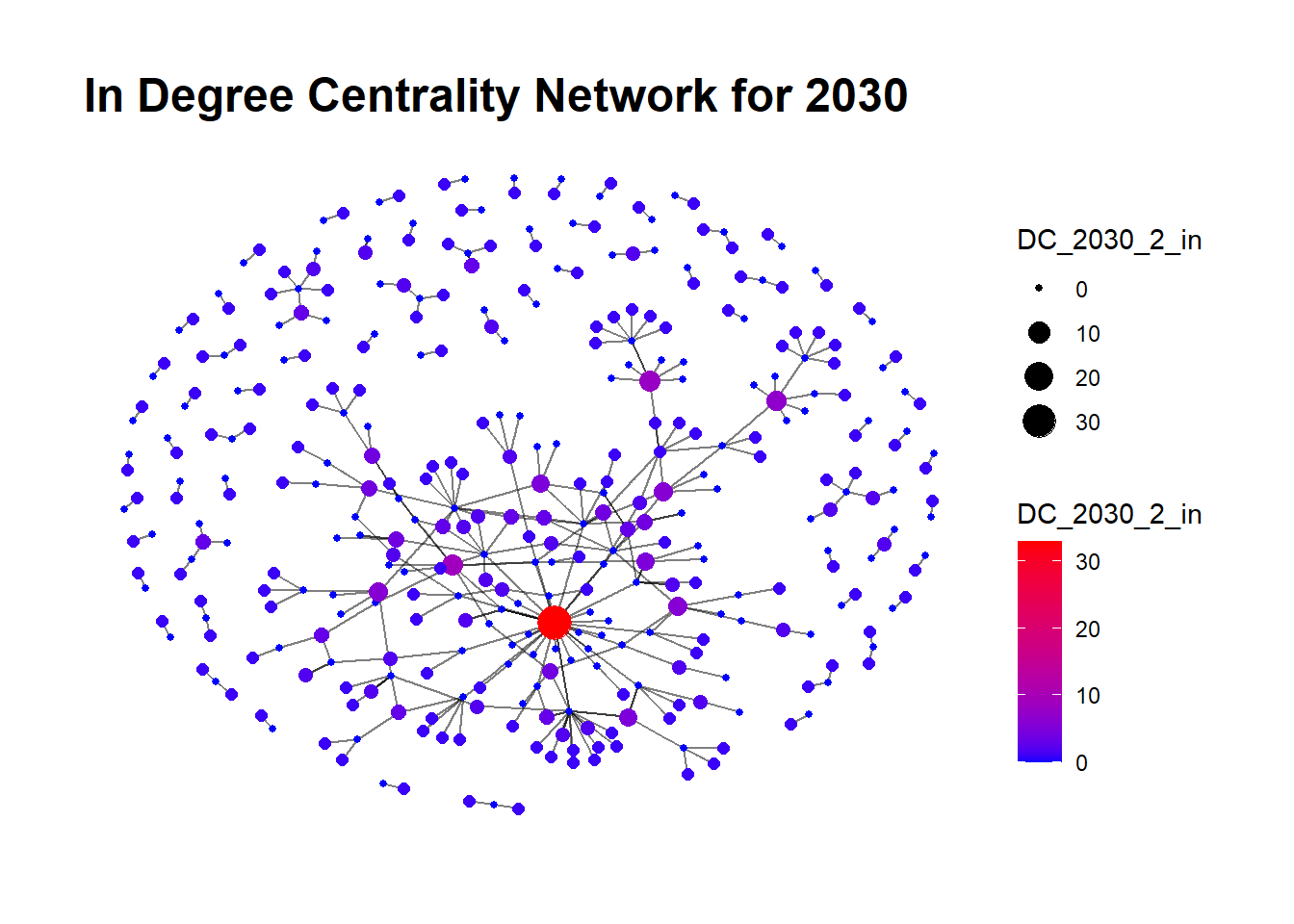
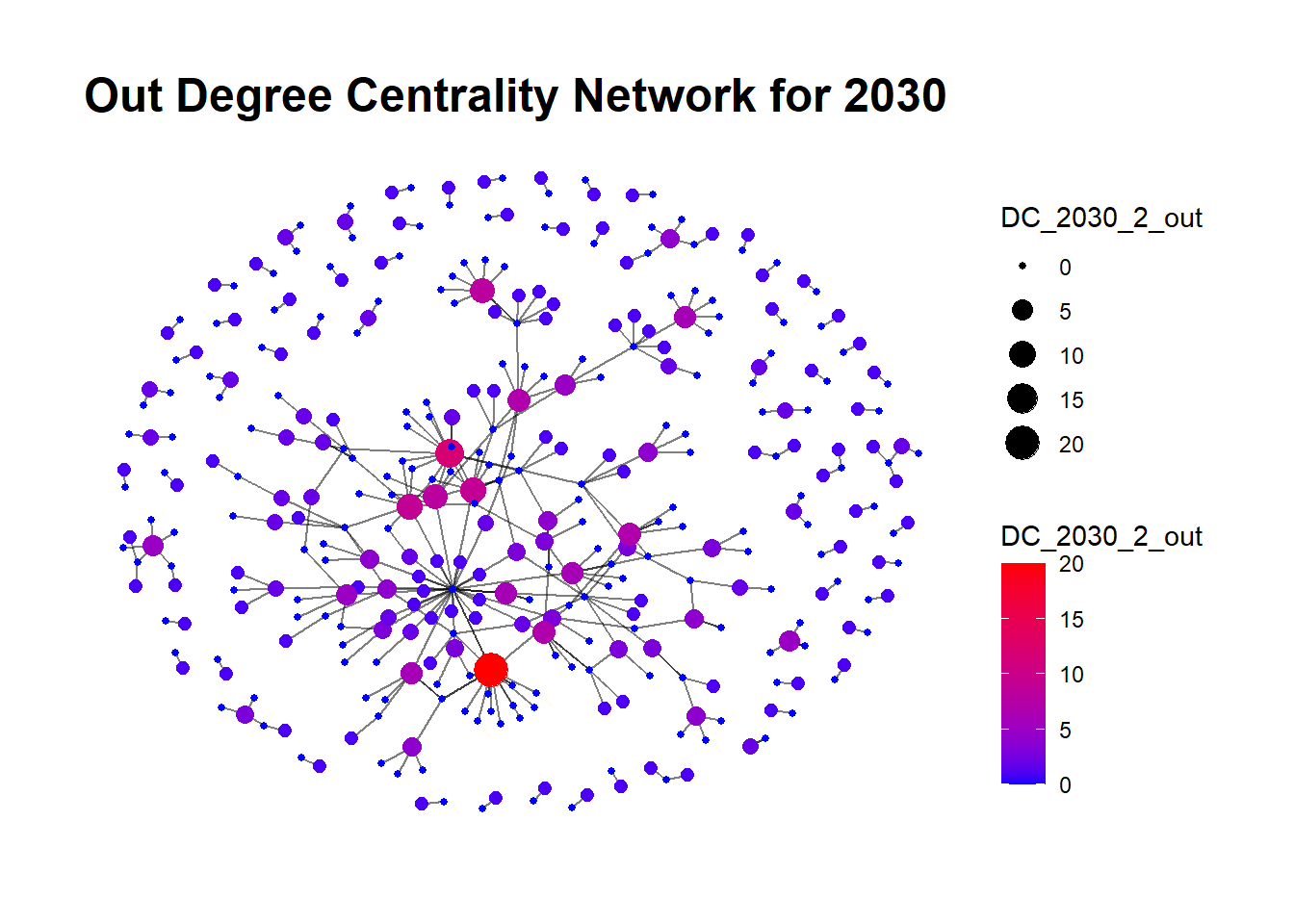
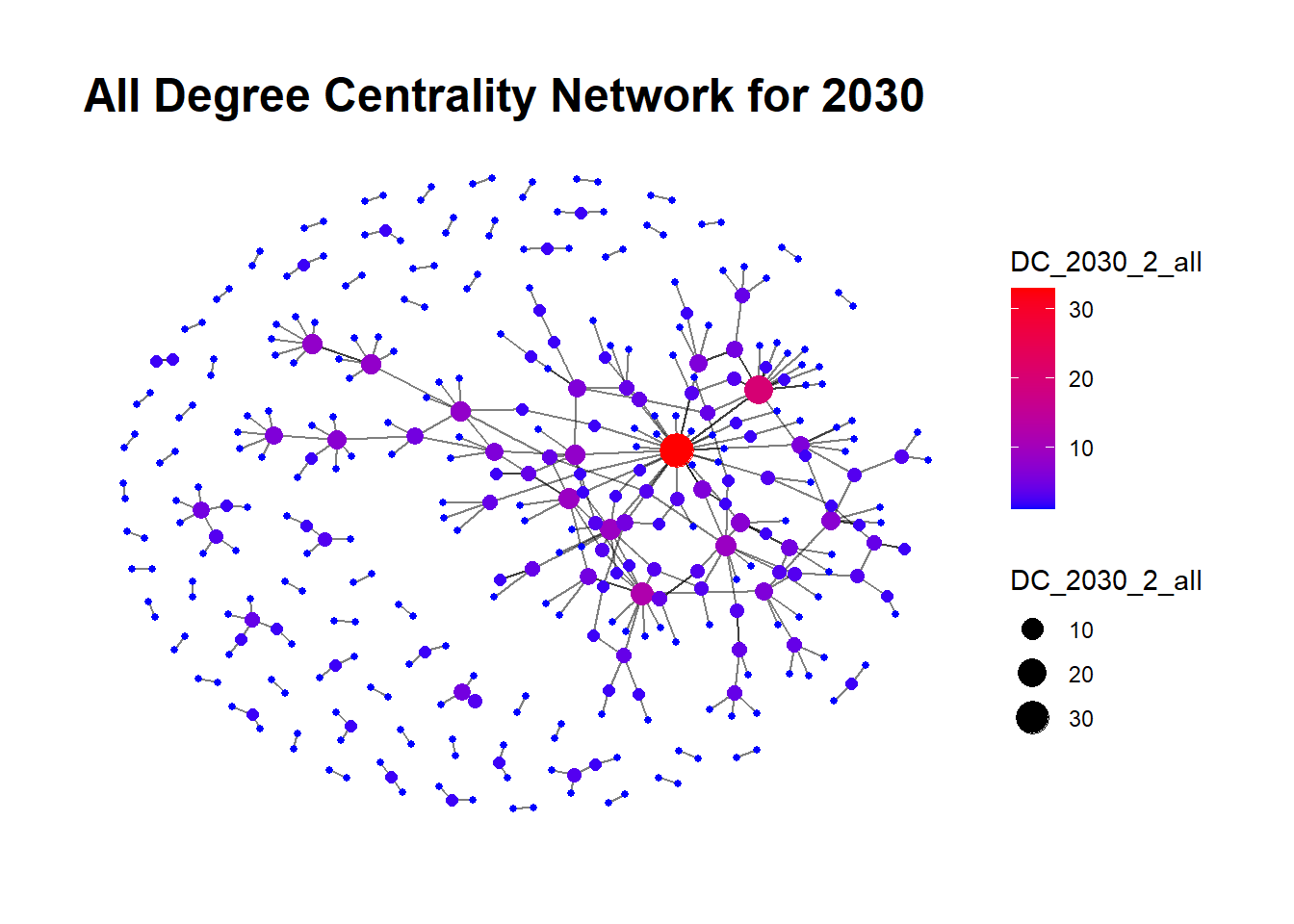
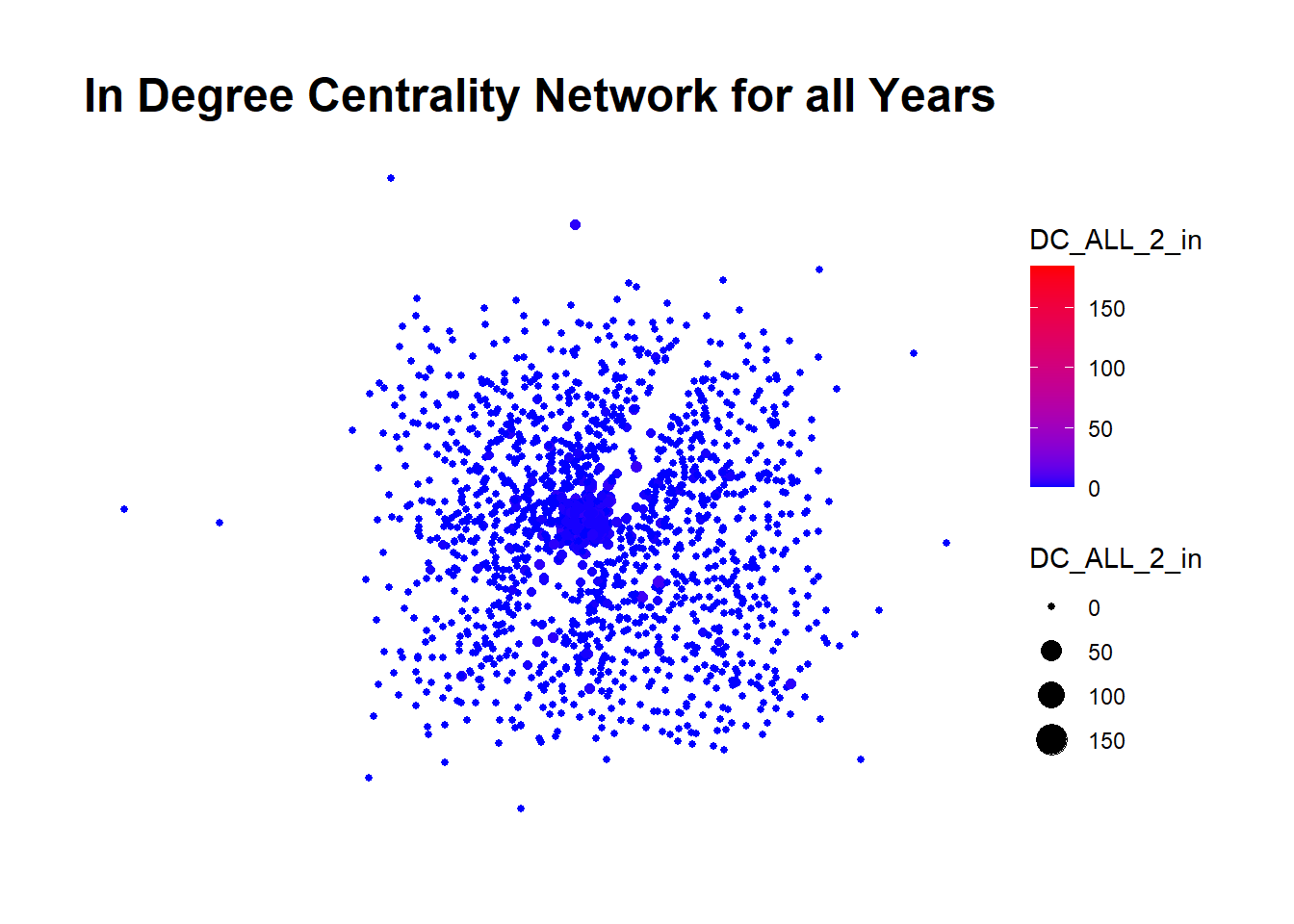
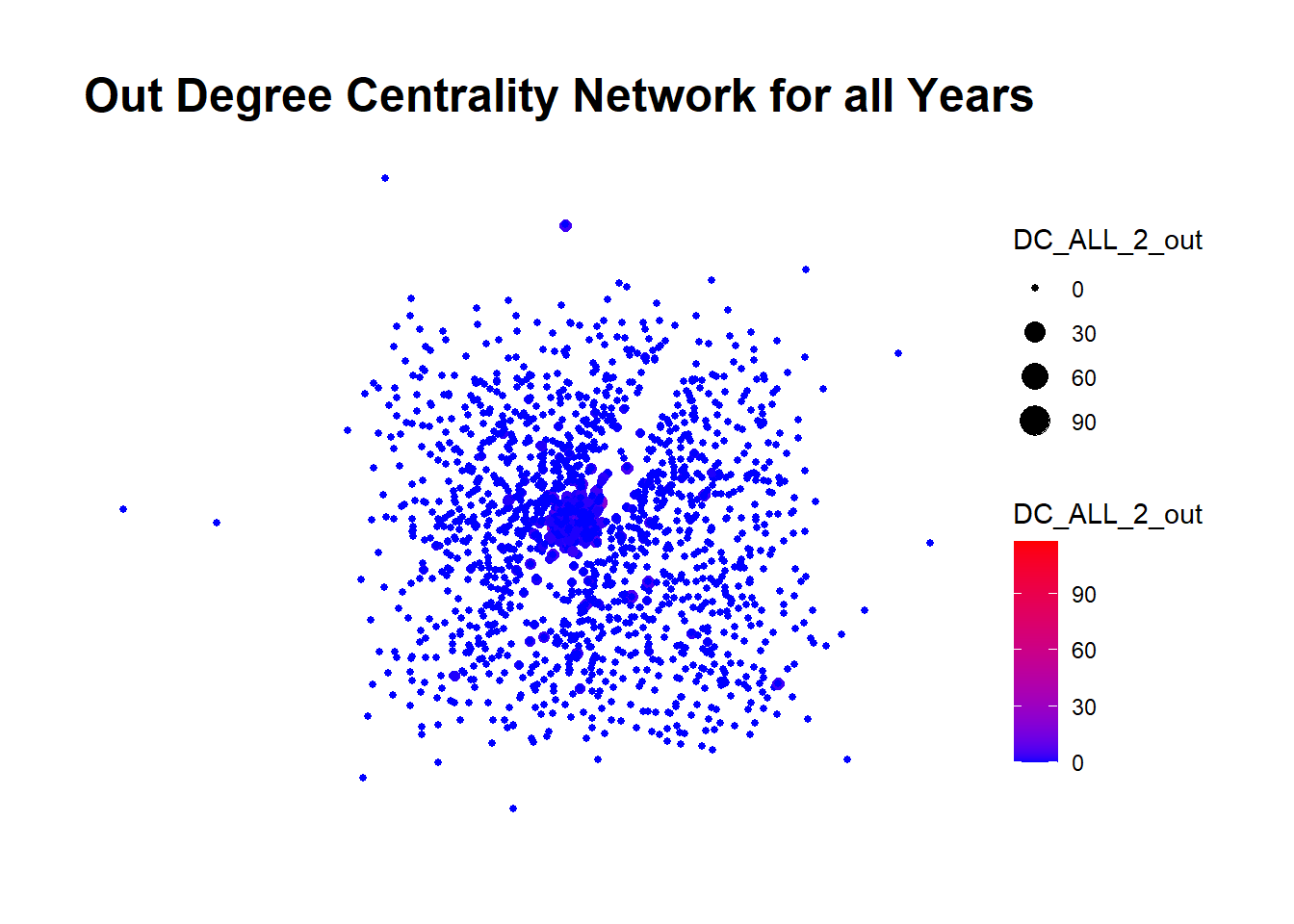
The colors in the visualization represent the Degree Centrality values, shifting from blue (lower centrality) to red (higher centrality). This color-coding provides an effective way to visually identify highly connected nodes in the network, which might serve as critical transaction hubs within the network.

A Glimpse into the Code
# Calculate degree centrality for nodes
DC_2028_2_in <- degree(Graph2028_2, mode = "in")
DC_2028_2_out <- degree(Graph2028_2, mode = "out")
DC_2028_2_all <- degree(Graph2028_2, mode = "all")

# Add degree centrality to the nodes data of the graph
Graph2028_2$nodes$DC_2028_2_in <- DC_2028_2_in
Graph2028_2$nodes$DC_2028_2_out <- DC_2028_2_out
Graph2028_2$nodes$DC_2028_2_all <- DC_2028_2_all

# Creating a graph plot with node size proportional to degree centrality
plot_list <- list()
plot_list[["In Degree Centrality"]] <- ggraph(Graph2028_2, layout = "fr") + 
  geom_edge_link(alpha = 0.5) +
  geom_node_point(aes(size = DC_2028_2_in, color = DC_2028_2_in)) +
  scale_color_gradient(low = "blue", high = "red") +
  theme_graph() +
  labs(title = "In Degree Centrality Network for 2028")

plot_list[["Out Degree Centrality"]] <- ggraph(Graph2028_2, layout = "fr") + 
  geom_edge_link(alpha = 0.5) +
  geom_node_point(aes(size = DC_2028_2_out, color = DC_2028_2_out)) +
  scale_color_gradient(low = "blue", high = "red") +
  theme_graph() +
  labs(title = "Out Degree Centrality Network for 2028")

plot_list[["All Degree Centrality"]] <- ggraph(Graph2028_2, layout = "fr") + 
  geom_edge_link(alpha = 0.5) +
  geom_node_point(aes(size = DC_2028_2_all, color = DC_2028_2_all)) +
  scale_color_gradient(low = "blue", high = "red") +
  theme_graph() +
  labs(title = "All Degree Centrality Network for 2028")

plot_list
$`In Degree Centrality`


$`Out Degree Centrality`


$`All Degree Centrality`

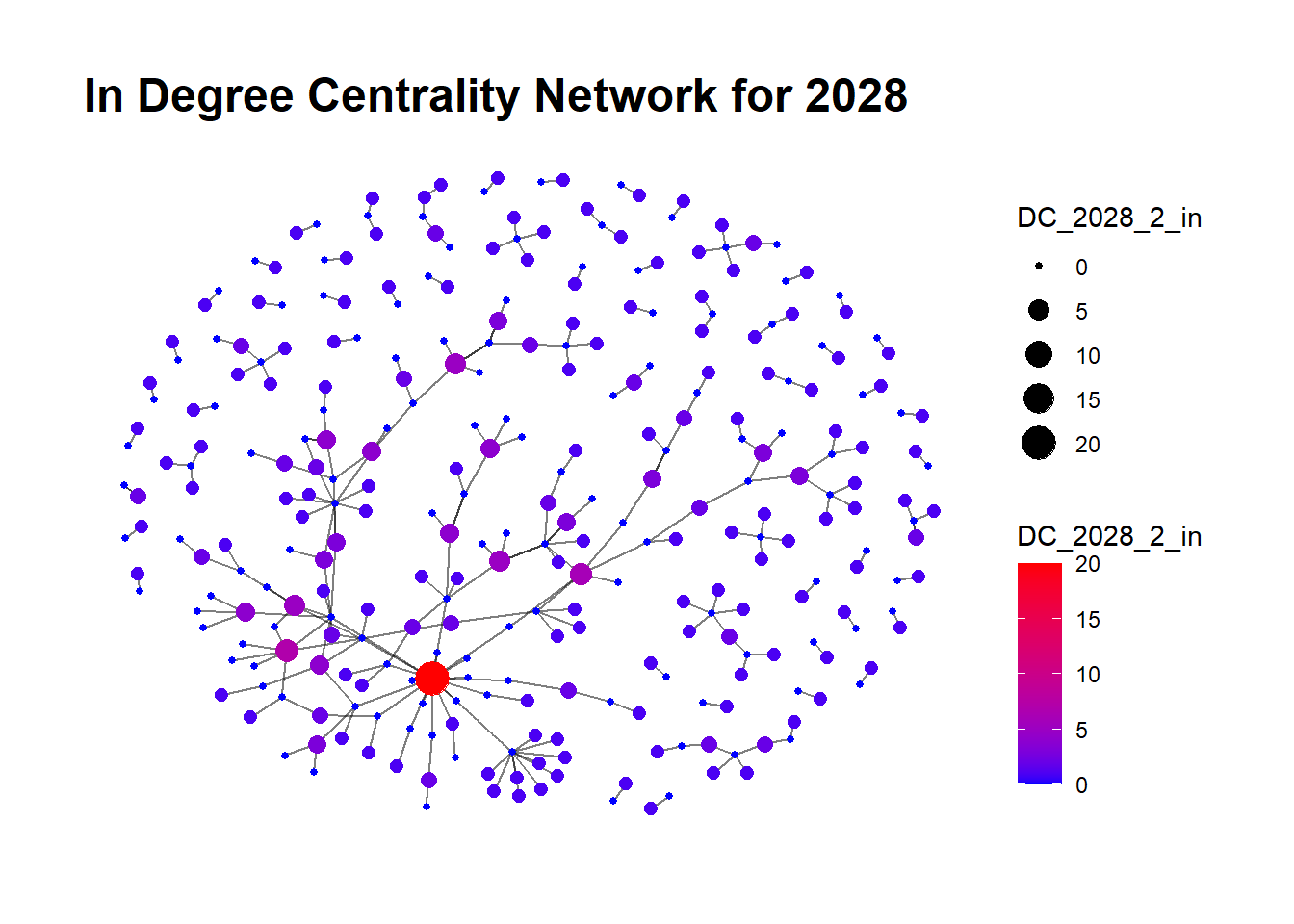
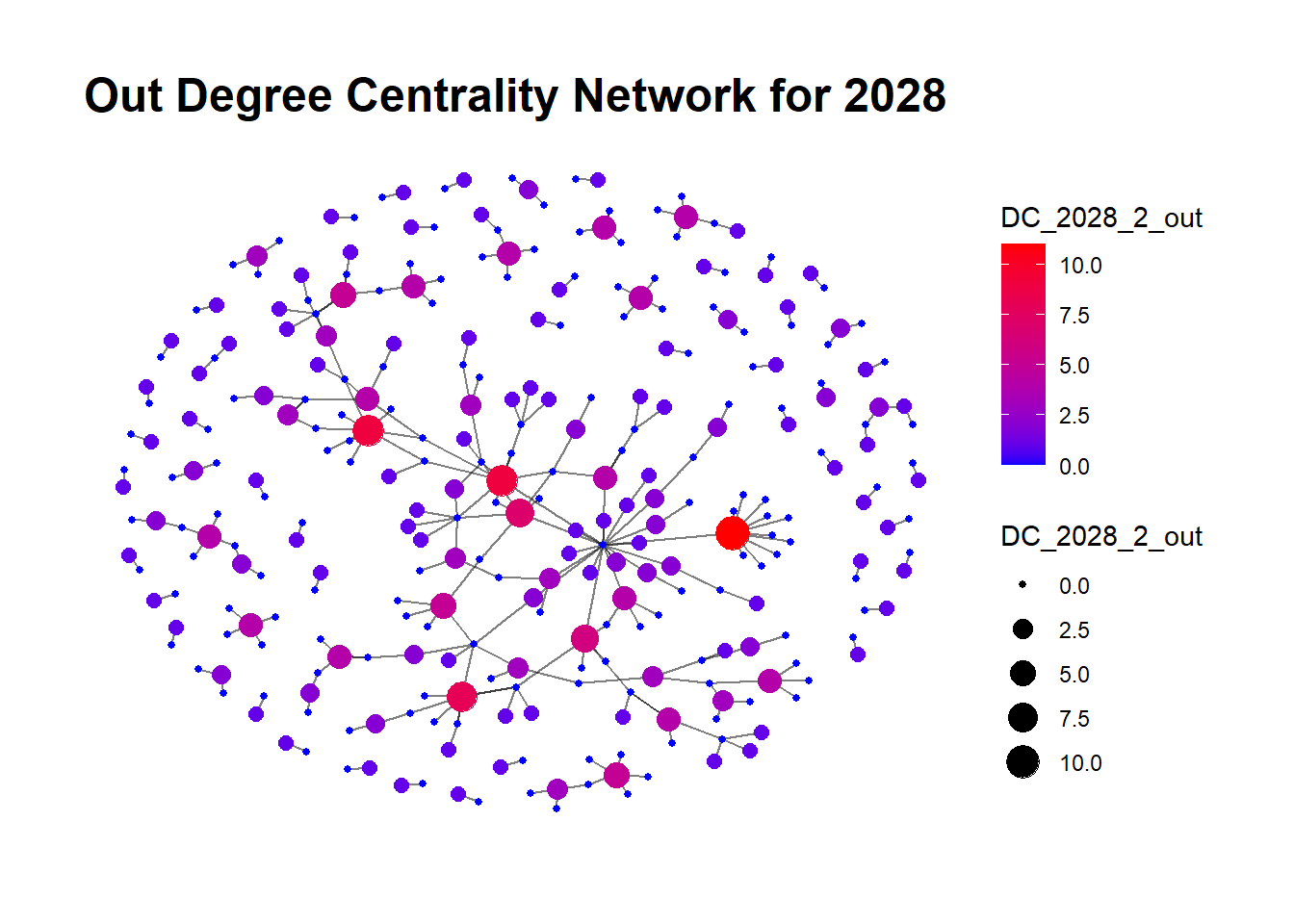
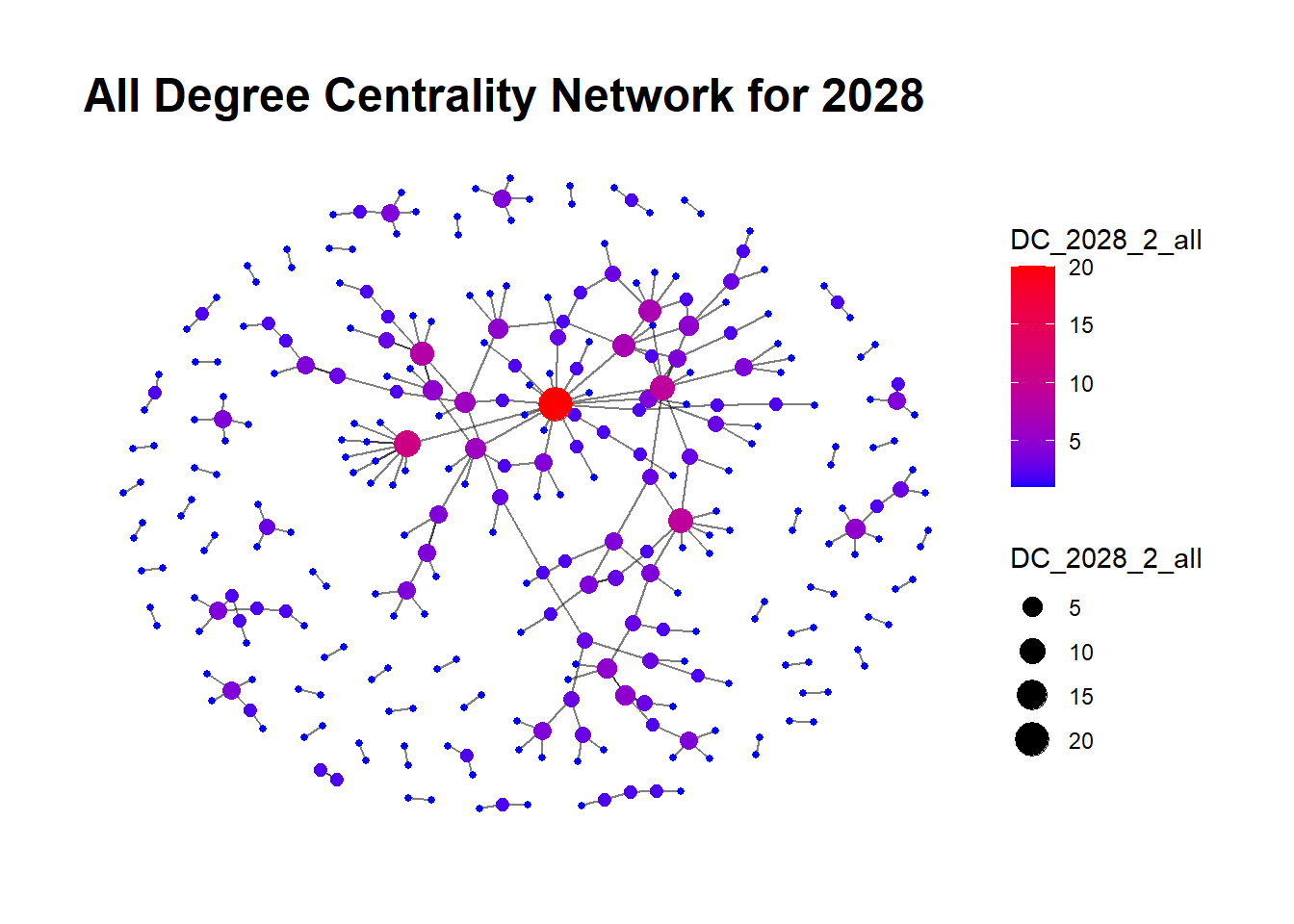
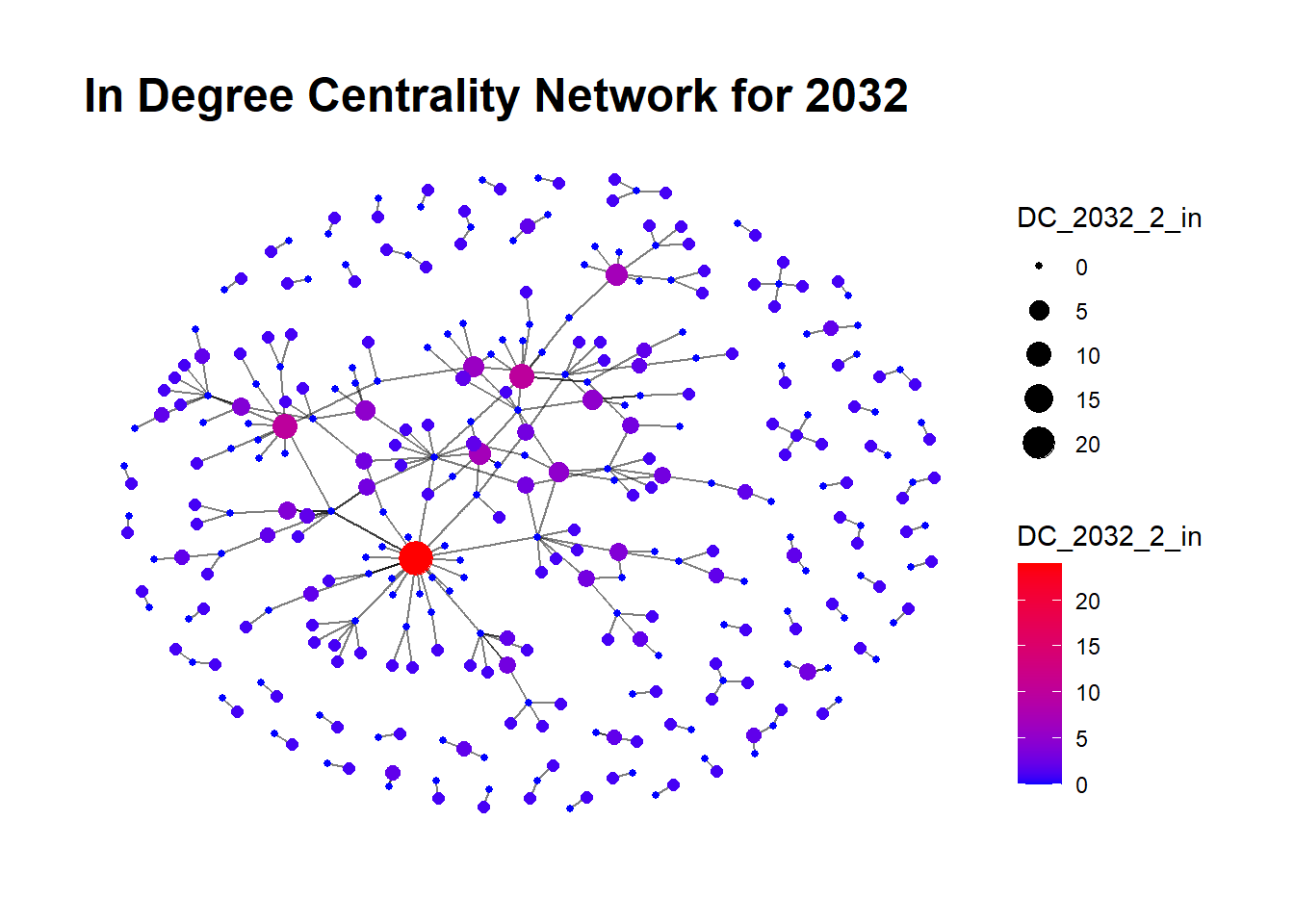
The edges between the nodes represent transactions involving specific goods categories, identified by Harmonized System (HS) codes 230100 and 253099 for this analysis. HS Code 230100 refers to flours, meals,fish and pellets of meat or meat offal.

Degree Centrality is computed in three different forms:

  • In-Degree Centrality: Higher In-Degree Centrality indicates that a company receives substantial amounts of the specific goods. For this analysis, the node sizes in the visual representation indicate In-Degree Centrality with five different levels: 0, 5, 10, 15, 20. A larger node size signifies higher In-Degree Centrality.

  • Out-Degree Centrality: Higher Out-Degree Centrality indicates that a company is a significant sender or supplier of the specific goods. Node sizes in the visual representation range over five levels: 0, 2.5, 5.0, 7.5, 10. A larger node size indicates higher Out-Degree Centrality.

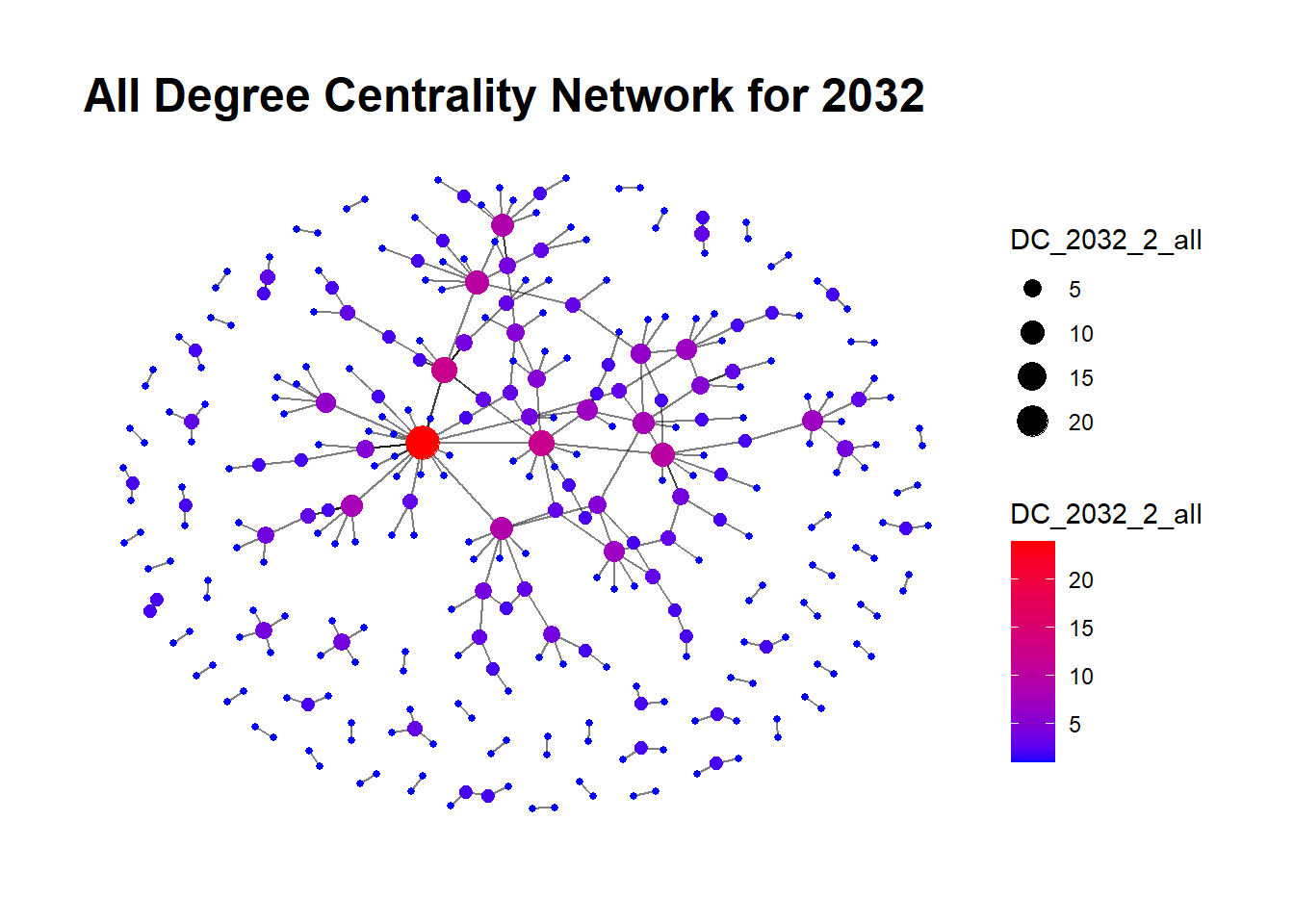
  • Total Degree Centrality: It provides an overall indication of a node’s connectivity within the network, irrespective of the direction of the edge. A high Total Degree Centrality indicates a company with a significant volume of transactions, both in receiving and sending goods. Nodes sizes in the visual representation represent the Total Degree Centrality and range over four levels: 5, 10, 15, 20.

A Glimpse into the Code
# Calculate degree centrality for nodes
DC_2028_3_in <- degree(Graph2028_3, mode = "in")
DC_2028_3_out <- degree(Graph2028_3, mode = "out")
DC_2028_3_all <- degree(Graph2028_3, mode = "all")

# Add degree centrality to the nodes data of the graph
Graph2028_3$nodes$DC_2028_3_in <- DC_2028_3_in
Graph2028_3$nodes$DC_2028_3_out <- DC_2028_3_out
Graph2028_3$nodes$DC_2028_3_all <- DC_2028_3_all

# Creating a graph plot with node size proportional to degree centrality
plot_list <- list()
plot_list[["In Degree Centrality"]] <- ggraph(Graph2028_3, layout = "fr") + 
  geom_edge_link(alpha = 0.5) +
  geom_node_point(aes(size = DC_2028_3_in, color = DC_2028_3_in)) +
  scale_color_gradient(low = "blue", high = "red") +
  theme_graph() +
  labs(title = "In Degree Centrality Network for 2028")

plot_list[["Out Degree Centrality"]] <- ggraph(Graph2028_3, layout = "fr") + 
  geom_edge_link(alpha = 0.5) +
  geom_node_point(aes(size = DC_2028_3_out, color = DC_2028_3_out)) +
  scale_color_gradient(low = "blue", high = "red") +
  theme_graph() +
  labs(title = "Out Degree Centrality Network for 2028")

plot_list[["All Degree Centrality"]] <- ggraph(Graph2028_3, layout = "fr") + 
  geom_edge_link(alpha = 0.3) +
  geom_node_point(aes(size = DC_2028_3_all, color = DC_2028_3_all)) +
  scale_color_gradient(low = "blue", high = "red") +
  theme_graph() +
  labs(title = "All Degree Centrality Network for 2028")

plot_list
$`In Degree Centrality`


$`Out Degree Centrality`


$`All Degree Centrality`

A Glimpse into the Code
# Calculate degree centrality for nodes
DC_2029_1_in <- degree(Graph2029_1, mode = "in")
DC_2029_1_out <- degree(Graph2029_1, mode = "out")
DC_2029_1_all <- degree(Graph2029_1, mode = "all")

# Add degree centrality to the nodes data of the graph
Graph2029_1$nodes$DC_2029_1_in <- DC_2029_1_in
Graph2029_1$nodes$DC_2029_1_out <- DC_2029_1_out
Graph2029_1$nodes$DC_2029_1_all <- DC_2029_1_all


plot_list <- list()
plot_list[["In Degree Centrality"]] <- ggraph(Graph2029_1, layout = "fr") + 
  geom_edge_link(alpha = 0.5) +
  geom_node_point(aes(size = DC_2029_1_in, color = DC_2029_1_in)) +
  scale_color_gradient(low = "blue", high = "red") +
  theme_graph() +
  labs(title = "In Degree Centrality Network for 2029")

plot_list[["Out Degree Centrality"]] <- ggraph(Graph2029_1, layout = "fr") + 
  geom_edge_link(alpha = 0.5) +
  geom_node_point(aes(size = DC_2029_1_out, color = DC_2029_1_out)) +
  scale_color_gradient(low = "blue", high = "red") +
  theme_graph() +
  labs(title = "Out Degree Centrality Network for 2029")

plot_list[["All Degree Centrality"]] <- ggraph(Graph2029_1, layout = "fr") + 
  geom_edge_link(alpha = 0.5) +
  geom_node_point(aes(size = DC_2029_1_all, color = DC_2029_1_all)) +
  scale_color_gradient(low = "blue", high = "red") +
  theme_graph() +
  labs(title = "All Degree Centrality Network for 2029")

plot_list
$`In Degree Centrality`


$`Out Degree Centrality`


$`All Degree Centrality`

A Glimpse into the Code
# Calculate degree centrality for nodes
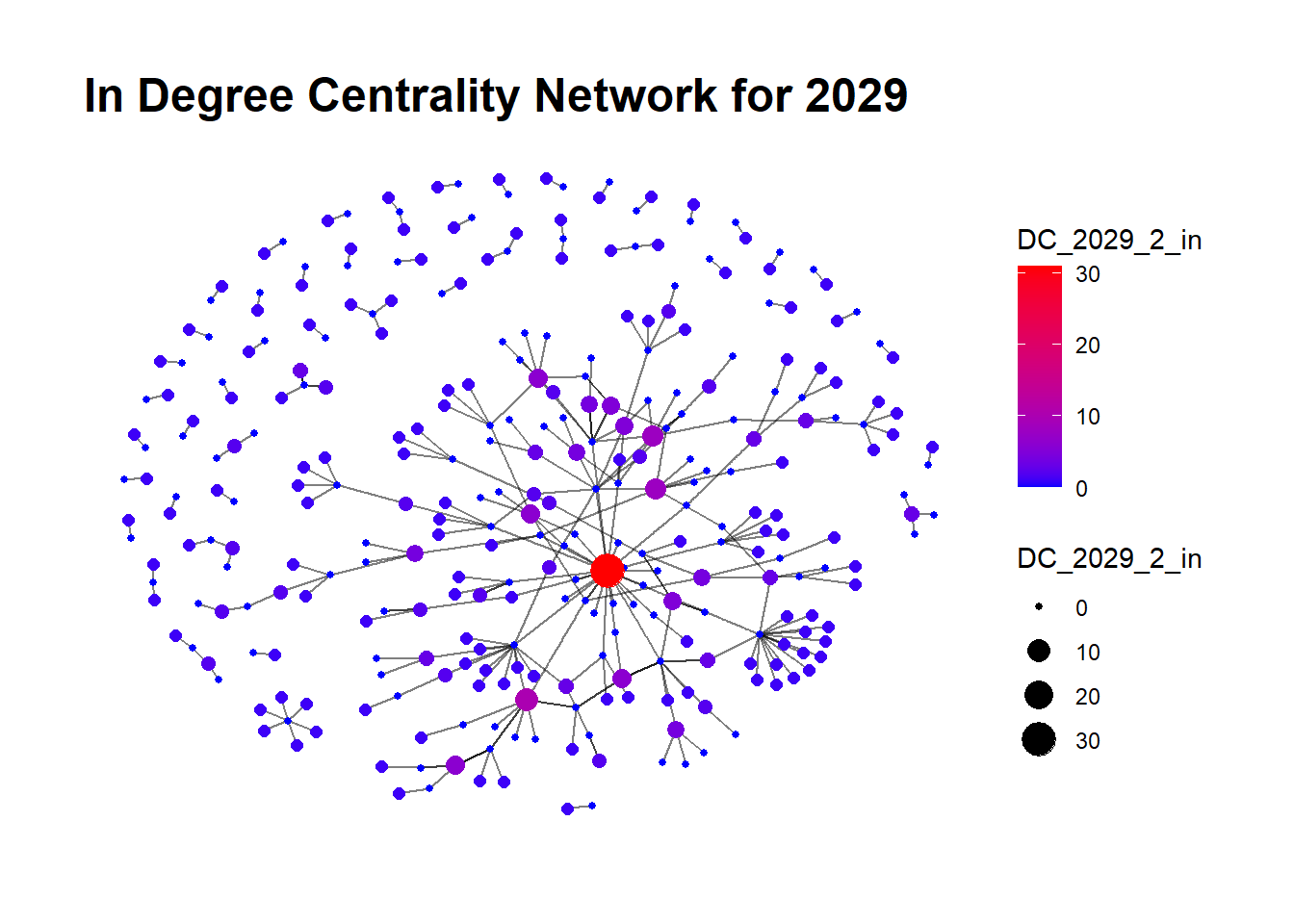
DC_2029_2_in <- degree(Graph2029_2, mode = "in")
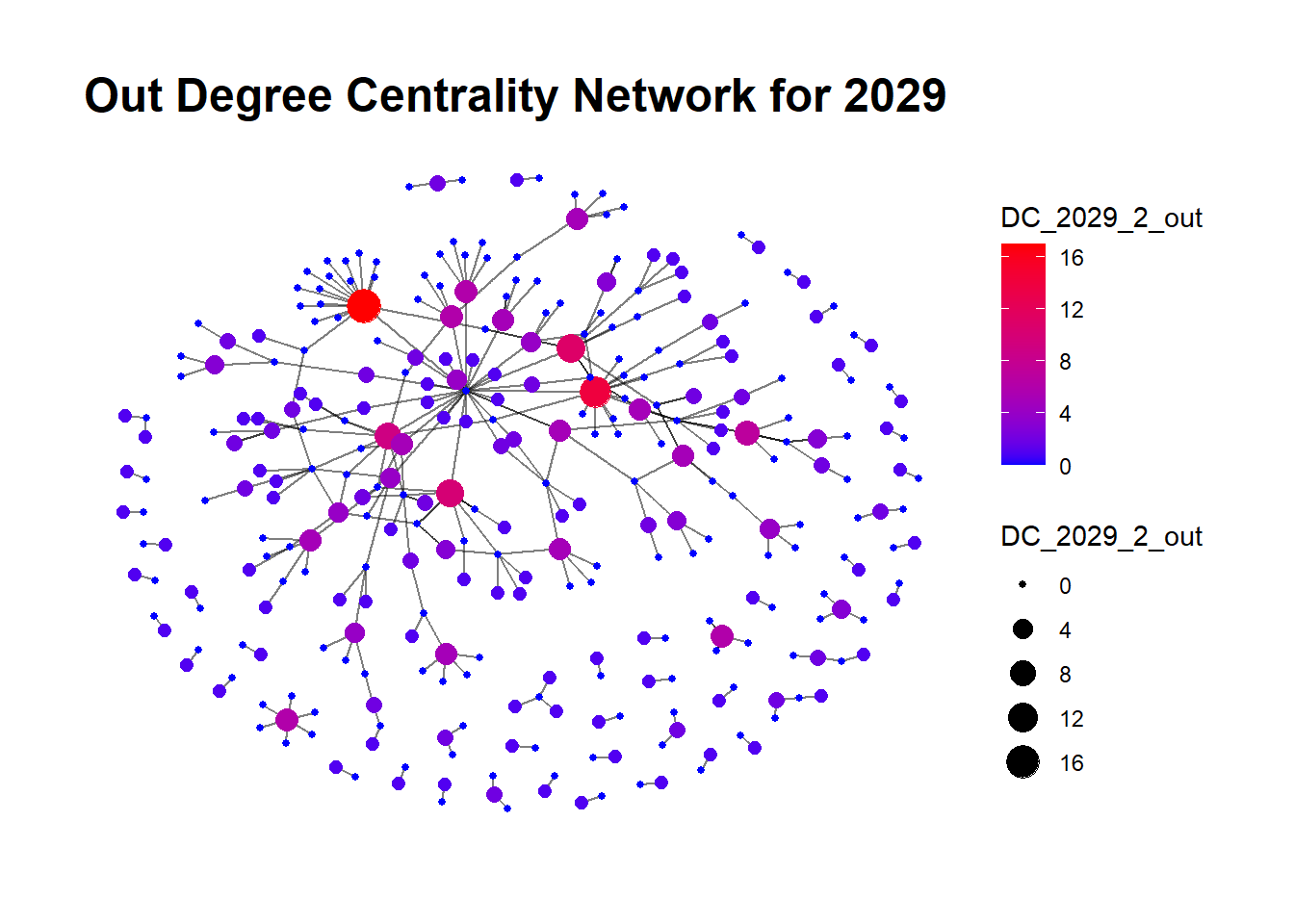
DC_2029_2_out <- degree(Graph2029_2, mode = "out")
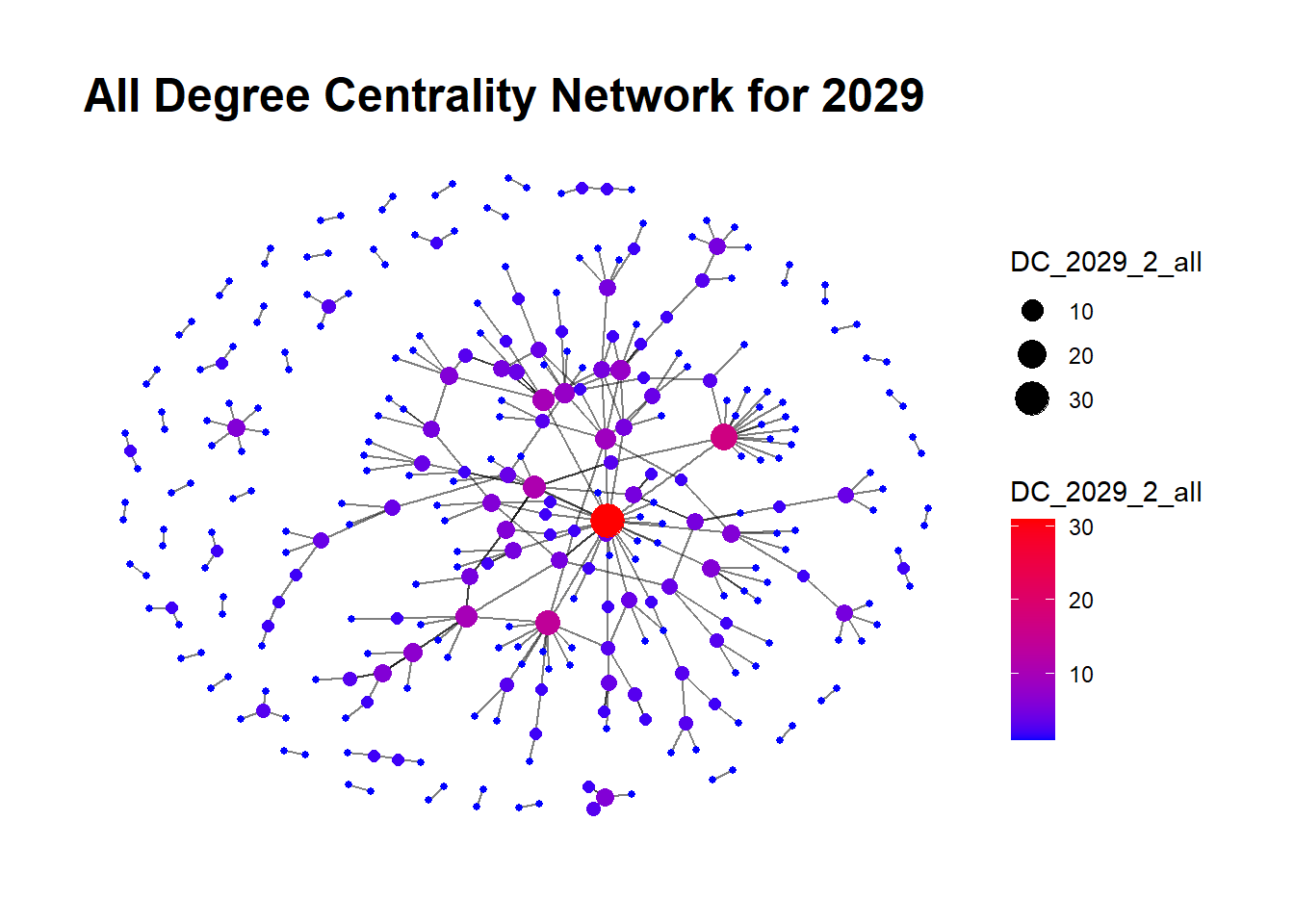
DC_2029_2_all <- degree(Graph2029_2, mode = "all")

# Add degree centrality to the nodes data of the graph
Graph2029_2$nodes$DC_2029_2_in <- DC_2029_2_in
Graph2029_2$nodes$DC_2029_2_out <- DC_2029_2_out
Graph2029_2$nodes$DC_2029_2_all <- DC_2029_2_all


plot_list <- list()
plot_list[["In Degree Centrality"]] <- ggraph(Graph2029_2, layout = "fr") + 
  geom_edge_link(alpha = 0.5) +
  geom_node_point(aes(size = DC_2029_2_in, color = DC_2029_2_in)) +
  scale_color_gradient(low = "blue", high = "red") +
  theme_graph() +
  labs(title = "In Degree Centrality Network for 2029")

plot_list[["Out Degree Centrality"]] <- ggraph(Graph2029_2, layout = "fr") + 
  geom_edge_link(alpha = 0.5) +
  geom_node_point(aes(size = DC_2029_2_out, color = DC_2029_2_out)) +
  scale_color_gradient(low = "blue", high = "red") +
  theme_graph() +
  labs(title = "Out Degree Centrality Network for 2029")

plot_list[["All Degree Centrality"]] <- ggraph(Graph2029_2, layout = "fr") + 
  geom_edge_link(alpha = 0.5) +
  geom_node_point(aes(size = DC_2029_2_all, color = DC_2029_2_all)) +
  scale_color_gradient(low = "blue", high = "red") +
  theme_graph() +
  labs(title = "All Degree Centrality Network for 2029")

plot_list
$`In Degree Centrality`


$`Out Degree Centrality`


$`All Degree Centrality`

A Glimpse into the Code
# Calculate degree centrality for nodes
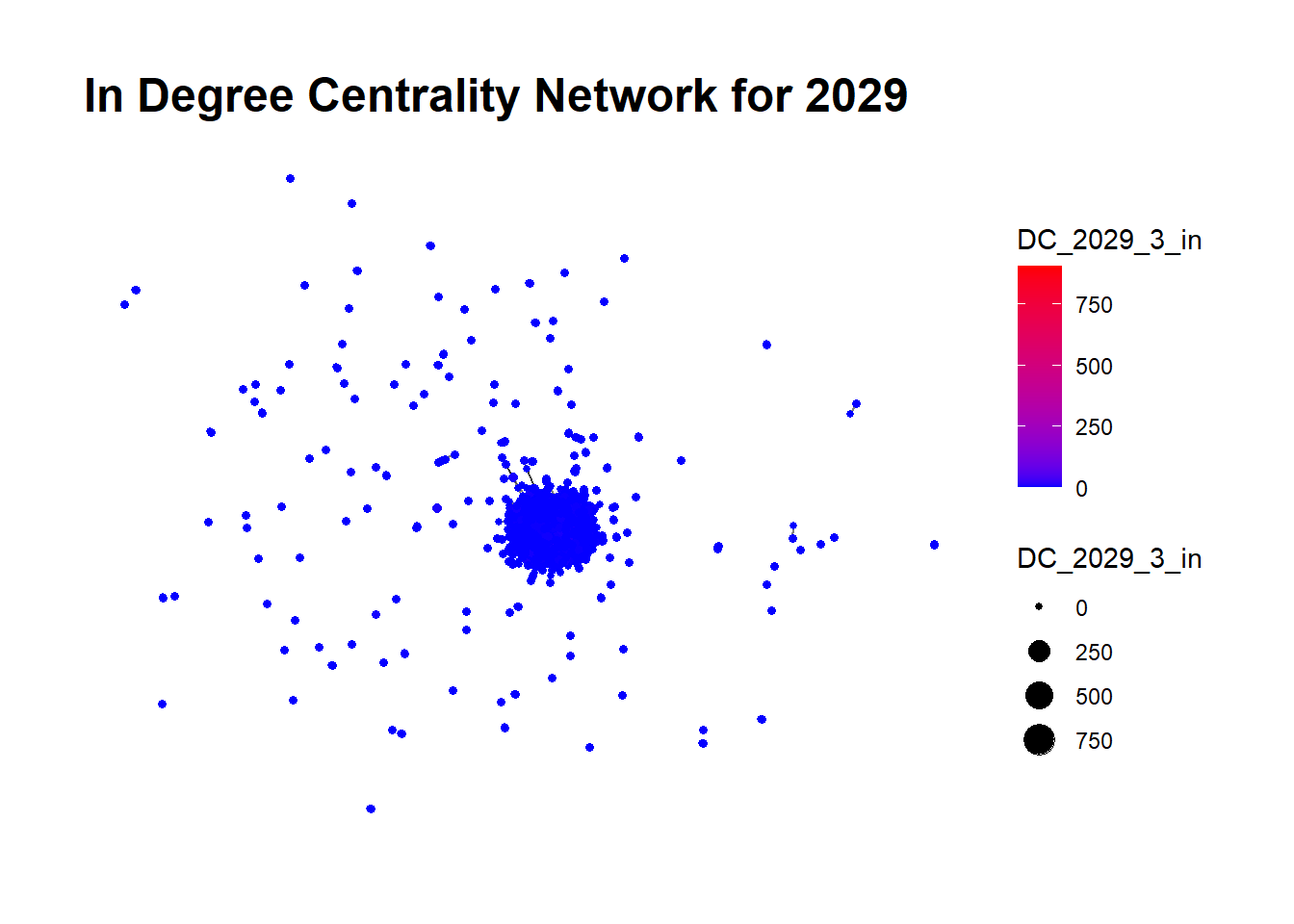
DC_2029_3_in <- degree(Graph2029_3, mode = "in")
DC_2029_3_out <- degree(Graph2029_3, mode = "out")
DC_2029_3_all <- degree(Graph2029_3, mode = "all")

# Add degree centrality to the nodes data of the graph
Graph2029_3$nodes$DC_2029_3_in <- DC_2029_3_in
Graph2029_3$nodes$DC_2029_3_out <- DC_2029_3_out
Graph2029_3$nodes$DC_2029_3_all <- DC_2029_3_all


plot_list <- list()
plot_list[["In Degree Centrality"]] <- ggraph(Graph2029_3, layout = "fr") + 
  geom_edge_link(alpha = 0.5) +
  geom_node_point(aes(size = DC_2029_3_in, color = DC_2029_3_in)) +
  scale_color_gradient(low = "blue", high = "red") +
  theme_graph() +
  labs(title = "In Degree Centrality Network for 2029")

plot_list[["Out Degree Centrality"]] <- ggraph(Graph2029_3, layout = "fr") + 
  geom_edge_link(alpha = 0.5) +
  geom_node_point(aes(size = DC_2029_3_out, color = DC_2029_3_out)) +
  scale_color_gradient(low = "blue", high = "red") +
  theme_graph() +
  labs(title = "Out Degree Centrality Network for 2029")

plot_list[["All Degree Centrality"]] <- ggraph(Graph2029_3, layout = "fr") + 
  geom_edge_link(alpha = 0.5) +
  geom_node_point(aes(size = DC_2029_3_all, color = DC_2029_3_all)) +
  scale_color_gradient(low = "blue", high = "red") +
  theme_graph() +
  labs(title = "All Degree Centrality Network for 2029")

plot_list
$`In Degree Centrality`


$`Out Degree Centrality`


$`All Degree Centrality`

A Glimpse into the Code
# Calculate degree centrality for nodes
DC_2030_1_in <- degree(Graph2030_1, mode = "in")
DC_2030_1_out <- degree(Graph2030_1, mode = "out")
DC_2030_1_all <- degree(Graph2030_1, mode = "all")

# Add degree centrality to the nodes data of the graph
Graph2030_1$nodes$DC_2030_1_in <- DC_2030_1_in
Graph2030_1$nodes$DC_2030_1_out <- DC_2030_1_out
Graph2030_1$nodes$DC_2030_1_all <- DC_2030_1_all


plot_list <- list()
plot_list[["In Degree Centrality"]] <- ggraph(Graph2030_1, layout = "fr") + 
  geom_edge_link(alpha = 0.5) +
  geom_node_point(aes(size = DC_2030_1_in, color = DC_2030_1_in)) +
  scale_color_gradient(low = "blue", high = "red") +
  theme_graph() +
  labs(title = "In Degree Centrality Network for 2030")

plot_list[["Out Degree Centrality"]] <- ggraph(Graph2030_1, layout = "fr") + 
  geom_edge_link(alpha = 0.5) +
  geom_node_point(aes(size = DC_2030_1_out, color = DC_2030_1_out)) +
  scale_color_gradient(low = "blue", high = "red") +
  theme_graph() +
  labs(title = "Out Degree Centrality Network for 2030")

plot_list[["All Degree Centrality"]] <- ggraph(Graph2030_1, layout = "fr") + 
  geom_edge_link(alpha = 0.5) +
  geom_node_point(aes(size = DC_2030_1_all, color = DC_2030_1_all)) +
  scale_color_gradient(low = "blue", high = "red") +
  theme_graph() +
  labs(title = "All Degree Centrality Network for 2030")

plot_list
$`In Degree Centrality`


$`Out Degree Centrality`


$`All Degree Centrality`

A Glimpse into the Code
# Calculate degree centrality for nodes
DC_2030_2_in <- degree(Graph2030_2, mode = "in")
DC_2030_2_out <- degree(Graph2030_2, mode = "out")
DC_2030_2_all <- degree(Graph2030_2, mode = "all")

# Add degree centrality to the nodes data of the graph
Graph2030_2$nodes$DC_2030_2_in <- DC_2030_2_in
Graph2030_2$nodes$DC_2030_2_out <- DC_2030_2_out
Graph2030_2$nodes$DC_2030_2_all <- DC_2030_2_all


plot_list <- list()
plot_list[["In Degree Centrality"]] <- ggraph(Graph2030_2, layout = "fr") + 
  geom_edge_link(alpha = 0.5) +
  geom_node_point(aes(size = DC_2030_2_in, color = DC_2030_2_in)) +
  scale_color_gradient(low = "blue", high = "red") +
  theme_graph() +
  labs(title = "In Degree Centrality Network for 2030")

plot_list[["Out Degree Centrality"]] <- ggraph(Graph2030_2, layout = "fr") + 
  geom_edge_link(alpha = 0.5) +
  geom_node_point(aes(size = DC_2030_2_out, color = DC_2030_2_out)) +
  scale_color_gradient(low = "blue", high = "red") +
  theme_graph() +
  labs(title = "Out Degree Centrality Network for 2030")

plot_list[["All Degree Centrality"]] <- ggraph(Graph2030_2, layout = "fr") + 
  geom_edge_link(alpha = 0.5) +
  geom_node_point(aes(size = DC_2030_2_all, color = DC_2030_2_all)) +
  scale_color_gradient(low = "blue", high = "red") +
  theme_graph() +
  labs(title = "All Degree Centrality Network for 2030")

plot_list
$`In Degree Centrality`


$`Out Degree Centrality`


$`All Degree Centrality`

A Glimpse into the Code
# Calculate degree centrality for nodes
DC_2030_3_in <- degree(Graph2030_3, mode = "in")
DC_2030_3_out <- degree(Graph2030_3, mode = "out")
DC_2030_3_all <- degree(Graph2030_3, mode = "all")

# Add degree centrality to the nodes data of the graph
Graph2030_3$nodes$DC_2030_3_in <- DC_2030_3_in
Graph2030_3$nodes$DC_2030_3_out <- DC_2030_3_out
Graph2030_3$nodes$DC_2030_3_all <- DC_2030_3_all


plot_list <- list()
plot_list[["In Degree Centrality"]] <- ggraph(Graph2030_3, layout = "fr") + 
  geom_edge_link(alpha = 0.5) +
  geom_node_point(aes(size = DC_2030_3_in, color = DC_2030_3_in)) +
  scale_color_gradient(low = "blue", high = "red") +
  theme_graph() +
  labs(title = "In Degree Centrality Network for 2030")

plot_list[["Out Degree Centrality"]] <- ggraph(Graph2030_3, layout = "fr") + 
  geom_edge_link(alpha = 0.5) +
  geom_node_point(aes(size = DC_2030_3_out, color = DC_2030_3_out)) +
  scale_color_gradient(low = "blue", high = "red") +
  theme_graph() +
  labs(title = "Out Degree Centrality Network for 2030")

plot_list[["All Degree Centrality"]] <- ggraph(Graph2030_3, layout = "fr") + 
  geom_edge_link(alpha = 0.5) +
  geom_node_point(aes(size = DC_2030_3_all, color = DC_2030_3_all)) +
  scale_color_gradient(low = "blue", high = "red") +
  theme_graph() +
  labs(title = "All Degree Centrality Network for 2030")

plot_list
$`In Degree Centrality`


$`Out Degree Centrality`


$`All Degree Centrality`

A Glimpse into the Code
# Calculate degree centrality for nodes
DC_2031_1_in <- degree(Graph2031_1, mode = "in")
DC_2031_1_out <- degree(Graph2031_1, mode = "out")
DC_2031_1_all <- degree(Graph2031_1, mode = "all")

# Add degree centrality to the nodes data of the graph
Graph2031_1$nodes$DC_2031_1_in <- DC_2031_1_in
Graph2031_1$nodes$DC_2031_1_out <- DC_2031_1_out
Graph2031_1$nodes$DC_2031_1_all <- DC_2031_1_all


plot_list <- list()
plot_list[["In Degree Centrality"]] <- ggraph(Graph2031_1, layout = "fr") + 
  geom_edge_link(alpha = 0.5) +
  geom_node_point(aes(size = DC_2031_1_in, color = DC_2031_1_in)) +
  scale_color_gradient(low = "blue", high = "red") +
  theme_graph() +
  labs(title = "In Degree Centrality Network for 2031")

plot_list[["Out Degree Centrality"]] <- ggraph(Graph2031_1, layout = "fr") + 
  geom_edge_link(alpha = 0.5) +
  geom_node_point(aes(size = DC_2031_1_out, color = DC_2031_1_out)) +
  scale_color_gradient(low = "blue", high = "red") +
  theme_graph() +
  labs(title = "Out Degree Centrality Network for 2031")

plot_list[["All Degree Centrality"]] <- ggraph(Graph2031_1, layout = "fr") + 
  geom_edge_link(alpha = 0.5) +
  geom_node_point(aes(size = DC_2031_1_all, color = DC_2031_1_all)) +
  scale_color_gradient(low = "blue", high = "red") +
  theme_graph() +
  labs(title = "All Degree Centrality Network for 2031")

plot_list
$`In Degree Centrality`


$`Out Degree Centrality`


$`All Degree Centrality`

A Glimpse into the Code
# Calculate degree centrality for nodes
DC_2031_2_in <- degree(Graph2031_2, mode = "in")
DC_2031_2_out <- degree(Graph2031_2, mode = "out")
DC_2031_2_all <- degree(Graph2031_2, mode = "all")

# Add degree centrality to the nodes data of the graph
Graph2031_2$nodes$DC_2031_2_in <- DC_2031_2_in
Graph2031_2$nodes$DC_2031_2_out <- DC_2031_2_out
Graph2031_2$nodes$DC_2031_2_all <- DC_2031_2_all


plot_list <- list()
plot_list[["In Degree Centrality"]] <- ggraph(Graph2031_2, layout = "fr") + 
  geom_edge_link(alpha = 0.5) +
  geom_node_point(aes(size = DC_2031_2_in, color = DC_2031_2_in)) +
  scale_color_gradient(low = "blue", high = "red") +
  theme_graph() +
  labs(title = "In Degree Centrality Network for 2031")

plot_list[["Out Degree Centrality"]] <- ggraph(Graph2031_2, layout = "fr") + 
  geom_edge_link(alpha = 0.5) +
  geom_node_point(aes(size = DC_2031_2_out, color = DC_2031_2_out)) +
  scale_color_gradient(low = "blue", high = "red") +
  theme_graph() +
  labs(title = "Out Degree Centrality Network for 2031")

plot_list[["All Degree Centrality"]] <- ggraph(Graph2031_2, layout = "fr") + 
  geom_edge_link(alpha = 0.5) +
  geom_node_point(aes(size = DC_2031_2_all, color = DC_2031_2_all)) +
  scale_color_gradient(low = "blue", high = "red") +
  theme_graph() +
  labs(title = "All Degree Centrality Network for 2031")

plot_list
$`In Degree Centrality`


$`Out Degree Centrality`


$`All Degree Centrality`

A Glimpse into the Code
# Calculate degree centrality for nodes
DC_2031_3_in <- degree(Graph2031_3, mode = "in")
DC_2031_3_out <- degree(Graph2031_3, mode = "out")
DC_2031_3_all <- degree(Graph2031_3, mode = "all")

# Add degree centrality to the nodes data of the graph
Graph2031_3$nodes$DC_2031_3_in <- DC_2031_3_in
Graph2031_3$nodes$DC_2031_3_out <- DC_2031_3_out
Graph2031_3$nodes$DC_2031_3_all <- DC_2031_3_all


plot_list <- list()
plot_list[["In Degree Centrality"]] <- ggraph(Graph2031_3, layout = "fr") + 
  geom_edge_link(alpha = 0.5) +
  geom_node_point(aes(size = DC_2031_3_in, color = DC_2031_3_in)) +
  scale_color_gradient(low = "blue", high = "red") +
  theme_graph() +
  labs(title = "In Degree Centrality Network for 2031")

plot_list[["Out Degree Centrality"]] <- ggraph(Graph2031_3, layout = "fr") + 
  geom_edge_link(alpha = 0.5) +
  geom_node_point(aes(size = DC_2031_3_out, color = DC_2031_3_out)) +
  scale_color_gradient(low = "blue", high = "red") +
  theme_graph() +
  labs(title = "Out Degree Centrality Network for 2031")

plot_list[["All Degree Centrality"]] <- ggraph(Graph2031_3, layout = "fr") + 
  geom_edge_link(alpha = 0.5) +
  geom_node_point(aes(size = DC_2031_3_all, color = DC_2031_3_all)) +
  scale_color_gradient(low = "blue", high = "red") +
  theme_graph() +
  labs(title = "All Degree Centrality Network for 2031")

plot_list
$`In Degree Centrality`


$`Out Degree Centrality`


$`All Degree Centrality`

A Glimpse into the Code
# Calculate degree centrality for nodes
DC_2032_1_in <- degree(Graph2032_1, mode = "in")
DC_2032_1_out <- degree(Graph2032_1, mode = "out")
DC_2032_1_all <- degree(Graph2032_1, mode = "all")

# Add degree centrality to the nodes data of the graph
Graph2032_1$nodes$DC_2032_1_in <- DC_2032_1_in
Graph2032_1$nodes$DC_2032_1_out <- DC_2032_1_out
Graph2032_1$nodes$DC_2032_1_all <- DC_2032_1_all


plot_list <- list()
plot_list[["In Degree Centrality"]] <- ggraph(Graph2032_1, layout = "fr") + 
  geom_edge_link(alpha = 0.5) +
  geom_node_point(aes(size = DC_2032_1_in, color = DC_2032_1_in)) +
  scale_color_gradient(low = "blue", high = "red") +
  theme_graph() +
  labs(title = "In Degree Centrality Network for 2032")

plot_list[["Out Degree Centrality"]] <- ggraph(Graph2032_1, layout = "fr") + 
  geom_edge_link(alpha = 0.5) +
  geom_node_point(aes(size = DC_2032_1_out, color = DC_2032_1_out)) +
  scale_color_gradient(low = "blue", high = "red") +
  theme_graph() +
  labs(title = "Out Degree Centrality Network for 2032")

plot_list[["All Degree Centrality"]] <- ggraph(Graph2032_1, layout = "fr") + 
  geom_edge_link(alpha = 0.5) +
  geom_node_point(aes(size = DC_2032_1_all, color = DC_2032_1_all)) +
  scale_color_gradient(low = "blue", high = "red") +
  theme_graph() +
  labs(title = "All Degree Centrality Network for 2032")

plot_list
$`In Degree Centrality`


$`Out Degree Centrality`


$`All Degree Centrality`

A Glimpse into the Code
# Calculate degree centrality for nodes
DC_2032_2_in <- degree(Graph2032_2, mode = "in")
DC_2032_2_out <- degree(Graph2032_2, mode = "out")
DC_2032_2_all <- degree(Graph2032_2, mode = "all")

# Add degree centrality to the nodes data of the graph
Graph2032_2$nodes$DC_2032_2_in <- DC_2032_2_in
Graph2032_2$nodes$DC_2032_2_out <- DC_2032_2_out
Graph2032_2$nodes$DC_2032_2_all <- DC_2032_2_all


plot_list <- list()
plot_list[["In Degree Centrality"]] <- ggraph(Graph2032_2, layout = "fr") + 
  geom_edge_link(alpha = 0.5) +
  geom_node_point(aes(size = DC_2032_2_in, color = DC_2032_2_in)) +
  scale_color_gradient(low = "blue", high = "red") +
  theme_graph() +
  labs(title = "In Degree Centrality Network for 2032")

plot_list[["Out Degree Centrality"]] <- ggraph(Graph2032_2, layout = "fr") + 
  geom_edge_link(alpha = 0.5) +
  geom_node_point(aes(size = DC_2032_2_out, color = DC_2032_2_out)) +
  scale_color_gradient(low = "blue", high = "red") +
  theme_graph() +
  labs(title = "Out Degree Centrality Network for 2032")

plot_list[["All Degree Centrality"]] <- ggraph(Graph2032_2, layout = "fr") + 
  geom_edge_link(alpha = 0.5) +
  geom_node_point(aes(size = DC_2032_2_all, color = DC_2032_2_all)) +
  scale_color_gradient(low = "blue", high = "red") +
  theme_graph() +
  labs(title = "All Degree Centrality Network for 2032")

plot_list
$`In Degree Centrality`


$`Out Degree Centrality`


$`All Degree Centrality`

A Glimpse into the Code
# Calculate degree centrality for nodes
DC_2032_3_in <- degree(Graph2032_3, mode = "in")
DC_2032_3_out <- degree(Graph2032_3, mode = "out")
DC_2032_3_all <- degree(Graph2032_3, mode = "all")

# Add degree centrality to the nodes data of the graph
Graph2032_3$nodes$DC_2032_3_in <- DC_2032_3_in
Graph2032_3$nodes$DC_2032_3_out <- DC_2032_3_out
Graph2032_3$nodes$DC_2032_3_all <- DC_2032_3_all


plot_list <- list()
plot_list[["In Degree Centrality"]] <- ggraph(Graph2032_3, layout = "fr") + 
  geom_edge_link(alpha = 0.5) +
  geom_node_point(aes(size = DC_2032_3_in, color = DC_2032_3_in)) +
  scale_color_gradient(low = "blue", high = "red") +
  theme_graph() +
  labs(title = "In Degree Centrality Network for 2032")

plot_list[["Out Degree Centrality"]] <- ggraph(Graph2032_3, layout = "fr") + 
  geom_edge_link(alpha = 0.5) +
  geom_node_point(aes(size = DC_2032_3_out, color = DC_2032_3_out)) +
  scale_color_gradient(low = "blue", high = "red") +
  theme_graph() +
  labs(title = "Out Degree Centrality Network for 2032")

plot_list[["All Degree Centrality"]] <- ggraph(Graph2032_3, layout = "fr") + 
  geom_edge_link(alpha = 0.5) +
  geom_node_point(aes(size = DC_2032_3_all, color = DC_2032_3_all)) +
  scale_color_gradient(low = "blue", high = "red") +
  theme_graph() +
  labs(title = "All Degree Centrality Network for 2032")

plot_list
$`In Degree Centrality`


$`Out Degree Centrality`


$`All Degree Centrality`

A Glimpse into the Code
# Calculate degree centrality for nodes
DC_2033_1_in <- degree(Graph2033_1, mode = "in")
DC_2033_1_out <- degree(Graph2033_1, mode = "out")
DC_2033_1_all <- degree(Graph2033_1, mode = "all")

# Add degree centrality to the nodes data of the graph
Graph2033_1$nodes$DC_2033_1_in <- DC_2033_1_in
Graph2033_1$nodes$DC_2033_1_out <- DC_2033_1_out
Graph2033_1$nodes$DC_2033_1_all <- DC_2033_1_all


plot_list <- list()
plot_list[["In Degree Centrality"]] <- ggraph(Graph2033_1, layout = "fr") + 
  geom_edge_link(alpha = 0.5) +
  geom_node_point(aes(size = DC_2033_1_in, color = DC_2033_1_in)) +
  scale_color_gradient(low = "blue", high = "red") +
  theme_graph() +
  labs(title = "In Degree Centrality Network for 2033")

plot_list[["Out Degree Centrality"]] <- ggraph(Graph2033_1, layout = "fr") + 
  geom_edge_link(alpha = 0.5) +
  geom_node_point(aes(size = DC_2033_1_out, color = DC_2033_1_out)) +
  scale_color_gradient(low = "blue", high = "red") +
  theme_graph() +
  labs(title = "Out Degree Centrality Network for 2033")

plot_list[["All Degree Centrality"]] <- ggraph(Graph2033_1, layout = "fr") + 
  geom_edge_link(alpha = 0.5) +
  geom_node_point(aes(size = DC_2033_1_all, color = DC_2033_1_all)) +
  scale_color_gradient(low = "blue", high = "red") +
  theme_graph() +
  labs(title = "All Degree Centrality Network for 2033")

plot_list
$`In Degree Centrality`


$`Out Degree Centrality`


$`All Degree Centrality`

A Glimpse into the Code
# Calculate degree centrality for nodes
DC_2033_2_in <- degree(Graph2033_2, mode = "in")
DC_2033_2_out <- degree(Graph2033_2, mode = "out")
DC_2033_2_all <- degree(Graph2033_2, mode = "all")

# Add degree centrality to the nodes data of the graph
Graph2033_2$nodes$DC_2033_2_in <- DC_2033_2_in
Graph2033_2$nodes$DC_2033_2_out <- DC_2033_2_out
Graph2033_2$nodes$DC_2033_2_all <- DC_2033_2_all

plot_list <- list()
plot_list[["In Degree Centrality"]] <- ggraph(Graph2033_2, layout = "fr") + 
  geom_edge_link(alpha = 0.5) +
  geom_node_point(aes(size = DC_2033_2_in, color = DC_2033_2_in)) +
  scale_color_gradient(low = "blue", high = "red") +
  theme_graph() +
  labs(title = "In Degree Centrality Network for 2033")

plot_list[["Out Degree Centrality"]] <- ggraph(Graph2033_2, layout = "fr") + 
  geom_edge_link(alpha = 0.5) +
  geom_node_point(aes(size = DC_2033_2_out, color = DC_2033_2_out)) +
  scale_color_gradient(low = "blue", high = "red") +
  theme_graph() +
  labs(title = "Out Degree Centrality Network for 2033")

plot_list[["All Degree Centrality"]] <- ggraph(Graph2033_2, layout = "fr") + 
  geom_edge_link(alpha = 0.5) +
  geom_node_point(aes(size = DC_2033_2_all, color = DC_2033_2_all)) +
  scale_color_gradient(low = "blue", high = "red") +
  theme_graph() +
  labs(title = "All Degree Centrality Network for 2033")

plot_list
$`In Degree Centrality`


$`Out Degree Centrality`


$`All Degree Centrality`

A Glimpse into the Code
# Calculate degree centrality for nodes
DC_2033_3_in <- degree(Graph2033_3, mode = "in")
DC_2033_3_out <- degree(Graph2033_3, mode = "out")
DC_2033_3_all <- degree(Graph2033_3, mode = "all")

# Add degree centrality to the nodes data of the graph
Graph2033_3$nodes$DC_2033_3_in <- DC_2033_3_in
Graph2033_3$nodes$DC_2033_3_out <- DC_2033_3_out
Graph2033_3$nodes$DC_2033_3_all <- DC_2033_3_all


plot_list <- list()
plot_list[["In Degree Centrality"]] <- ggraph(Graph2033_3, layout = "fr") + 
  geom_edge_link(alpha = 0.5) +
  geom_node_point(aes(size = DC_2033_3_in, color = DC_2033_3_in)) +
  scale_color_gradient(low = "blue", high = "red") +
  theme_graph() +
  labs(title = "In Degree Centrality Network for 2033")

plot_list[["Out Degree Centrality"]] <- ggraph(Graph2033_3, layout = "fr") + 
  geom_edge_link(alpha = 0.5) +
  geom_node_point(aes(size = DC_2033_3_out, color = DC_2033_3_out)) +
  scale_color_gradient(low = "blue", high = "red") +
  theme_graph() +
  labs(title = "Out Degree Centrality Network for 2033")

plot_list[["All Degree Centrality"]] <- ggraph(Graph2033_3, layout = "fr") + 
  geom_edge_link(alpha = 0.5) +
  geom_node_point(aes(size = DC_2033_3_all, color = DC_2033_3_all)) +
  scale_color_gradient(low = "blue", high = "red") +
  theme_graph() +
  labs(title = "All Degree Centrality Network for 2033")

plot_list
$`In Degree Centrality`


$`Out Degree Centrality`


$`All Degree Centrality`

A Glimpse into the Code
# Calculate degree centrality for nodes
DC_2034_1_in <- degree(Graph2034_1, mode = "in")
DC_2034_1_out <- degree(Graph2034_1, mode = "out")
DC_2034_1_all <- degree(Graph2034_1, mode = "all")

# Add degree centrality to the nodes data of the graph
Graph2034_1$nodes$DC_2034_1_in <- DC_2034_1_in
Graph2034_1$nodes$DC_2034_1_out <- DC_2034_1_out
Graph2034_1$nodes$DC_2034_1_all <- DC_2034_1_all

plot_list <- list()
plot_list[["In Degree Centrality"]] <- ggraph(Graph2034_1, layout = "fr") + 
  geom_edge_link(alpha = 0.5) +
  geom_node_point(aes(size = DC_2034_1_in, color = DC_2034_1_in)) +
  scale_color_gradient(low = "blue", high = "red") +
  theme_graph() +
  labs(title = "In Degree Centrality Network for 2034")

plot_list[["Out Degree Centrality"]] <- ggraph(Graph2034_1, layout = "fr") + 
  geom_edge_link(alpha = 0.5) +
  geom_node_point(aes(size = DC_2034_1_out, color = DC_2034_1_out)) +
  scale_color_gradient(low = "blue", high = "red") +
  theme_graph() +
  labs(title = "Out Degree Centrality Network for 2034")

plot_list[["All Degree Centrality"]] <- ggraph(Graph2034_1, layout = "fr") + 
  geom_edge_link(alpha = 0.5) +
  geom_node_point(aes(size = DC_2034_1_all, color = DC_2034_1_all)) +
  scale_color_gradient(low = "blue", high = "red") +
  theme_graph() +
  labs(title = "All Degree Centrality Network for 2034")

plot_list
$`In Degree Centrality`


$`Out Degree Centrality`


$`All Degree Centrality`

A Glimpse into the Code
# Calculate degree centrality for nodes
DC_2034_2_in <- degree(Graph2034_2, mode = "in")
DC_2034_2_out <- degree(Graph2034_2, mode = "out")
DC_2034_2_all <- degree(Graph2034_2, mode = "all")

# Add degree centrality to the nodes data of the graph
Graph2034_2$nodes$DC_2034_2_in <- DC_2034_2_in
Graph2034_2$nodes$DC_2034_2_out <- DC_2034_2_out
Graph2034_2$nodes$DC_2034_2_all <- DC_2034_2_all


plot_list <- list()
plot_list[["In Degree Centrality"]] <- ggraph(Graph2034_2, layout = "fr") + 
  geom_edge_link(alpha = 0.5) +
  geom_node_point(aes(size = DC_2034_2_in, color = DC_2034_2_in)) +
  scale_color_gradient(low = "blue", high = "red") +
  theme_graph() +
  labs(title = "In Degree Centrality Network for 2034")

plot_list[["Out Degree Centrality"]] <- ggraph(Graph2034_2, layout = "fr") + 
  geom_edge_link(alpha = 0.5) +
  geom_node_point(aes(size = DC_2034_2_out, color = DC_2034_2_out)) +
  scale_color_gradient(low = "blue", high = "red") +
  theme_graph() +
  labs(title = "Out Degree Centrality Network for 2034")

plot_list[["All Degree Centrality"]] <- ggraph(Graph2034_2, layout = "fr") + 
  geom_edge_link(alpha = 0.5) +
  geom_node_point(aes(size = DC_2034_2_all, color = DC_2034_2_all)) +
  scale_color_gradient(low = "blue", high = "red") +
  theme_graph() +
  labs(title = "All Degree Centrality Network for 2034")

plot_list
$`In Degree Centrality`


$`Out Degree Centrality`


$`All Degree Centrality`

A Glimpse into the Code
# Calculate degree centrality for nodes
DC_2034_3_in <- degree(Graph2034_3, mode = "in")
DC_2034_3_out <- degree(Graph2034_3, mode = "out")
DC_2034_3_all <- degree(Graph2034_3, mode = "all")

# Add degree centrality to the nodes data of the graph
Graph2034_3$nodes$DC_2034_3_in <- DC_2034_3_in
Graph2034_3$nodes$DC_2034_3_out <- DC_2034_3_out
Graph2034_3$nodes$DC_2034_3_all <- DC_2034_3_all


plot_list <- list()
plot_list[["In Degree Centrality"]] <- ggraph(Graph2034_3, layout = "fr") + 
  geom_edge_link(alpha = 0.5) +
  geom_node_point(aes(size = DC_2034_3_in, color = DC_2034_3_in)) +
  scale_color_gradient(low = "blue", high = "red") +
  theme_graph() +
  labs(title = "In Degree Centrality Network for 2034")

plot_list[["Out Degree Centrality"]] <- ggraph(Graph2034_3, layout = "fr") + 
  geom_edge_link(alpha = 0.5) +
  geom_node_point(aes(size = DC_2034_3_out, color = DC_2034_3_out)) +
  scale_color_gradient(low = "blue", high = "red") +
  theme_graph() +
  labs(title = "Out Degree Centrality Network for 2034")

plot_list[["All Degree Centrality"]] <- ggraph(Graph2034_3, layout = "fr") + 
  geom_edge_link(alpha = 0.5) +
  geom_node_point(aes(size = DC_2034_3_all, color = DC_2034_3_all)) +
  scale_color_gradient(low = "blue", high = "red") +
  theme_graph() +
  labs(title = "All Degree Centrality Network for 2034")

plot_list
$`In Degree Centrality`


$`Out Degree Centrality`


$`All Degree Centrality`

A Glimpse into the Code
# Calculate degree centrality for nodes
DC_ALL_1_in <- degree(Graph_All1, mode = "in")
DC_ALL_1_out <- degree(Graph_All1, mode = "out")
DC_ALL_1_all <- degree(Graph_All1, mode = "all")

# Add degree centrality to the nodes data of the graph
Graph_All1$nodes$DC_ALL_1_in <- DC_ALL_1_in
Graph_All1$nodes$DC_ALL_1_out <- DC_ALL_1_out
Graph_All1$nodes$DC_ALL_1_all <- DC_ALL_1_all

plot_list <- list()
plot_list[["In Degree Centrality"]] <- ggraph(Graph_All1, layout = "fr") + 
  geom_edge_link(alpha = 0.5) +
  geom_node_point(aes(size = DC_ALL_1_in, color = DC_ALL_1_in)) +
  scale_color_gradient(low = "blue", high = "red") +
  theme_graph() +
  labs(title = "In Degree Centrality Network for all Years")

plot_list[["Out Degree Centrality"]] <- ggraph(Graph_All1, layout = "fr") + 
  geom_edge_link(alpha = 0.5) +
  geom_node_point(aes(size = DC_ALL_1_out, color = DC_ALL_1_out)) +
  scale_color_gradient(low = "blue", high = "red") +
  theme_graph() +
  labs(title = "Out Degree Centrality Network for all Years")

plot_list[["All Degree Centrality"]] <- ggraph(Graph_All1, layout = "fr") + 
  geom_edge_link(alpha = 0.5) +
  geom_node_point(aes(size = DC_ALL_1_all, color = DC_ALL_1_all)) +
  scale_color_gradient(low = "blue", high = "red") +
  theme_graph() +
  labs(title = "All Degree Centrality Network for all Years")

plot_list
$`In Degree Centrality`


$`Out Degree Centrality`


$`All Degree Centrality`

A Glimpse into the Code
# Calculate degree centrality for nodes
DC_ALL_2_in <- degree(Graph_All2, mode = "in")
DC_ALL_2_out <- degree(Graph_All2, mode = "out")
DC_ALL_2_all <- degree(Graph_All2, mode = "all")

# Add degree centrality to the nodes data of the graph
Graph_All2$nodes$DC_ALL_2_in <- DC_ALL_2_in
Graph_All2$nodes$DC_ALL_2_out <- DC_ALL_2_out
Graph_All2$nodes$DC_ALL_2_all <- DC_ALL_2_all


plot_list <- list()
plot_list[["In Degree Centrality"]] <- ggraph(Graph_All2, layout = "fr") + 
  geom_edge_link(alpha = 0.5) +
  geom_node_point(aes(size = DC_ALL_2_in, color = DC_ALL_2_in)) +
  scale_color_gradient(low = "blue", high = "red") +
  theme_graph() +
  labs(title = "In Degree Centrality Network for all Years")

plot_list[["Out Degree Centrality"]] <- ggraph(Graph_All2, layout = "fr") + 
  geom_edge_link(alpha = 0.5) +
  geom_node_point(aes(size = DC_ALL_2_out, color =DC_ALL_2_out)) +
  scale_color_gradient(low = "blue", high = "red") +
  theme_graph() +
  labs(title = "Out Degree Centrality Network for all Years")

plot_list[["All Degree Centrality"]] <- ggraph(Graph_All2, layout = "fr") + 
  geom_edge_link(alpha = 0.5) +
  geom_node_point(aes(size = DC_ALL_2_all, color = DC_ALL_2_all)) +
  scale_color_gradient(low = "blue", high = "red") +
  theme_graph() +
  labs(title = "All Degree Centrality Network for all Years")

plot_list
$`In Degree Centrality`


$`Out Degree Centrality`


$`All Degree Centrality`

A Glimpse into the Code
# Calculate degree centrality for nodes
DC_ALL_3_in <- degree(Graph_All3, mode = "in")
DC_ALL_3_out <- degree(Graph_All3, mode = "out")
DC_ALL_3_all <- degree(Graph_All3, mode = "all")

# Add degree centrality to the nodes data of the graph
Graph_All3$nodes$DC_ALL_3_in <- DC_ALL_3_in
Graph_All3$nodes$DC_ALL_3_out <- DC_ALL_3_out
Graph_All3$nodes$DC_ALL_3_all <- DC_ALL_3_all


plot_list <- list()
plot_list[["In Degree Centrality"]] <- ggraph(Graph_All3, layout = "fr") + 
  geom_edge_link(alpha = 0.5) +
  geom_node_point(aes(size = DC_ALL_3_in, color = DC_ALL_3_in)) +
  scale_color_gradient(low = "blue", high = "red") +
  theme_graph() +
  labs(title = "In Degree Centrality Network for all Years")

plot_list[["Out Degree Centrality"]] <- ggraph(Graph_All3, layout = "fr") + 
  geom_edge_link(alpha = 0.5) +
  geom_node_point(aes(size = DC_ALL_3_out, color = DC_ALL_3_out)) +
  scale_color_gradient(low = "blue", high = "red") +
  theme_graph() +
  labs(title = "Out Degree Centrality Network for all Years")

plot_list[["All Degree Centrality"]] <- ggraph(Graph_All3, layout = "fr") + 
  geom_edge_link(alpha = 0.5) +
  geom_node_point(aes(size = DC_ALL_3_all, color = DC_ALL_3_all)) +
  scale_color_gradient(low = "blue", high = "red") +
  theme_graph() +
  labs(title = "All Degree Centrality Network for all Years")

plot_list
$`In Degree Centrality`


$`Out Degree Centrality`


$`All Degree Centrality`

Recommendations, Limitations and Takeaways

RECOMMENDATIONS - Continuous monitoring of the network can lead to early detection of significant changes in trade patterns. If a company suddenly changes its degree of centrality (either in, out, or total), it may be worth investigating the causes behind such a change.

  • Companies with high degree centrality (especially out-degree) can be considered critical nodes in the network. If such companies face disruptions, the impact on the overall network can be significant. Thus, a risk assessment focused on these nodes may be beneficial to ensure the network’s robustness.

  •   Delving into trading patterns and shipment weight changes over time could provide additional insights.
  • Exploring the behavior within communities of companies could be another avenue for detecting IUU activities more efficiently.

LIMITATIONS

  • The analysis is based on the transactions of goods under specific HS codes. However, it does not account for other potentially relevant factors such as the companies’ sizes, the actual value of transactions, or the geographical information which could provide additional valuable insights.

  • Without additional contextual information about the nodes (companies) and the nature of the transactions, interpretations and recommendations based on the network structure may have limitations.

  • Degree centrality assumes that connections are equally important. In reality, a company’s importance might not just depend on the number of connections it has, but also on the quality of these connections, the value of goods transferred, and its strategic position in the network.

  • Rapid growth in shipping networks might increase the complexity of tracking and monitoring potential IUU activities.

  • Without concrete indicators, classifying companies as red or green flags for IUU based solely on their degree of import/export activities might be speculative.

KEY TAKEAWAYS

  • A majority of companies demonstrated low in,out and total degree centrality. This suggests that the networks in this industry might be relatively scattered and possibly disjointed.

  • There has been an observable expansion in the shipping networks over time, visible through an increase in connections and shipment frequency. Monitoring this expansion rate is crucial as sudden spikes could indicate potential illegal, unreported, and unregulated (IUU) activities.

  • The high-import/export companies and their top trading partners could potentially act as strategic points for monitoring and controlling IUU activities in the industry.

  • The sparse and potentially disconnected nature of the network might suggest a lack of centralized control or regulation in the industry.